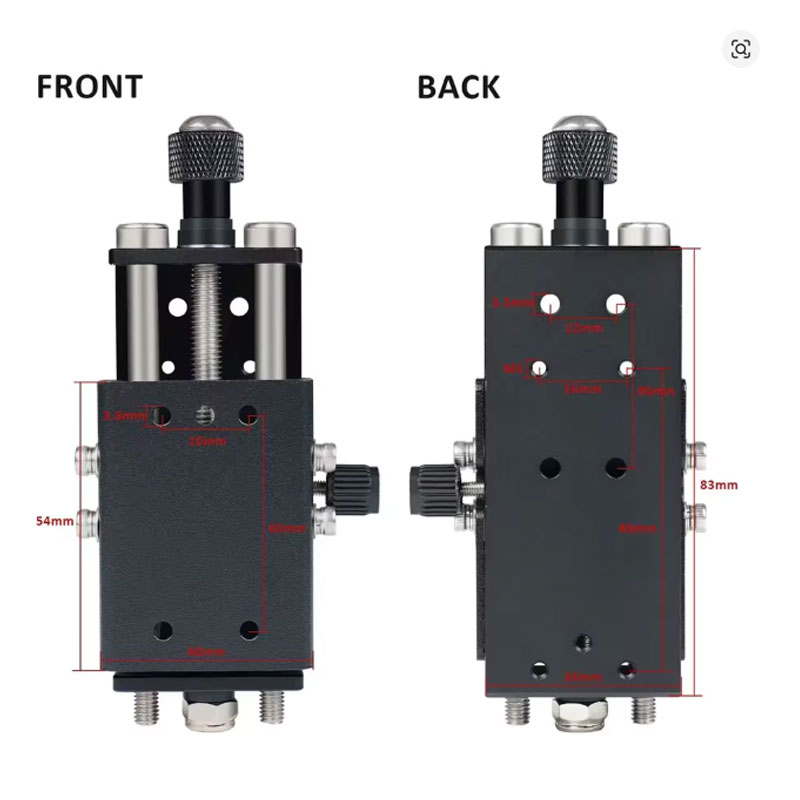
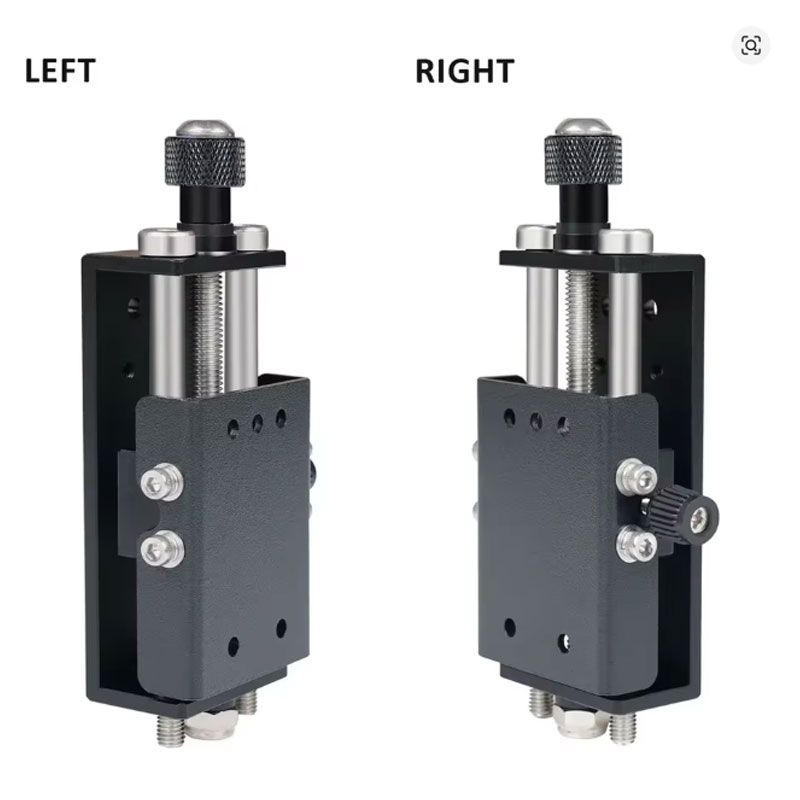
Singason Adjustable Z-Axis Lifting Bracket for TTS

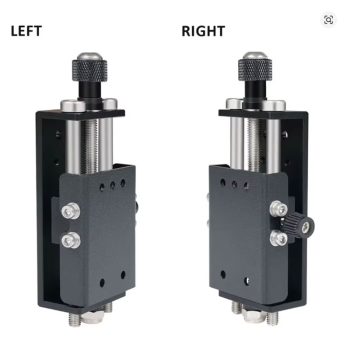
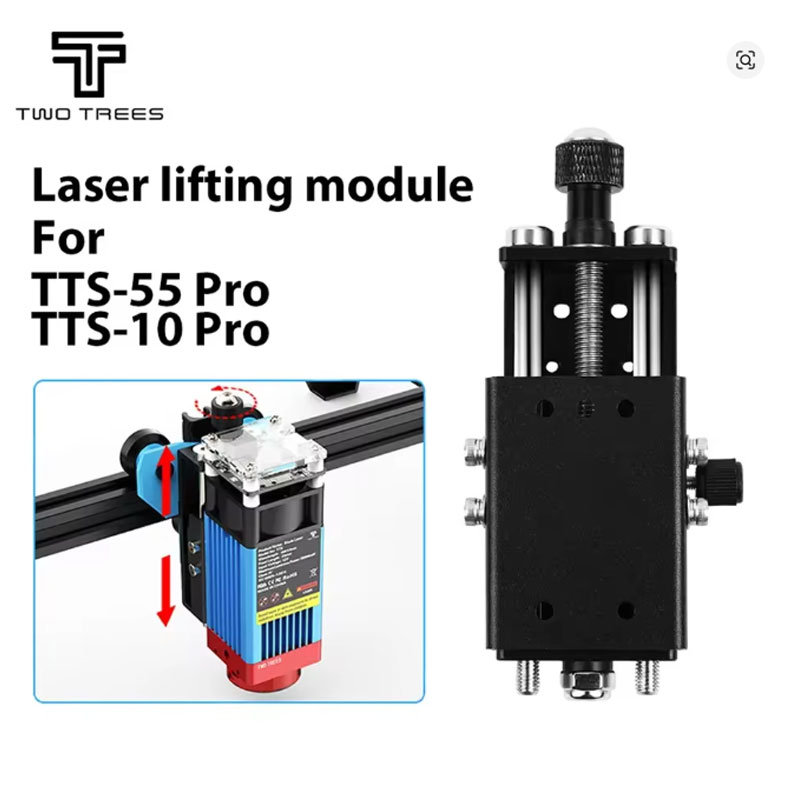
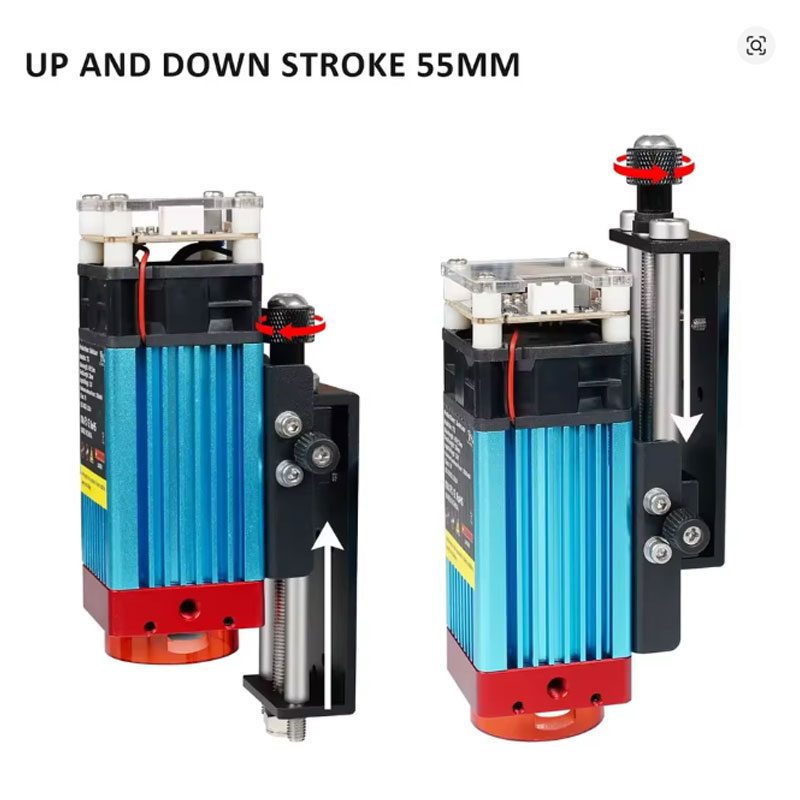
Upgrade your TTS series laser engraver with this Singason adjustable lifting module — precision Z-axis mounting bracket for easy focus adjustment. Compatible with TTS-55 Pro, TTS-10 Pro, and TTS-20 Pro. Solid metal construction, smooth operation, and 55mm lifting stroke for engraving thicker items.

Singasong Laser Engraving Machine Parts – Adjustable Lifting Module Installation Bracket for TTS Series
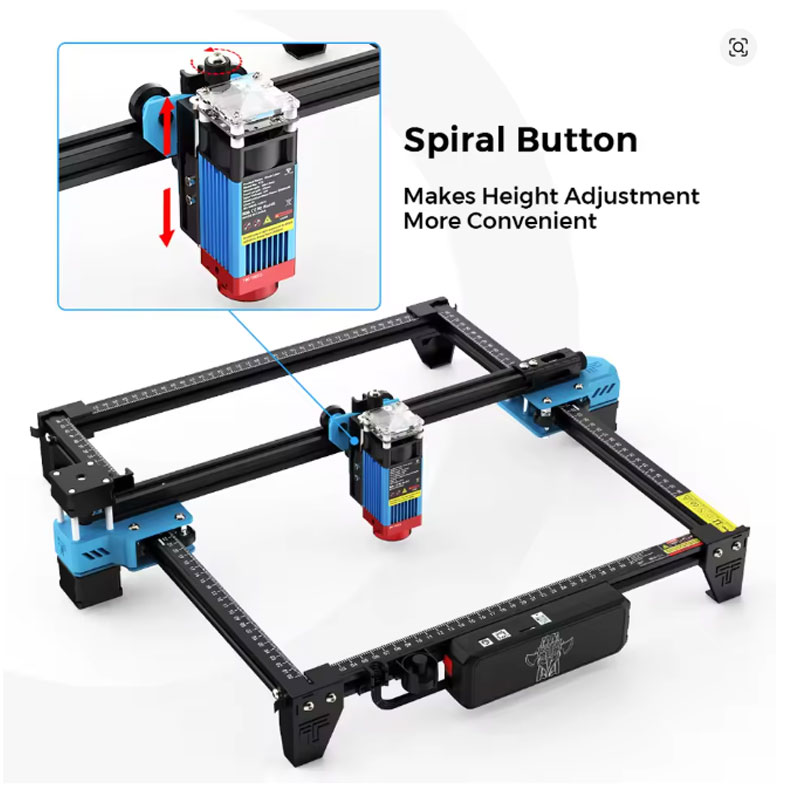
Upgrade your laser engraving setup with the Singasong Adjustable Lifting Module Installation Bracket. Designed specifically for TTS series laser engravers (TTS-55, TTS-10, TTS-20 PRO), this adjustable lifting bracket allows you to precisely control the height of your laser head for improved focusing and cutting accuracy. The manual adjustment mechanism gives you full control over the Z-axis position, enabling you to achieve the perfect focal distance for different material thicknesses. Made from high-grade materials with CE certification for safety and quality. Whether you are replacing a worn bracket or upgrading for better performance, this lifting module bracket is a durable and reliable solution for your TTS series laser engraver.
- Adjustable lifting module – precise Z-axis height control for laser head
- Compatible with TTS series – fits TTS-55, TTS-10, TTS-20 PRO models
- Manual adjustment – easy to use, no electronics required
- High-grade materials – durable construction for long-lasting performance
- CE certified – meets European safety and quality standards
Why Choose This Adjustable Lifting Bracket for TTS Series
- Precise Z-Axis Height Adjustment – This adjustable lifting bracket allows you to raise or lower the laser head with fine accuracy. Perfect for achieving the optimal focal distance for different material thicknesses, from thin paper to thick wood and acrylic.
- Compatible with TTS Series Laser Engravers – Specifically designed for TTS-55, TTS-10, and TTS-20 PRO laser engraving machines from singasong. If you own any of these popular desktop laser models, this bracket is a direct fit replacement or upgrade.
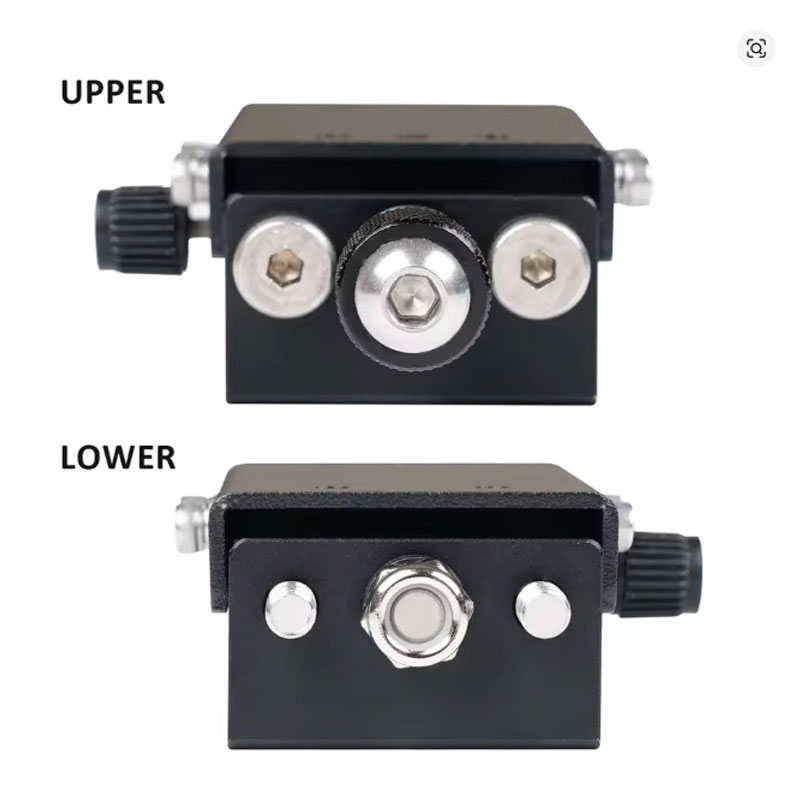
- Manual Lifting Module Design – The manual adjustment mechanism gives you full control without needing electronic modifications. Simple, reliable, and easy to use – turn knobs or loosen screws to reposition the laser head to your desired height.
- High-Grade Material Construction – Crafted from premium materials for lasting durability and superior performance. The bracket holds the laser head securely in place once adjusted, preventing unwanted drift during operation.
- CE Certified Quality – Manufactured to meet European safety standards (CE certification). Machine-stitched or precision-engineered components ensure strength and reliability for long-term use.
- TTS-55 PRO Laser Engraver – Direct replacement or upgrade bracket for the TTS-55 PRO. Compatible with the factory laser head mounting system. Check your machine’s current bracket design before ordering.
- TTS-10 PRO Laser Engraver – Fits TTS-10 PRO models. Ideal for users who want manual Z-axis adjustment if their current setup lacks fine height control.
- TTS-20 PRO Laser Engraver – Also compatible with TTS-20 PRO. Perfect for users who need to frequently change material thicknesses and require quick, repeatable laser head repositioning.
- Laser Head Focusing – Use this bracket to dial in the perfect focal distance for different materials. Raise the head for thicker materials that need more clearance, lower it for thin materials to concentrate power.
- Replacement for Damaged or Worn Brackets – If your existing Z-axis bracket is cracked, stripped, or no longer holds position securely, this replacement part restores full functionality to your laser engraver.
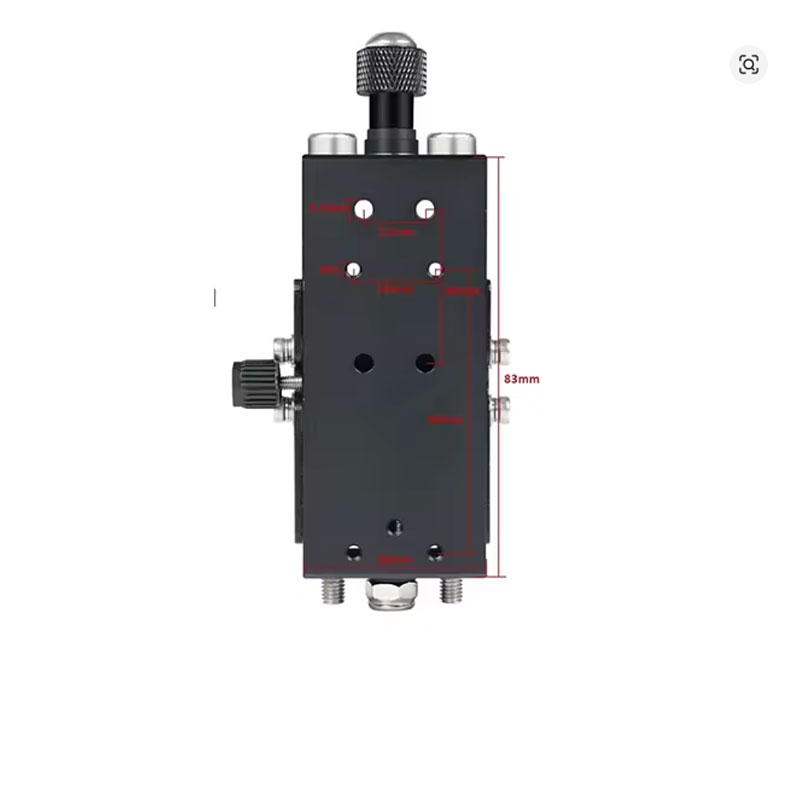
- Verify compatibility before ordering – This bracket is designed for TTS-55, TTS-10, and TTS-20 PRO laser machines. Check your machine’s model number and current bracket mounting pattern. If unsure, contact the seller with photos of your existing bracket.
- Disconnect power before installation – Always unplug your laser engraver before removing or installing any parts. The laser module and moving parts can cause injury if the machine is powered on during maintenance.
- Keep track of screws and hardware – During removal of the old bracket, set aside all screws, washers, and spacers. You may need to reuse some hardware with the new bracket. Take photos before disassembly as a reference.
- Adjust before each material change – After installing the new adjustable bracket, make it a habit to check and adjust the laser head height whenever you change material thickness. Use the included focus gauge or a block of known thickness to set the correct distance.
- Tighten locking mechanisms securely – After positioning the laser head at the desired height, tighten all thumbscrews or locking knobs firmly. A loose bracket will cause the laser head to drift during operation, ruining engraving quality.
Product Specifications
Packing List
- 1 x Adjustable Lifting Module Installation Bracket
- 1 x Set of Adjustment Knobs / Thumbscrews (if applicable)
- Note: Mounting screws and original laser head are NOT included – only the bracket assembly
Warnings and Safety Notes
- Verify compatibility before purchase – This bracket is designed for TTS-55, TTS-10, and TTS-20 PRO models. It may not fit other laser engraver brands or older non-PRO TTS models. Check your machine’s specifications.
- Disconnect power before installation – Always unplug your laser engraver before installing or adjusting this bracket. The laser module can cause eye damage or burns if activated during maintenance.
- Reuse existing hardware – The bracket typically does not include mounting screws. You will need to reuse the screws from your original bracket. Keep them organized during disassembly.
- Secure all fasteners – After installation, double-check that all screws and locking mechanisms are tightened. A loose bracket can cause the laser head to move during operation, resulting in poor engraving quality or laser misalignment.
- Re-calibrate focus after installation – After installing the new Z-axis bracket, re-set your laser’s focus using the manufacturer’s recommended method (focus gauge or ramp test). The new bracket may have a different zero position than your old one.
- Avoid over-tightening – When adjusting the manual lifting module, tighten knobs just enough to hold position firmly. Over-tightening can strip threads or damage the bracket material.
- Check for smooth movement – Before powering on the machine, manually move the Z-axis up and down through its full range. Ensure there is no binding, grinding, or unusual resistance.
- Not for automated Z-axis control – This is a manual adjustment bracket. It does not include a motor for automated Z-axis control. If you need motorized Z-axis, look for a different product.
- Keep moving parts clean – Dust and debris from laser cutting can accumulate on the adjustment mechanism. Periodically clean the bracket with compressed air to maintain smooth operation.
- Inspect for wear – Over time, the adjustment knobs or sliding surfaces may wear. Inspect the bracket periodically and replace if it no longer holds position securely.
Watch the adjustable lifting bracket installation – video not available (403 error). Contact seller for installation videos or tutorials.
Welcome deal: US $9.62 | Returning shoppers save US $3.00
Tax excluded: Added at checkout if applicable
Color: Lifting Module (as pictured)
Rating: 4.9 out of 5 stars | 1,000+ sold from singasong Official Store
Compatibility: TTS-55, TTS-10, TTS-20 PRO laser engravers
Part type: Adjustable Z-axis lifting bracket / manual stage bracket / replacement laser head mount
Certification: CE certified | Material: High-grade metal
Note: Video link returned a 403 error – contact seller for product demonstration videos.