
See Problems Before They Fail The MILESEEY TR20 PRO Thermal Imaging Camera Review
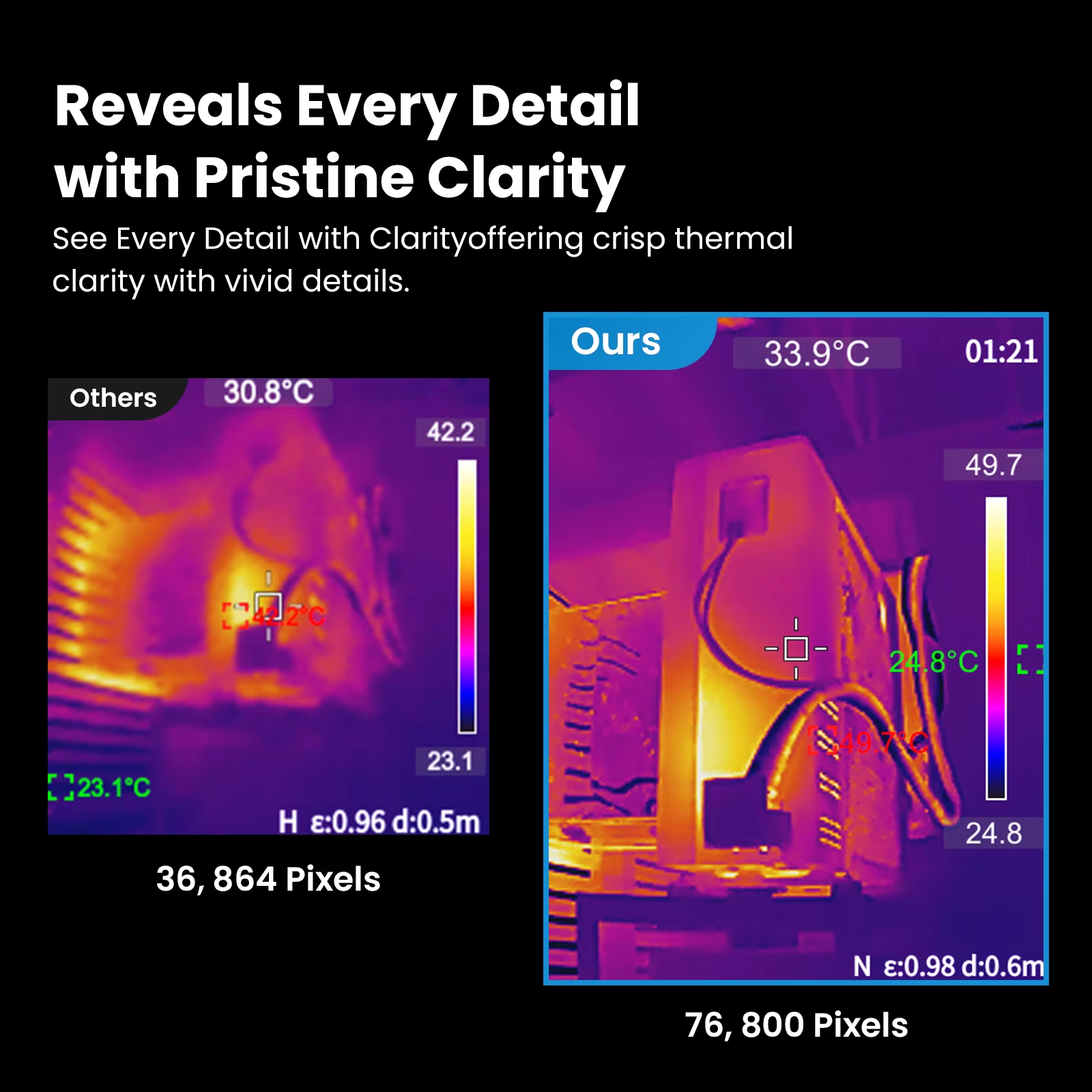
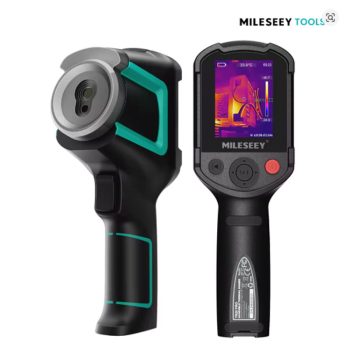
Figure 1: The MILESEEY TR20 PRO Thermal Imaging Camera puts professional-grade thermal imaging in the palm of your hand.
Have you ever wished you could see through walls to find a water leak? Have you ever wanted to know which circuit breaker is about to fail before it trips? Have you ever spent hours trying to find an overheating electrical connection? There is a tool for that. Meet the MILESEEY TR20 PRO Thermal Imaging Camera. This rugged, handheld device lets you see heat signatures in real time. With a sharp 320×240 resolution, a super-smooth 50Hz refresh rate, and a wide temperature range from -20°C to 550°C, the TR20 PRO is built for professionals. Electricians use it to find hot breakers. Home inspectors use it to detect water leaks and missing insulation. HVAC technicians use it to diagnose failing compressors. Automotive mechanics use it to find overheating brakes and engines. In this complete guide, we will explain everything you need to know about the MILESEEY TR20 PRO Thermal Imaging Camera. You will learn how it works, why the 50Hz refresh rate matters, and how this camera can save you time, money, and frustration.
H2: What is the MILESEEY TR20 PRO Thermal Imaging Camera?
The MILESEEY TR20 PRO Thermal Imaging Camera is a handheld thermal imager that shows you the temperature of objects in real time. Unlike a regular camera that captures visible light, this camera captures infrared radiation (heat). Hotter objects appear in red, orange, or white. Cooler objects appear in blue, purple, or black. This allows you to see temperature differences that are invisible to the naked eye.
The MILESEEY TR20 PRO Thermal Imaging Camera has a 320×240 infrared resolution. That is 76,800 temperature pixels. This is about four times sharper than entry-level thermal cameras (which often have 160×120 or 80×60 resolution). The 3.5-inch IPS color screen is bright and easy to read. The camera has a 50Hz refresh rate, which means it updates the image 50 times per second. This is incredibly smooth. You can pan across a room or scan moving objects without any lag or ghosting. The temperature range is -20°C to 550°C (-4°F to 1022°F), so it works for everything from frozen pipes to hot motors. The rechargeable battery lasts for over 10 hours of continuous use. The camera also records images and videos to a microSD card, which is included. For professionals who need to document their work, the MILESEEY TR20 PRO Thermal Imaging Camera is a complete solution.
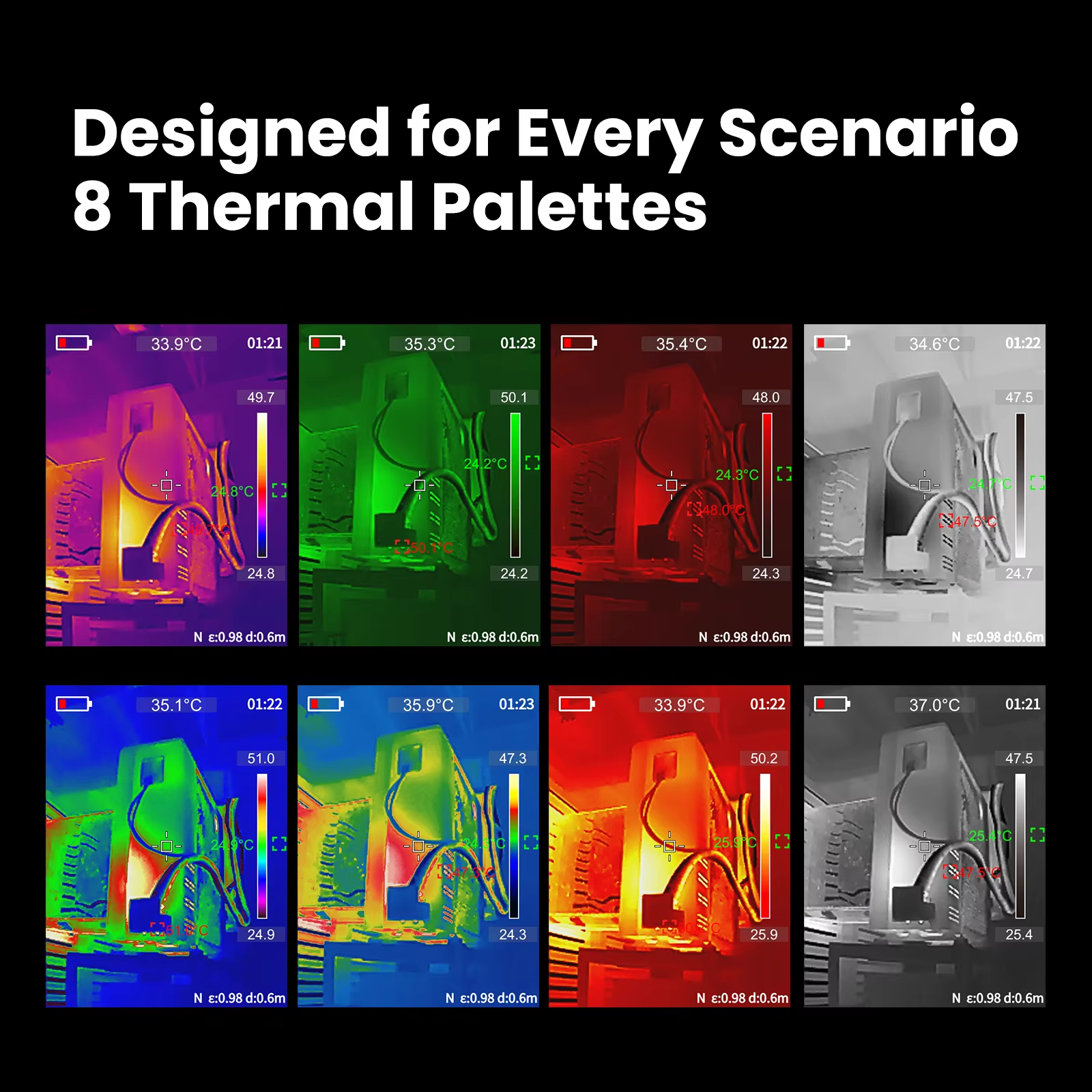
Figure 2: The MILESEEY TR20 PRO Thermal Imaging Camera is ergonomically designed for comfortable one-handed use.
H3: Why the 50Hz Refresh Rate Makes the MILESEEY TR20 PRO Thermal Imaging Camera Better
Many cheap thermal cameras have a low refresh rate of 9Hz or 25Hz. Here is why the 50Hz refresh rate on the MILESEEY TR20 PRO Thermal Imaging Camera is a game-changer.
- No Lag When Moving: With a 9Hz camera, the image updates only 9 times per second. When you move the camera, the image jumps and stutters. The MILESEEY TR20 PRO Thermal Imaging Camera updates 50 times per second, so the image is smooth and responsive. It feels like looking through a real glass lens.
- See Moving Targets: If you are scanning a moving object (like a conveyor belt or a rotating motor), a low refresh rate camera will show a blurry or ghosted image. The 50Hz refresh rate keeps moving targets sharp and clear.
- Less Eye Strain: Staring at a choppy, low-refresh display is tiring. The smooth 50Hz display on the MILESEEY TR20 PRO Thermal Imaging Camera is easy on your eyes, even during long inspections.
- Better for Video Recording: When you record thermal video, a high refresh rate captures more detail and motion. The 50Hz video from the TR20 PRO is smooth and professional.
H3: Key Features of the MILESEEY TR20 PRO Thermal Imaging Camera
Let us break down the main features of this powerful MILESEEY TR20 PRO Thermal Imaging Camera and why they matter for USA professionals.
- High-Definition 320×240 Thermal Clarity: The MILESEEY TR20 PRO Thermal Imaging Camera has a detector resolution of 320 x 240 pixels. That is 76,800 temperature pixels. This provides 4 times the clarity of standard entry-level cameras (which are often 160×120). You can accurately pinpoint small components or subtle temperature differences from a distance. This matters when you are trying to see which breaker in a panel is overheating or which small pipe joint is leaking.
- Ultra-Smooth 50Hz Refresh Rate: This is the standout feature. While most competitors offer a choppy 9Hz or 25Hz frame rate, the MILESEEY TR20 PRO Thermal Imaging Camera boasts a 50Hz refresh rate. You can scan moving targets or pan across a room quickly without ghosting or image lag. The experience is seamless and fluid.
- Video Recording and Photo Capture: Documentation is easy. The TR20 PRO saves thousands of thermal images and records thermal videos directly to the included microSD card. This is perfect for creating reports for clients, keeping maintenance records, or training new employees.
- Precise Temperature Measurement: The MILESEEY TR20 PRO Thermal Imaging Camera detects temperatures from -20°C to +550°C (-4°F to 1022°F) with high accuracy. It features automatic Hot and Cold Spot Tracking, instantly highlighting the highest and lowest temperatures on the screen. This saves you from having to scan the entire image manually.
- Multiple Color Palettes: Customize your view for the best contrast. Choose from 4 standard color palettes (Rainbow, Iron Red, White Hot, Black Hot). Different palettes make different defects easier to spot. For example, White Hot is excellent for seeing fine details, while Rainbow makes temperature differences pop.
- Professional PC Analysis Software: Take your data further. Connect the MILESEEY TR20 PRO Thermal Imaging Camera to your computer via USB. Use the dedicated software for detailed temperature analysis and report generation. This is essential for professional inspectors who need to provide written reports to clients.
- 3.5-Inch IPS Color Display: The screen is bright, clear, and viewable from wide angles. IPS technology means the colors and contrast stay accurate even when you are not looking straight at the screen.
- Long Battery Life (Over 10 Hours): The rechargeable Li-ion battery lasts for more than 10 hours of continuous use. That is a full workday and then some. You will not need to charge it in the middle of a job.
- 1.5 Meter Drop Resistance: The MILESEEY TR20 PRO Thermal Imaging Camera is built tough. It can survive a drop from about 5 feet onto concrete. This is important for job sites where tools get bumped and dropped.
- High Thermal Sensitivity (NETD less than 40mk): The camera can detect very small temperature differences (less than 0.04°C). This is critical for finding subtle water leaks or early-stage overheating.
H2: Top Benefits of Using the MILESEEY TR20 PRO Thermal Imaging Camera for Your USA Business or Home
Why should you invest in the MILESEEY TR20 PRO Thermal Imaging Camera? Here are the real-world benefits that USA electricians, home inspectors, HVAC techs, and DIYers love.
H3: Find Overheating Electrical Connections Before They Fail
Loose electrical connections, overloaded breakers, and failing fuses all generate heat. That heat is a fire hazard. The MILESEEY TR20 PRO Thermal Imaging Camera lets you safely scan electrical panels from a distance. Hot breakers or connections show up as bright red spots. You can identify problems before they cause a fire or a power outage. Electricians and facility managers use thermal imaging as a standard part of preventive maintenance. The 50Hz refresh rate makes scanning panels fast and easy – no lag, no stutter.
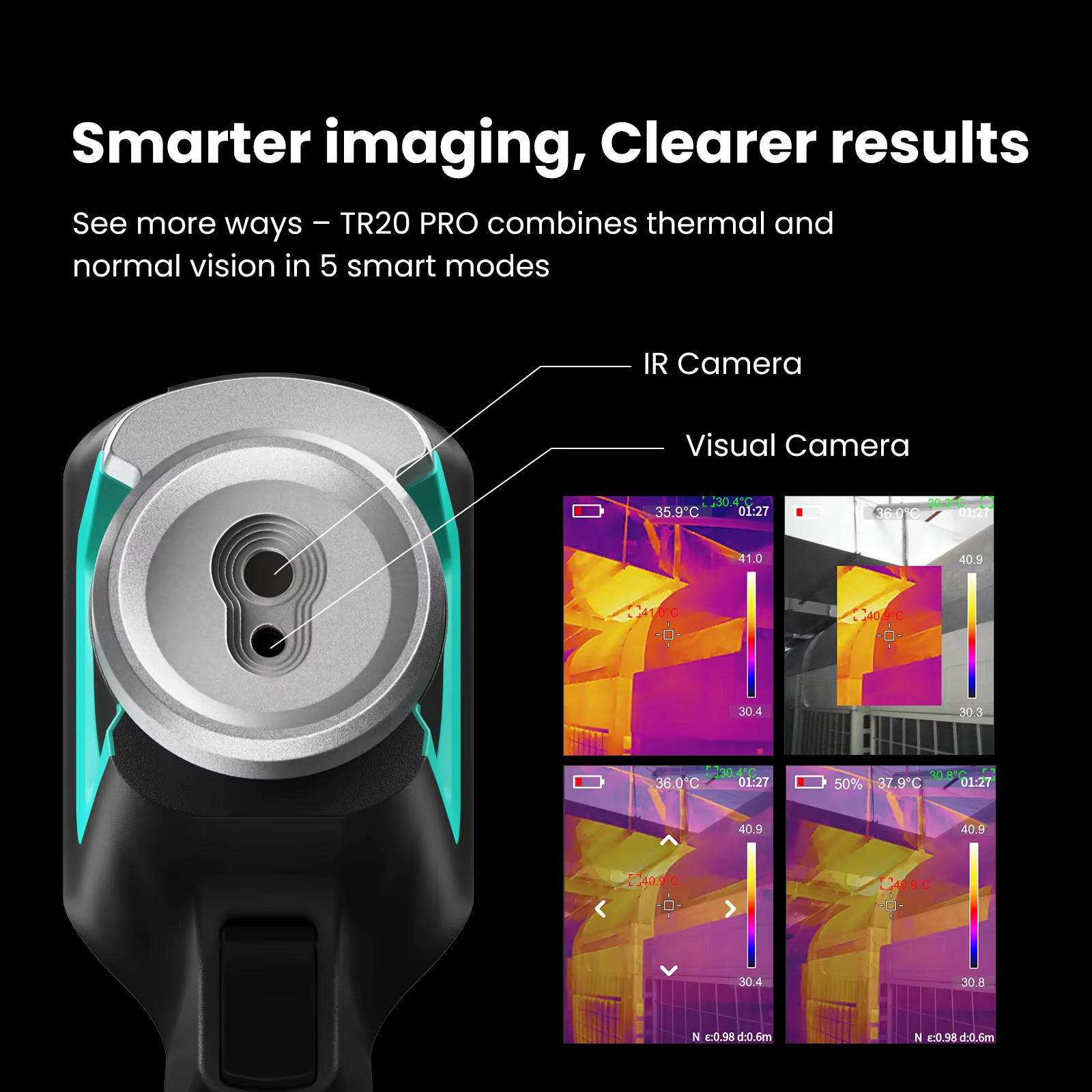
Figure 3: The MILESEEY TR20 PRO Thermal Imaging Camera reveals an overheating circuit breaker instantly.
H3: Detect Water Leaks and Insulation Gaps Without Cutting Holes
Water damage is a nightmare for homeowners. Finding the source of a leak often involves cutting holes in walls or ceilings. The MILESEEY TR20 PRO Thermal Imaging Camera can help you find leaks non-destructively. Water evaporates and cools the surrounding area. The thermal camera shows these cool spots as blue or purple patches. You can trace the leak back to its source without damaging the building. Insulation gaps also show up as temperature differences. The high 320×240 resolution and 50Hz refresh rate help you see these subtle temperature differences clearly, even when moving the camera across a large wall.
H3: Diagnose HVAC Problems Quickly and Accurately
HVAC technicians use thermal cameras to find clogged filters, leaking ducts, failing compressors, and blocked radiators. The MILESEEY TR20 PRO Thermal Imaging Camera is perfect for this work. The wide temperature range (-20°C to 550°C) covers everything from frozen AC lines to hot motors. The 50Hz refresh rate lets you see real-time temperature changes as you test systems. For example, you can watch a compressor heat up as it starts, or see cold air leaking from a duct. The video recording feature lets you document these issues for clients.
H3: Improve Automotive Diagnostics
Modern cars have many electrical and mechanical systems. The MILESEEY TR20 PRO Thermal Imaging Camera can help mechanics find problems faster. Scan an engine block to find a misfiring cylinder (it will be cooler than others). Check brake calipers for dragging (they will be hot). Find shorts in heated seat wiring. Diagnose failing bearings in alternators or AC compressors. The 50Hz refresh rate is especially useful for viewing rotating components like pulleys and belts.
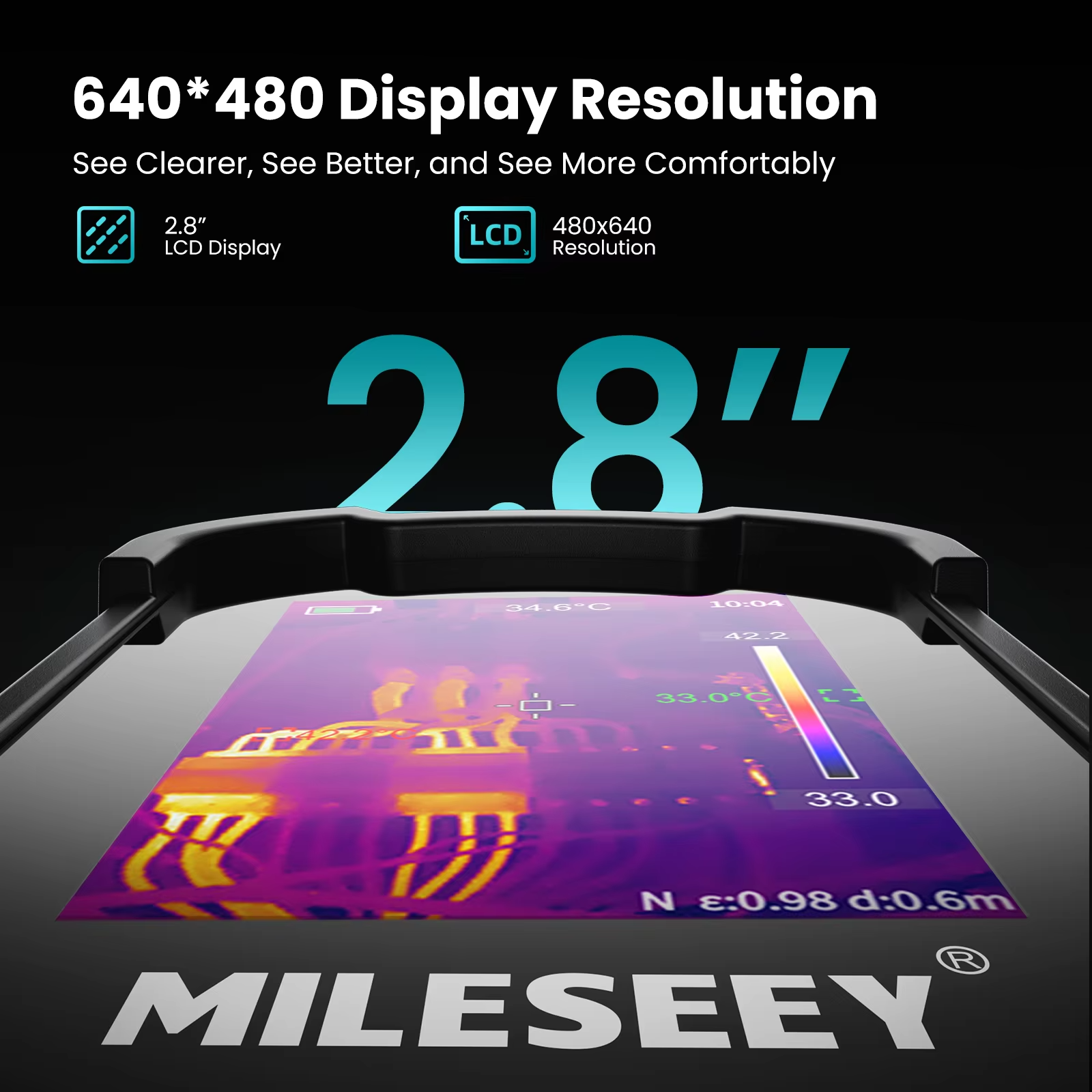
Figure 4: The MILESEEY TR20 PRO Thermal Imaging Camera helps HVAC technicians find problems fast.
H3: Perform Building Energy Audits
Energy efficiency is important for homeowners and businesses. The MILESEEY TR20 PRO Thermal Imaging Camera is a key tool for energy audits. Scan walls, ceilings, windows, and doors to find air leaks and missing insulation. A well-done thermal audit can save hundreds of dollars per year on heating and cooling bills. The high resolution and smooth refresh rate make it easy to scan large areas quickly. The PC software lets you generate professional reports for clients.
H3: Save Money by Doing Your Own Diagnostics
Hiring a professional to find a water leak, an electrical problem, or an HVAC issue can cost $150 to $500 per visit. The MILESEEY TR20 PRO Thermal Imaging Camera costs $231.41. If it helps you avoid just one professional service call, it has paid for itself. For professionals, the time savings alone will pay for the camera in a week. For homeowners and small business owners, it is a tool that pays for itself over time.
H2: How to Use the MILESEEY TR20 PRO Thermal Imaging Camera for Best Results
Getting the most out of your MILESEEY TR20 PRO Thermal Imaging Camera is easy. Just follow these simple steps and tips.
H3: First-Time Setup
- Charge the Battery: Before first use, fully charge the MILESEEY TR20 PRO Thermal Imaging Camera using the included USB-C cable. A full charge takes a few hours and gives you over 10 hours of runtime.
- Insert the microSD Card: The camera comes with a microSD card. Insert it into the slot. This is where images and videos will be saved.
- Power On: Press and hold the power button until the screen lights up.
- Set the Language and Date: Follow the on-screen prompts to set your preferred language and date/time. This helps organize your saved files.
- Calibrate (If Needed): Some thermal cameras need to be calibrated by covering the lens or pointing at a known temperature. Check the manual for the TR20 PRO’s calibration procedure (often automatic).
- You Are Ready: The MILESEEY TR20 PRO Thermal Imaging Camera is now ready to use.
H3: Basic Operation – Point, Shoot, and Scan
- Point the Camera: Aim the MILESEEY TR20 PRO Thermal Imaging Camera at the object or area you want to inspect. The thermal image will appear on the screen.
- Adjust the Focus: Most thermal cameras have a manual focus ring. Twist the ring until the image is sharp. The 50Hz refresh rate makes focusing easier because the image is smooth and responsive.
- Read the Temperature: The camera shows the temperature at the center crosshair. It also shows the hottest and coldest spots automatically (depending on your settings).
- Change Color Palettes: Press the palette button to cycle through Rainbow, Iron Red, White Hot, and Black Hot. Use the one that gives you the best contrast for your task.
- Capture an Image: Press the capture button to save a thermal image to the SD card. The image will be stored as a JPG file.
- Record a Video: Press the record button to start recording thermal video (MP4 format). Press again to stop. The 50Hz refresh rate ensures smooth, professional-looking videos.
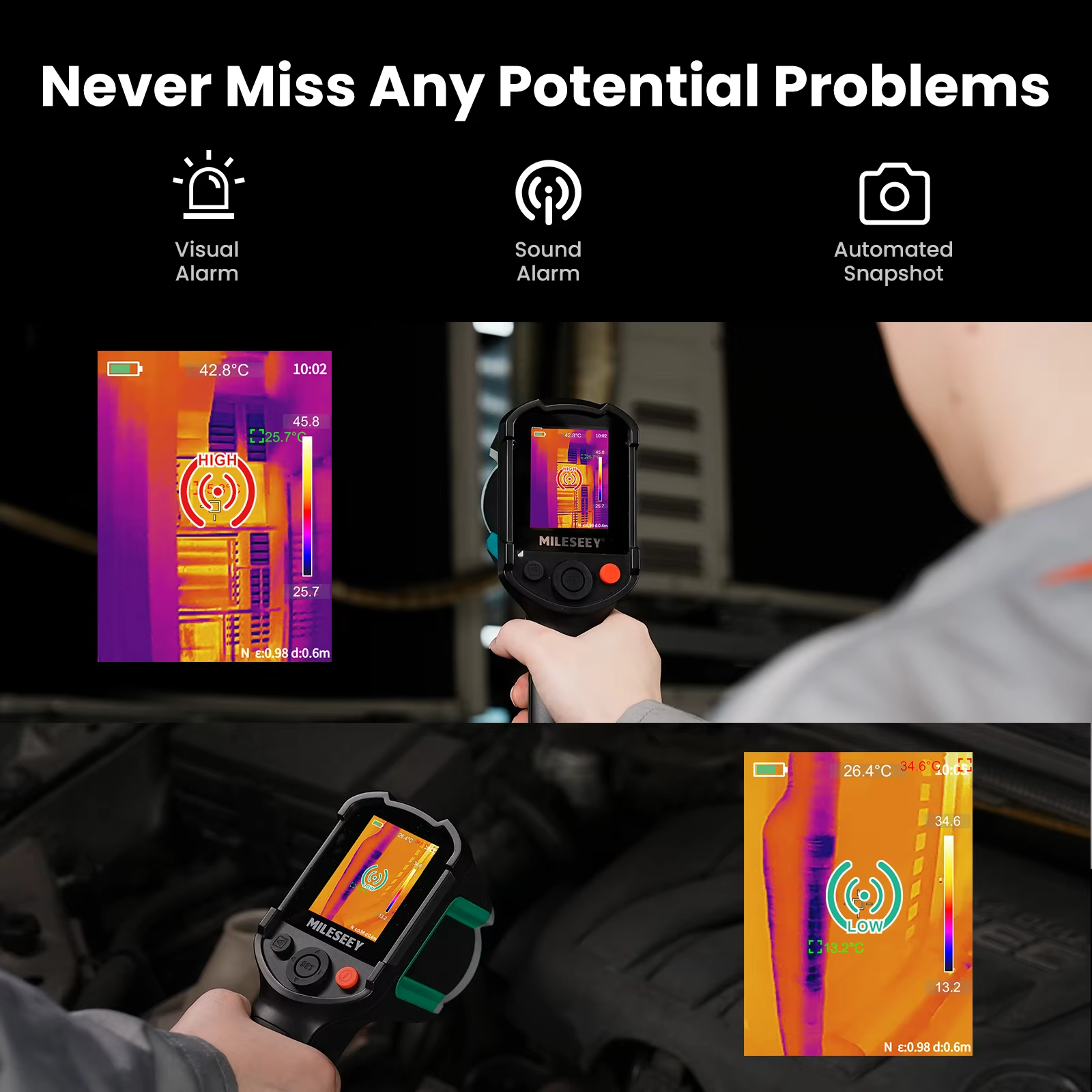
Figure 5: The MILESEEY TR20 PRO Thermal Imaging Camera detects water leaks behind walls without damaging the surface.
H3: Tips for Electrical Panel Inspections
Electrical panels are a common use for the MILESEEY TR20 PRO Thermal Imaging Camera. Here is how to do it safely and effectively.
- Safety First: Always wear appropriate personal protective equipment (PPE). Never touch anything inside the panel unless you are a qualified electrician. Keep the camera at a safe distance.
- Remove the Panel Cover: If you are qualified to do so, remove the outer cover. Do not touch any components. Scan the breakers, wires, and bus bars.
- Look for Temperature Differences: Compare similar breakers or connections. A hot breaker is a problem breaker. The MILESEEY TR20 PRO Thermal Imaging Camera will show it in red.
- Use Hot Spot Tracking: Enable the automatic hot spot tracking feature. The camera will put a marker on the hottest point in the image. This helps you find the problem component instantly.
- Document with Images: Capture images of any hot spots. These are valuable for reports and for tracking changes over time.
H3: Tips for Water Leak Detection
The MILESEEY TR20 PRO Thermal Imaging Camera is excellent for finding water leaks. Here is the technique.
- Create a Temperature Difference: Thermal cameras need a temperature difference to see leaks. On a cold day, a leak will be warm (from indoor heat). On a hot day, a leak will be cool (from evaporative cooling). For best results, inspect when the indoor and outdoor temperatures are different.
- Scan Slowly: Move the camera slowly across the wall or ceiling. The 50Hz refresh rate helps keep the image smooth, but moving too fast can still blur the image.
- Look for Patterns: Water leaks often create a distinct pattern – a cool spot that spreads out like a tree or fan. Insulation gaps create a more uniform temperature difference across a larger area.
- Confirm with a Moisture Meter: Thermal imaging is a screening tool. Confirm suspected leaks with a moisture meter before cutting any holes.
- Use the Right Palette: For water leaks, the Rainbow or Blue-Red palette often works well because it makes subtle temperature differences visible.
H2: Technical Specifications of the MILESEEY TR20 PRO Thermal Imaging Camera
For those who love the technical details, here is the full spec sheet for the MILESEEY TR20 PRO Thermal Imaging Camera.
| Specification | Detail |
|---|---|
| Brand Name | MILESEEY |
| Model | TR20 PRO Thermal Imaging Camera |
| IR Resolution | 320 x 240 pixels (76,800 temperature pixels) |
| Refresh Rate | 50 Hz (Ultra-Smooth) |
| Display Screen | 3.5-inch IPS Color Display |
| Temperature Range | -20°C to 550°C (-4°F to 1022°F) |
| Thermal Sensitivity (NETD) | Less than 40 mk (high sensitivity) |
| Storage | microSD Card (16GB or 32GB included) |
| Image Format | JPG (Photo), MP4 (Video) |
| Battery Life | Over 10 hours continuous use |
| Drop Resistance | 1.5 meters (approx. 5 feet) |
| Color Palettes | Rainbow, Iron Red, White Hot, Black Hot |
| PC Analysis Software | Yes (included for report generation) |
| Charging Port | USB Type-C |
H2: Pros and Cons of the MILESEEY TR20 PRO Thermal Imaging Camera
Every product has strengths and weaknesses. Here is an honest look at the MILESEEY TR20 PRO Thermal Imaging Camera.
Pros – What We Love
- Sharp 320×240 IR resolution – 4x better than entry-level
- Ultra-smooth 50Hz refresh rate – no lag or ghosting
- Wide temperature range -20°C to 550°C
- Over 10 hours battery life – a full workday
- 3.5-inch IPS bright display with good viewing angles
- Video recording and photo capture to microSD card
- Automatic hot and cold spot tracking
- Durable with 1.5m drop resistance
- Professional PC software for report generation
- Excellent value for the price ($231)
Cons – What to Know
- Does not have a visual (visible light) camera overlay (some higher-end models do)
- Manual focus takes a little practice
- Not waterproof – keep away from heavy rain
- Software is basic but functional
H2: Who Should Buy the MILESEEY TR20 PRO Thermal Imaging Camera?
The MILESEEY TR20 PRO Thermal Imaging Camera is perfect for many different types of USA professionals and serious DIYers. Here is who will benefit the most.
H3: Electricians and Electrical Contractors
For electricians, the MILESEEY TR20 PRO Thermal Imaging Camera is an essential diagnostic tool. Scan breaker panels, fuse boxes, switchgear, and motor controls. Find loose connections and overloaded circuits before they cause outages or fires. The high 50Hz refresh rate makes scanning large panels fast and efficient. The long battery life gets you through a full day of inspections.
H3: Home Inspectors and Building Contractors
Home inspectors use thermal cameras to find water leaks, insulation gaps, electrical hot spots, and HVAC problems. The MILESEEY TR20 PRO Thermal Imaging Camera gives you professional-grade resolution and smooth video at a fraction of the cost of high-end Flir models. Include thermal images in your inspection reports to show clients exactly where the problems are. This builds trust and justifies your fees.
H3: HVAC Technicians and Maintenance Staff
HVAC systems are all about temperatures. The MILESEEY TR20 PRO Thermal Imaging Camera shows you those temperatures instantly. Find clogged coils, failing compressors, blocked filters, and leaking ducts. The video recording feature lets you show clients the problem in real time. The -20°C to 550°C range covers everything from frozen refrigerants to hot motors.
H3: Automotive Mechanics and Fleet Managers
Diagnosing engine problems, electrical issues, and brake problems is faster with thermal imaging. The MILESEEY TR20 PRO Thermal Imaging Camera helps you find misfiring cylinders, dragging brakes, failing bearings, and shorted wiring. The 50Hz refresh rate is excellent for viewing moving parts like belts and pulleys. The rugged design can handle the demands of a busy shop.
H3: Energy Auditors and Green Building Professionals
Energy audits rely heavily on thermal imaging. The MILESEEY TR20 PRO Thermal Imaging Camera lets you quickly scan homes and buildings for insulation gaps, air leaks, and thermal bridges. The PC software helps you generate professional reports for clients, recommending specific improvements that will save energy and money.
H3: Serious DIY Homeowners
Do you own your home and like to fix things yourself? The MILESEEY TR20 PRO Thermal Imaging Camera is a tool that will pay for itself. Find that water leak behind the bathroom wall. Find where your insulation is missing. Check your own electrical panel for hot breakers. Diagnose your own HVAC problems. For the cost of one or two professional service calls, you can own this tool and use it for years.
H2: How Does the MILESEEY TR20 PRO Thermal Imaging Camera Compare to Other Thermal Cameras?
There are many thermal cameras on the market. Here is how the MILESEEY TR20 PRO Thermal Imaging Camera stacks up against common alternatives.
- VS. High-End Professional Cameras (Flir, Fluke, Testo): Professional cameras from Flir or Fluke cost $800 to $5,000. They have more features (like visible light overlay, Wi-Fi, and higher resolution). The MILESEEY TR20 PRO Thermal Imaging Camera offers similar core performance (320×240 resolution, 50Hz) for a fraction of the price. For most electricians, home inspectors, and HVAC techs, the TR20 PRO is more than adequate.
- VS. Entry-Level Thermal Cameras (under $200): Cheap thermal cameras often have low resolution (80×60 or 160×120), low refresh rates (9Hz or less), and poor build quality. The MILESEEY TR20 PRO Thermal Imaging Camera is in a completely different league. The 320×240 resolution and 50Hz refresh rate make it a professional tool.
- VS. Smartphone Thermal Attachments: Smartphone thermal cameras (like the P3 or Flir One) plug into your phone. They are compact but rely on your phone’s battery and screen. The MILESEEY TR20 PRO Thermal Imaging Camera is a standalone device with its own battery and screen. You do not drain your phone battery. The 3.5-inch screen is larger than many phones. And the rugged design is better for job sites.
- VS. No Thermal Camera at All: Without a thermal camera, you guess where problems are. You cut holes to find leaks. You touch breakers to see if they are hot. You use expensive trial and error. The MILESEEY TR20 PRO Thermal Imaging Camera gives you certainty. You see the problem immediately.
H2: Frequently Asked Questions About the MILESEEY TR20 PRO Thermal Imaging Camera
H3: Is the MILESEEY TR20 PRO Thermal Imaging Camera good for finding water leaks?
Yes. The MILESEEY TR20 PRO Thermal Imaging Camera is excellent for water leak detection. The 320×240 resolution provides enough detail to see the pattern of a leak. The 50Hz refresh rate lets you scan walls smoothly. The thermal sensitivity (less than 40mk) is high enough to detect the subtle temperature difference caused by evaporating water. For best results, inspect when the indoor and outdoor temperatures are different.
H3: Can the MILESEEY TR20 PRO Thermal Imaging Camera see through walls?
No. The MILESEEY TR20 PRO Thermal Imaging Camera cannot see through walls. It detects surface temperatures. If a water leak is behind a wall, the water will cool the wall surface. The camera detects that surface temperature difference. It does not “see” the water directly. This is how all thermal cameras work for building inspection. The camera sees the effect of the problem on the surface, not the problem itself.
H3: How long does the battery last on the MILESEEY TR20 PRO Thermal Imaging Camera?
The MILESEEY TR20 PRO Thermal Imaging Camera has a rechargeable Li-ion battery that lasts for over 10 hours of continuous use. That is a full workday and then some. You do not need to carry spare batteries for most jobs. The camera charges via USB-C, so you can also charge it from a power bank or your car if needed.
H3: Does the MILESEEY TR20 PRO Thermal Imaging Camera record video?
Yes. The MILESEEY TR20 PRO Thermal Imaging Camera records thermal video in MP4 format directly to the included microSD card. The 50Hz refresh rate ensures that the video is smooth and professional. You can use these videos for training, documentation, or showing clients the problem in real time.
H3: What temperature range does the MILESEEY TR20 PRO Thermal Imaging Camera cover?
The MILESEEY TR20 PRO Thermal Imaging Camera covers a wide range from -20°C to 550°C (-4°F to 1022°F). This covers everything from frozen pipes (below freezing) to hot motors, electrical connections, and exhaust systems. You will not need a second camera for high-temperature work.
H3: Is the MILESEEY TR20 PRO Thermal Imaging Camera durable enough for job sites?
Yes. The MILESEEY TR20 PRO Thermal Imaging Camera is built with a rugged housing. It has a 1.5 meter (about 5 feet) drop resistance rating. That means it can survive being knocked off a ladder or a workbench. It is not waterproof, but it can handle typical job site conditions. Keep it out of heavy rain.
H2: Why the MILESEEY TR20 PRO Thermal Imaging Camera Saves You Money
At $231.41, the MILESEEY TR20 PRO Thermal Imaging Camera is an investment. But it pays for itself quickly. For a professional, the time savings alone are huge. Instead of spending an hour probing and guessing to find a short circuit or water leak, you find it in seconds. That saves labor costs and lets you take on more jobs. For a homeowner, one avoided professional service call (which could cost $200-$500) pays for the camera. For an energy auditor, capturing a thermal issue that leads to an insulation sale pays for the camera many times over. The MILESEEY TR20 PRO Thermal Imaging Camera is one of those tools that pays for itself again and again.
H2: Final Verdict – Should You Buy the MILESEEY TR20 PRO Thermal Imaging Camera?
If you are an electrician, home inspector, HVAC technician, automotive mechanic, energy auditor, or serious DIYer, the answer is yes. The MILESEEY TR20 PRO Thermal Imaging Camera offers an outstanding combination of resolution (320×240), refresh rate (50Hz), temperature range (-20°C to 550°C), and battery life (over 10 hours). It is durable, easy to use, and produces professional-quality images and videos. At $231.41, it is one of the best values in thermal imaging today.
Stop guessing where problems are. Stop cutting holes in walls to find leaks. Stop touching live electrical panels. Get the MILESEEY TR20 PRO Thermal Imaging Camera and see the invisible heat that tells you exactly what is wrong.
H2: What’s in the Box?
When you order the MILESEEY TR20 PRO Thermal Imaging Camera, you will receive.
- 1 x MILESEEY TR20 PRO Thermal Camera Unit
- 1 x USB Type-C Charging and Data Cable
- 1 x microSD Card (16GB or 32GB, depending on package)
- 1 x Hard Carrying Case or Protective Bag
- 1 x User Manual
- 1 x Software CD or Download Link for PC Analysis Software
Note: The camera comes with a rechargeable battery installed. The microSD card is pre-formatted and ready to use. Charge the battery fully before first use. The PC software is included for detailed analysis and report generation.
Only $231.41. 320×240 resolution, 50Hz refresh rate, over 10 hours battery. Find water leaks, electrical hot spots, and HVAC problems instantly. Order today.
Disclaimer: This information is for informational purposes only. Product specifications, prices, and availability are subject to change without notice. The MILESEEY TR20 PRO Thermal Imaging Camera is a diagnostic tool and should be used as directed. Always follow electrical safety practices when inspecting live circuits. The camera is not waterproof. Do not rely solely on thermal imaging for critical safety decisions – confirm suspected issues with appropriate test equipment.