
Power Your CNC Projects: Makerbase MKS DLC32 MAX 4 Axis Controller Board Review
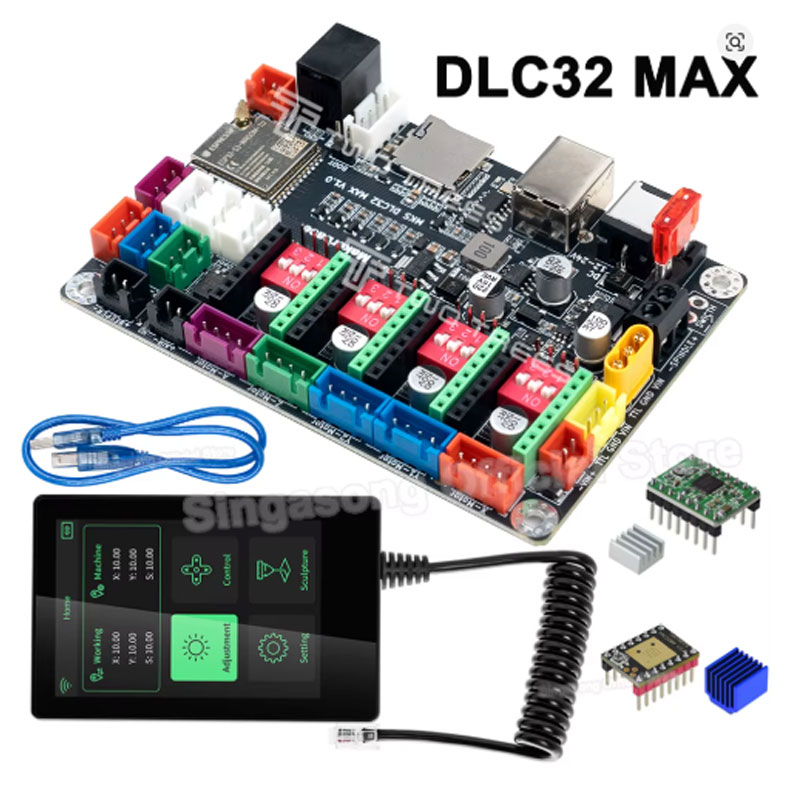
Figure 1: The Makerbase MKS DLC32 MAX 4 Axis Controller Board is a powerful control solution for CNC and laser engraving machines.
Are you building a CNC router or laser engraver and need a reliable controller board? Have you been looking for a board that supports 4 axes, WiFi connectivity, and offline operation? Do you want a controller that works with LightBurn and GRBL-based software? There is a perfect solution. Meet the Makerbase MKS DLC32 MAX 4 Axis Controller Board. This powerful controller board is built around the ESP32 S3 processor, running at 240MHz. It supports 4 axes (X, Y, Z, and A), making it ideal for CNC routers, laser engravers, and even 4-axis rotary applications. The board features WiFi for PC and app control, offline engraving capability, and a one-click switch between CNC and laser modes. Whether you are a hobbyist building your first machine or a professional upgrading your workshop, the Makerbase MKS DLC32 MAX 4 Axis Controller Board delivers performance and flexibility. In this complete guide, we will explain everything you need to know about this controller board. You will learn why the ESP32 S3 processor is a game-changer, how to set up the board, and why it is a smart choice for USA makers.
H2: What is the Makerbase MKS DLC32 MAX 4 Axis Controller Board?
The Makerbase MKS DLC32 MAX 4 Axis Controller Board is a next-generation control board designed for CNC routers, laser engravers, and other DIY machines [citation:2][citation:3]. It is an upgraded version of the popular MKS DLC32 series, featuring a more powerful ESP32 S3 processor with a 240MHz main frequency [citation:2][citation:3]. The board supports 4 axes (X, Y, Z, and A), making it compatible with both standard 3-axis machines and 4-axis rotary setups.
This Makerbase MKS DLC32 MAX 4 Axis Controller Board runs on 12V to 24V DC power input [citation:1][citation:2][citation:3]. It features a plug-in driver design, allowing you to choose your preferred stepper motor drivers such as A4988, TMC2209, or TB67S109 [citation:3][citation:8]. The board includes WiFi connectivity for PC and app control, enabling wireless operation and monitoring [citation:2]. It also supports offline engraving via an optional 3.5-inch touchscreen display [citation:3][citation:5]. The board has a CNC/Laser mode switch, so you can use it for both milling and engraving applications [citation:2]. With its robust feature set, the Makerbase MKS DLC32 MAX 4 Axis Controller Board is a versatile choice for USA makers.
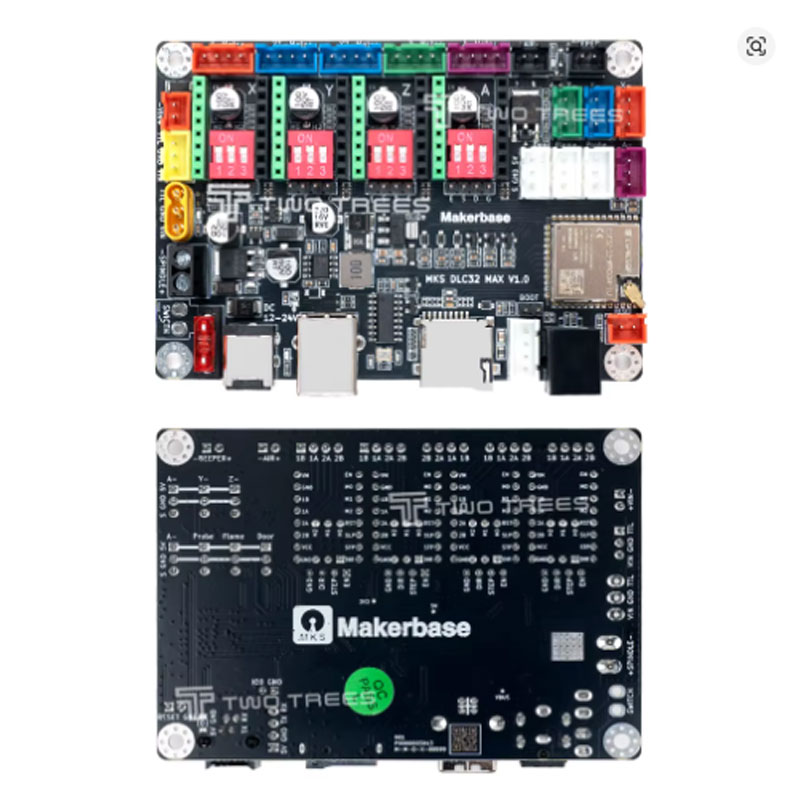
Figure 2: The Makerbase MKS DLC32 MAX 4 Axis Controller Board features a clean layout with plug-in driver sockets.
H3: Why the ESP32 S3 Processor Makes This Controller Board Better
The Makerbase MKS DLC32 MAX 4 Axis Controller Board uses the ESP32 S3 processor [citation:2][citation:3]. Here is why this processor is superior to older controllers.
- Faster Processing: The 240MHz main frequency provides faster processing for complex G-code and smooth motion control [citation:2][citation:3].
- Built-in WiFi: The ESP32 S3 has integrated WiFi, enabling wireless connection to your PC or smartphone [citation:2][citation:3]. You can control your machine without a USB cable.
- Offline Operation: With the optional touchscreen display, you can run jobs without a computer connected [citation:3][citation:5].
- More Memory: The ESP32 S3 has more flash memory and RAM than the older ESP8266, allowing for larger G-code files and more complex firmware.
- Future-Proof: The ESP32 S3 is a modern, well-supported chip. Firmware updates and community support will continue to develop.
H3: Key Features of the Makerbase MKS DLC32 MAX 4 Axis Controller Board
Let us break down the main features of this powerful Makerbase MKS DLC32 MAX 4 Axis Controller Board and why they matter for USA CNC users.
- 4-Axis Support (X, Y, Z, A): The Makerbase MKS DLC32 MAX 4 Axis Controller Board supports up to 4 axes [citation:2][citation:3]. This allows you to build 3-axis CNC routers and 4-axis rotary engraving machines. The A axis is perfect for rotary attachments.
- ESP32 S3 Processor: The board is powered by the ESP32 S3 processor with a 240MHz main frequency [citation:2][citation:3]. This provides fast processing for smooth motion and complex G-code execution.
- WiFi PC and App Interface: The built-in WiFi allows you to connect to the board from your computer or smartphone [citation:2][citation:3]. Control your machine wirelessly without a USB cable. Use the dedicated app for remote monitoring and control.
- Offline Engraving Support: With the optional 3.5-inch touchscreen display (ESP-TFT35), you can run jobs without a computer attached [citation:3][citation:5]. Load your G-code onto an SD card and start engraving directly from the controller.
- CNC/Laser Mode One-Click Switch: The board supports both CNC and laser modes [citation:2]. Switch between modes easily, allowing you to use the same controller for milling and engraving applications.
- Wide Power Input (12V-24V DC): The board accepts 12V to 24V DC input [citation:1][citation:2][citation:3]. This gives you flexibility in choosing a power supply for your machine.
- Plug-in Driver Design: The board uses plug-in stepper motor drivers. You can choose from A4988, TMC2209, TB67S109, or other compatible drivers [citation:3][citation:8]. This allows you to customize your setup for your specific motors.
- Compatible with LightBurn and GRBL: The board runs GRBL-based firmware and works with popular software like LightBurn [citation:8][citation:10]. You can use the software you already know.
H2: Top Benefits of Using the MKS DLC32 MAX Controller Board for Your USA CNC Projects
Why should you buy the Makerbase MKS DLC32 MAX 4 Axis Controller Board? Here are the real-world benefits that USA makers love.
H3: Build a 4-Axis CNC for Rotary Engraving
The 4-axis support on the Makerbase MKS DLC32 MAX 4 Axis Controller Board allows you to build a CNC machine with a rotary axis [citation:2][citation:3]. Engrave cylindrical objects like cups, bottles, and pens. This expands your capabilities beyond flat surfaces and opens up new business opportunities.
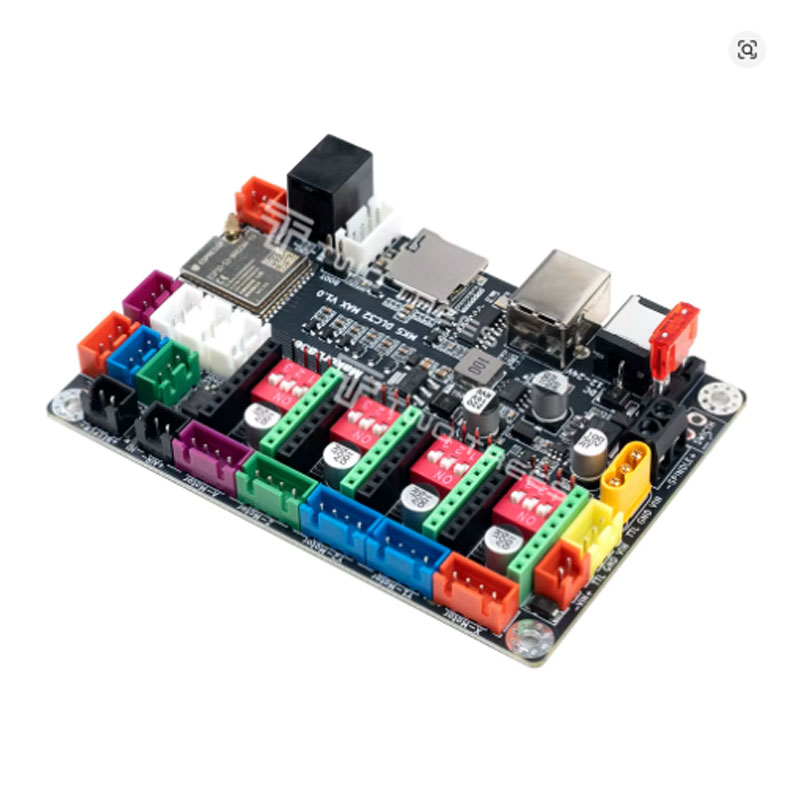
Figure 3: The Makerbase MKS DLC32 MAX 4 Axis Controller Board paired with the ESP-TFT35 touchscreen for offline operation.
H3: Control Your Machine Wirelessly with WiFi
No more USB cables limiting your workspace. The built-in WiFi on the Makerbase MKS DLC32 MAX 4 Axis Controller Board allows you to control your machine from your PC or smartphone [citation:2][citation:3]. Send files, start jobs, and monitor progress wirelessly.
H3: Run Jobs Without a Computer
The optional touchscreen display turns the Makerbase MKS DLC32 MAX 4 Axis Controller Board into a standalone controller [citation:3][citation:5]. Load your G-code onto an SD card and run jobs directly from the controller. This is perfect for workshops where you want to free up your computer.
H3: One Controller for Both CNC and Laser
The one-click switch between CNC and laser modes makes the Makerbase MKS DLC32 MAX 4 Axis Controller Board incredibly versatile [citation:2]. Use it for your CNC router and then switch to laser engraving. No need to buy separate controllers for different machines.
H3: Future-Proof with Powerful ESP32 S3
The ESP32 S3 processor ensures the Makerbase MKS DLC32 MAX 4 Axis Controller Board is fast and future-proof [citation:2][citation:3]. It can handle complex G-code, larger files, and future firmware updates. Your controller will not become obsolete quickly.
H2: How to Set Up the Makerbase MKS DLC32 MAX 4 Axis Controller Board
Setting up your Makerbase MKS DLC32 MAX 4 Axis Controller Board is straightforward. Follow these steps for a successful installation.
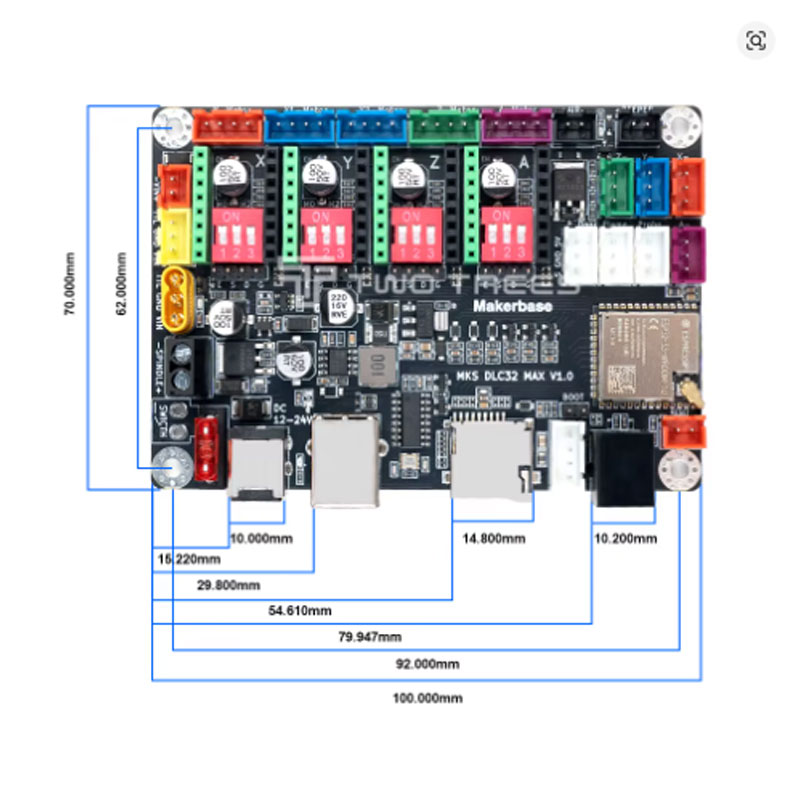
Figure 4: Wiring diagram for the Makerbase MKS DLC32 MAX 4 Axis Controller Board for standard CNC and laser setups.
H3: Components Needed
- Makerbase MKS DLC32 MAX 4 Axis Controller Board
- Stepper motor drivers (A4988, TMC2209, or TB67S109) [citation:3][citation:8]
- Power supply (12V-24V DC, 10A minimum) [citation:1][citation:2]
- Stepper motors (NEMA 17, NEMA 23, etc.)
- Optional: ESP-TFT35 3.5-inch touchscreen [citation:3][citation:5]
- USB cable or WiFi connection
H3: Step-by-Step Installation
- Install Stepper Drivers: Insert your chosen stepper motor drivers into the sockets on the Makerbase MKS DLC32 MAX 4 Axis Controller Board. Ensure they are correctly oriented [citation:3][citation:8].
- Connect Motors: Connect your stepper motors to the X, Y, Z, and A axis connectors on the board.
- Connect Power: Connect your 12V-24V DC power supply to the board’s power input terminals [citation:1][citation:2].
- Connect Endstops: Connect your limit switches to the endstop connectors on the board.
- Connect Display (Optional): If you have the ESP-TFT35 touchscreen, connect it to the display port on the board [citation:3][citation:5].
- Power On: Turn on the power supply. The board should power up and the LEDs should light up.
- Configure Firmware: The board comes with pre-installed firmware. For advanced users, you can update to FluidNC firmware for more features [citation:8][citation:10].
- Connect to PC: Connect via USB or WiFi. In LightBurn or your preferred software, select the correct COM port or IP address.
H2: Technical Specifications of the Makerbase MKS DLC32 MAX 4 Axis Controller Board
For those who love the technical details, here is the spec sheet for the Makerbase MKS DLC32 MAX 4 Axis Controller Board.
| Specification | Detail |
|---|---|
| Product Name | Makerbase MKS DLC32 MAX 4 Axis Controller Board |
| Processor | ESP32 S3 [citation:2][citation:3] |
| Main Frequency | 240MHz [citation:2][citation:3] |
| Power Input | 12V-24V DC [citation:1][citation:2][citation:3] |
| Axis Support | 4 Axes (X, Y, Z, A) [citation:2][citation:3] |
| Driver Type | Plug-in (A4988, TMC2209, TB67S109 compatible) [citation:3][citation:8] |
| Connectivity | WiFi, USB [citation:2][citation:3] |
| Offline Operation | Yes (with ESP-TFT35 display) [citation:3][citation:5] |
| Modes | CNC / Laser (one-click switch) [citation:2] |
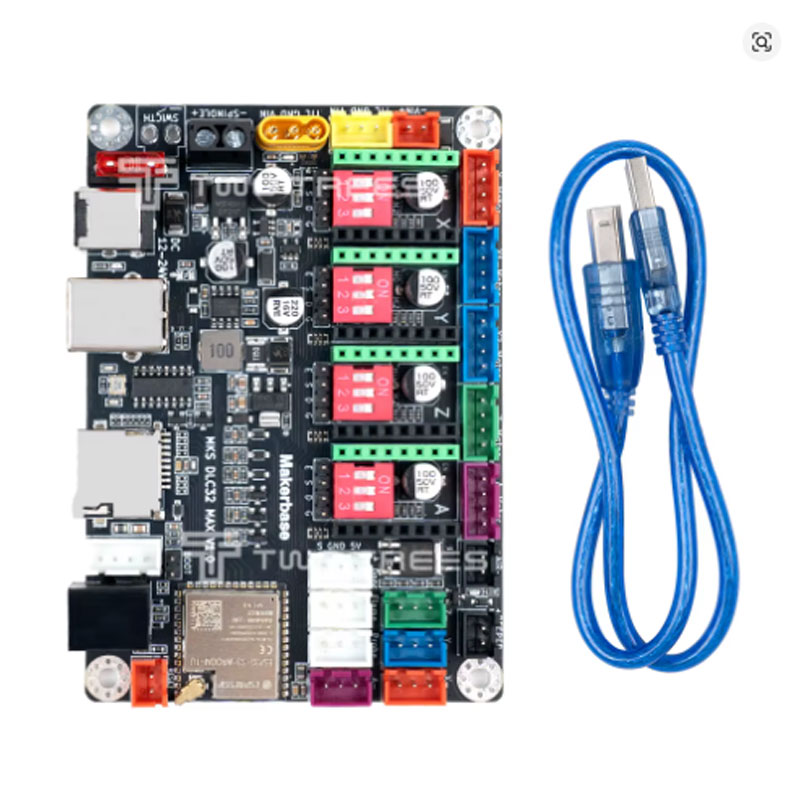
Figure 5: The Makerbase MKS DLC32 MAX 4 Axis Controller Board with TMC2209 stepper drivers installed for quiet operation.
H2: Pros and Cons of the Makerbase MKS DLC32 MAX 4 Axis Controller Board
Every product has strengths and weaknesses. Here is an honest look at the Makerbase MKS DLC32 MAX 4 Axis Controller Board.
Pros – What We Love
- Powerful ESP32 S3 processor – fast and future-proof [citation:2][citation:3]
- 4-axis support – ideal for CNC and rotary engraving [citation:2][citation:3]
- WiFi connectivity – wireless control from PC or smartphone [citation:2][citation:3]
- Offline operation – run jobs without a computer [citation:3][citation:5]
- CNC/Laser mode switch – versatile for different machines [citation:2]
- Plug-in drivers – choose your preferred drivers [citation:3][citation:8]
- Compatible with LightBurn and GRBL [citation:8][citation:10]
- Good value for the features offered
Cons – What to Know
- Newer board – less community experience compared to older DLC32 [citation:8][citation:9]
- Some users report PWM issues with CNC spindle control [citation:4]
- Offline display may have limited functionality for CNC mode [citation:4]
- Firmware updates may require careful configuration [citation:10]
H2: Who Should Buy the MKS DLC32 MAX 4 Axis Controller Board?
The Makerbase MKS DLC32 MAX 4 Axis Controller Board is perfect for many different types of USA CNC and laser enthusiasts. Here is who will benefit the most.
H3: DIY CNC Router Builders
If you are building a CNC router, the Makerbase MKS DLC32 MAX 4 Axis Controller Board provides the control you need. The 4-axis support allows for future upgrades to a rotary axis. The WiFi connectivity frees you from USB cables.
H3: Laser Engraver Builders
The one-click switch to laser mode makes this board ideal for laser engraving projects [citation:2]. The offline display allows you to run jobs without a computer, which is great for workshops.
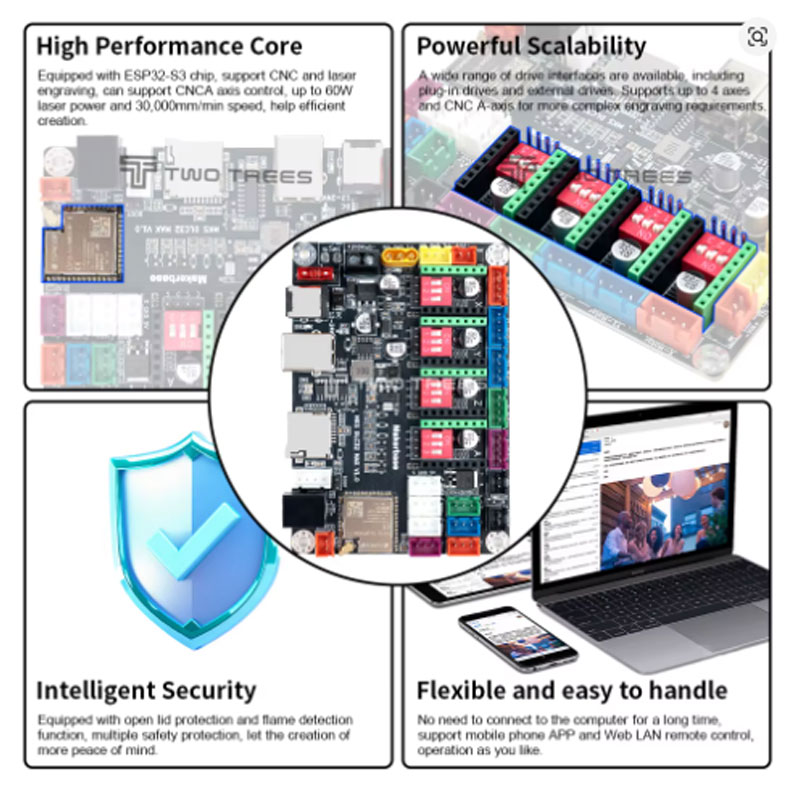
Figure 6: The Makerbase MKS DLC32 MAX 4 Axis Controller Board installed in a CNC router setup.
H3: Users Wanting Wireless Control
If you are tired of USB cables, the built-in WiFi on the Makerbase MKS DLC32 MAX 4 Axis Controller Board is a game-changer [citation:2][citation:3]. Control your machine from your PC or smartphone without a physical connection.
H3: Makers Who Want Offline Operation
With the optional touchscreen display, you can run jobs directly from an SD card [citation:3][citation:5]. This frees up your computer and allows you to operate your machine in a standalone mode.
H3: Users Upgrading from Older Controllers
If you are using an older Arduino-based GRBL controller, the Makerbase MKS DLC32 MAX 4 Axis Controller Board is a significant upgrade. The ESP32 S3 processor is much faster, and the WiFi and offline features are game-changers.
H2: How Does the MKS DLC32 MAX Compare to Other Controller Boards?
There are several controller boards on the market. Here is how the Makerbase MKS DLC32 MAX 4 Axis Controller Board stacks up against common alternatives.
- VS. Arduino Uno + CNC Shield: Arduino-based controllers are slower and lack WiFi. The MKS DLC32 MAX is much faster and has built-in WiFi [citation:2][citation:3].
- VS. MKS DLC32 (Non-MAX): The non-MAX version uses an ESP8266 processor. The MAX version uses the newer, more powerful ESP32 S3 [citation:2][citation:3][citation:8].
- VS. FluidNC Boards: FluidNC is a popular firmware. The MKS DLC32 MAX can run FluidNC firmware, giving you access to advanced features [citation:8][citation:10].
- VS. Standalone Controllers (e.g., GRBLHAL): Standalone controllers may have more specialized hardware. The MKS DLC32 MAX offers a good balance of features and affordability.
H2: Frequently Asked Questions About the Makerbase MKS DLC32 MAX 4 Axis Controller Board
H3: Does the MKS DLC32 MAX work with LightBurn?
Yes. The Makerbase MKS DLC32 MAX 4 Axis Controller Board works with LightBurn and other GRBL-based software [citation:8][citation:10]. The board runs GRBL firmware, which is compatible with LightBurn’s laser control protocols.
H3: What stepper drivers are compatible with the MKS DLC32 MAX?
The board uses plug-in drivers. Compatible options include A4988, TMC2209, TB67S109, and other popular driver modules [citation:3][citation:8]. Choose drivers based on your motor specifications and noise requirements.
H3: Can I use the MKS DLC32 MAX for a 4-axis CNC?
Yes. The Makerbase MKS DLC32 MAX 4 Axis Controller Board supports 4 axes (X, Y, Z, and A) [citation:2][citation:3]. The A axis is perfect for a rotary attachment for cylindrical engraving.
H3: Does the MKS DLC32 MAX support offline operation?
Yes, with the optional ESP-TFT35 3.5-inch touchscreen display [citation:3][citation:5]. The display allows you to load G-code from an SD card and run jobs without a computer connected.
H3: Is the MKS DLC32 MAX difficult to set up?
The board comes with pre-installed firmware that works out of the box [citation:10]. For advanced users, you can update to FluidNC firmware for more features [citation:8][citation:10]. The setup is straightforward for most users.
H2: Why the Makerbase MKS DLC32 MAX Controller Board Saves You Money
The Makerbase MKS DLC32 MAX 4 Axis Controller Board is an excellent value. It combines the features of more expensive controllers (WiFi, offline operation, 4-axis support) into one affordable board. Buying separate components (WiFi module, display, controller) would cost more and be more complex to set up. The plug-in driver design allows you to choose your own drivers, saving money if you already have compatible drivers. For the price, the Makerbase MKS DLC32 MAX 4 Axis Controller Board offers a complete, versatile control solution.
H2: Final Verdict – Should You Buy the Makerbase MKS DLC32 MAX 4 Axis Controller Board?
If you are building a CNC router, laser engraver, or 4-axis rotary machine, the answer is yes. The Makerbase MKS DLC32 MAX 4 Axis Controller Board is a powerful, versatile, and affordable control solution. The ESP32 S3 processor provides fast performance. The 4-axis support allows for future upgrades. The WiFi connectivity frees you from USB cables. The offline operation is convenient for workshops. The one-click CNC/Laser mode switch makes it versatile. For the price, you get a feature-rich controller that will serve you well for years. Do not settle for older, slower controllers. Get the Makerbase MKS DLC32 MAX 4 Axis Controller Board and power your CNC projects with confidence.
H2: What’s in the Box?
When you order the Makerbase MKS DLC32 MAX 4 Axis Controller Board, you will receive.
- 1 x Makerbase MKS DLC32 MAX 4 Axis Controller Board
- Optional: ESP-TFT35 3.5-inch Touchscreen Display (if purchased as a bundle) [citation:3][citation:5]
- Optional: Stepper Motor Drivers (A4988, TMC2209, etc. depending on bundle) [citation:3][citation:8]
Note: The board ships with pre-installed firmware. Stepper motors, power supply, and cables are not included. Check the product listing for exact bundle contents.
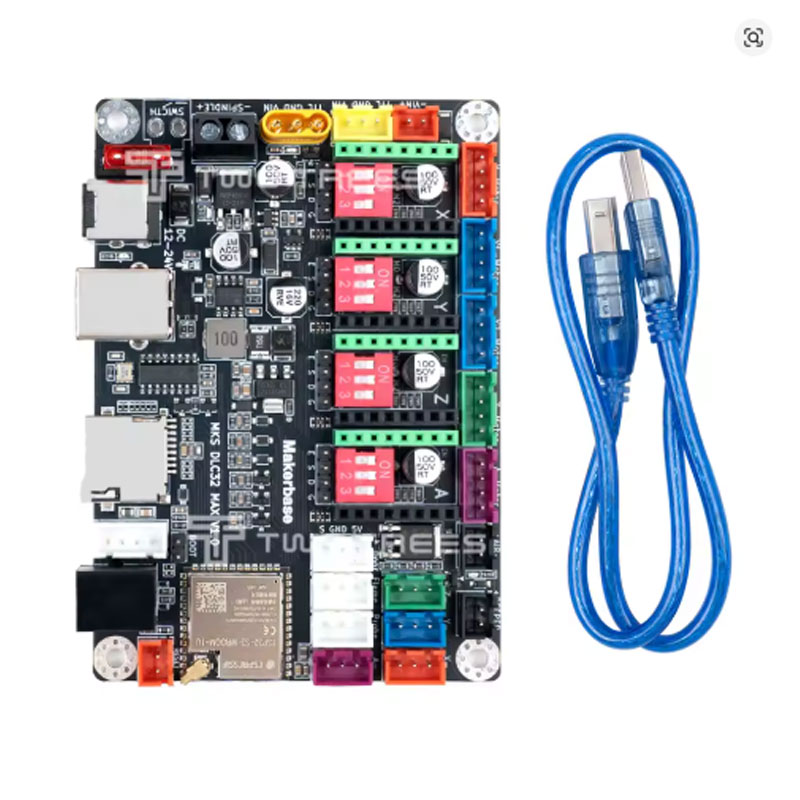
Figure 7: The complete Makerbase MKS DLC32 MAX 4 Axis Controller Board package with display and drivers.
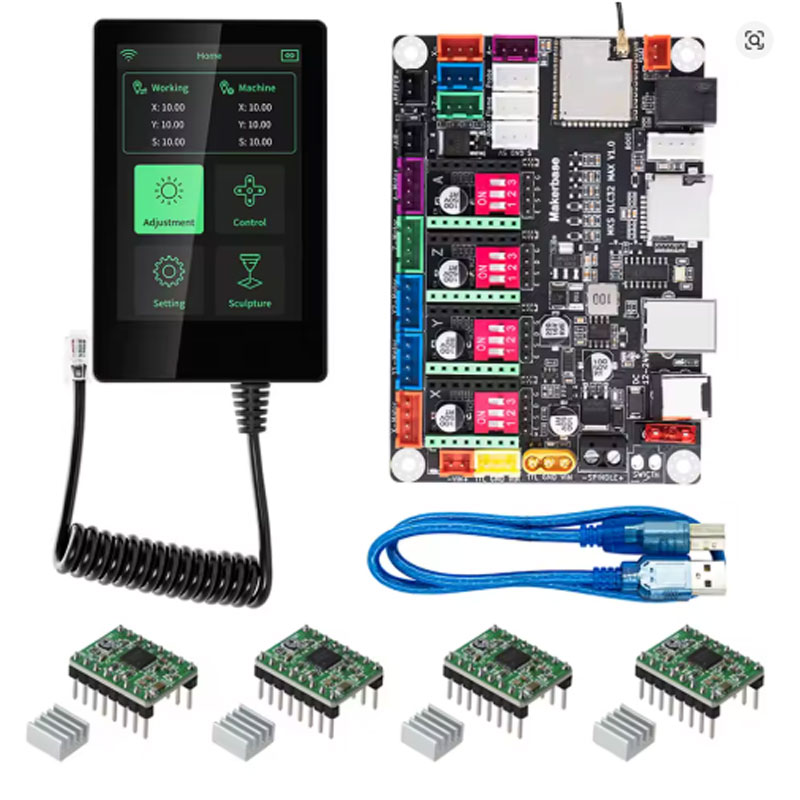
Figure 8: Component detail of the Makerbase MKS DLC32 MAX 4 Axis Controller Board showing the ESP32 S3 processor.
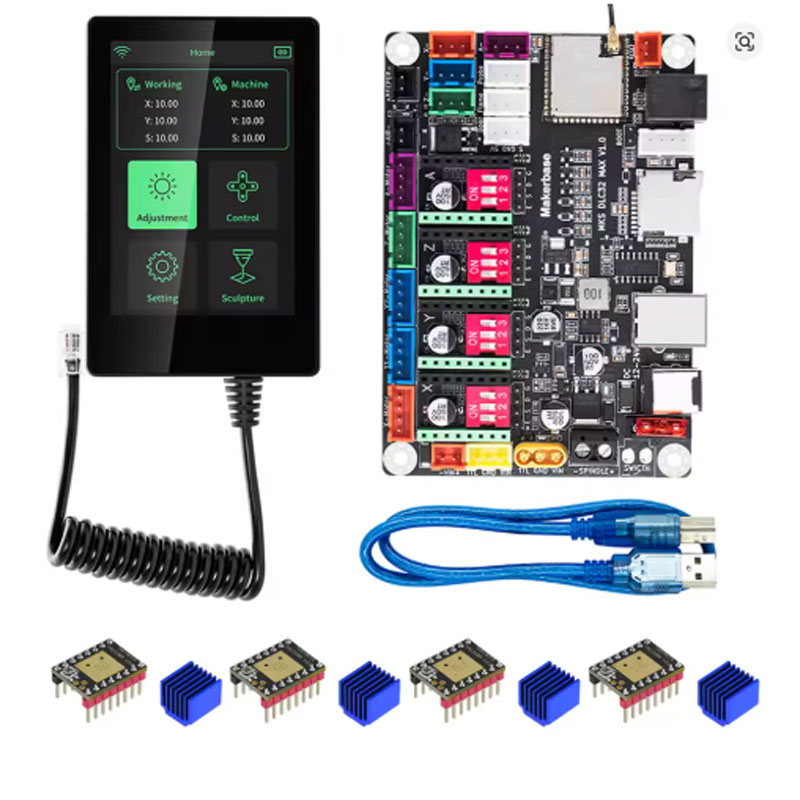
Figure 9: The built-in WiFi antenna on the Makerbase MKS DLC32 MAX 4 Axis Controller Board for wireless control.
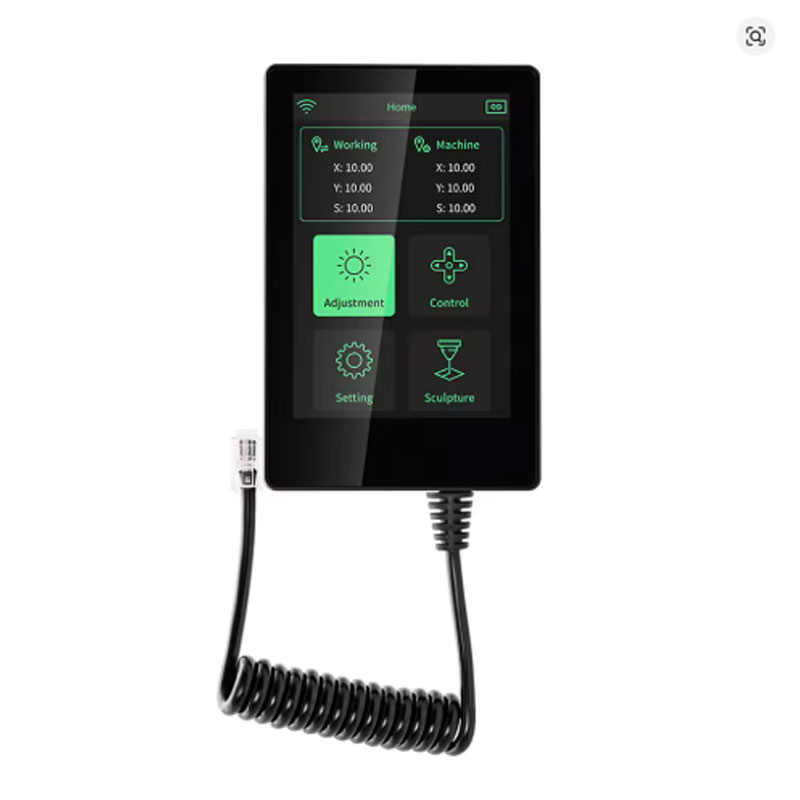
Figure 10: The plug-in driver sockets on the Makerbase MKS DLC32 MAX 4 Axis Controller Board allow for easy customization.
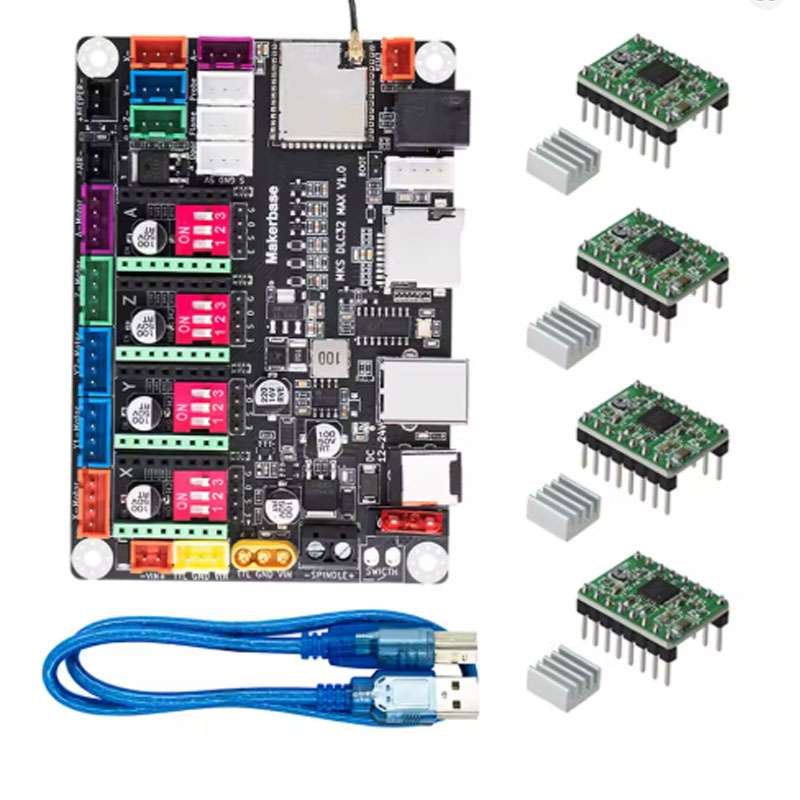
Figure 11: Connection diagram for the Makerbase MKS DLC32 MAX 4 Axis Controller Board.
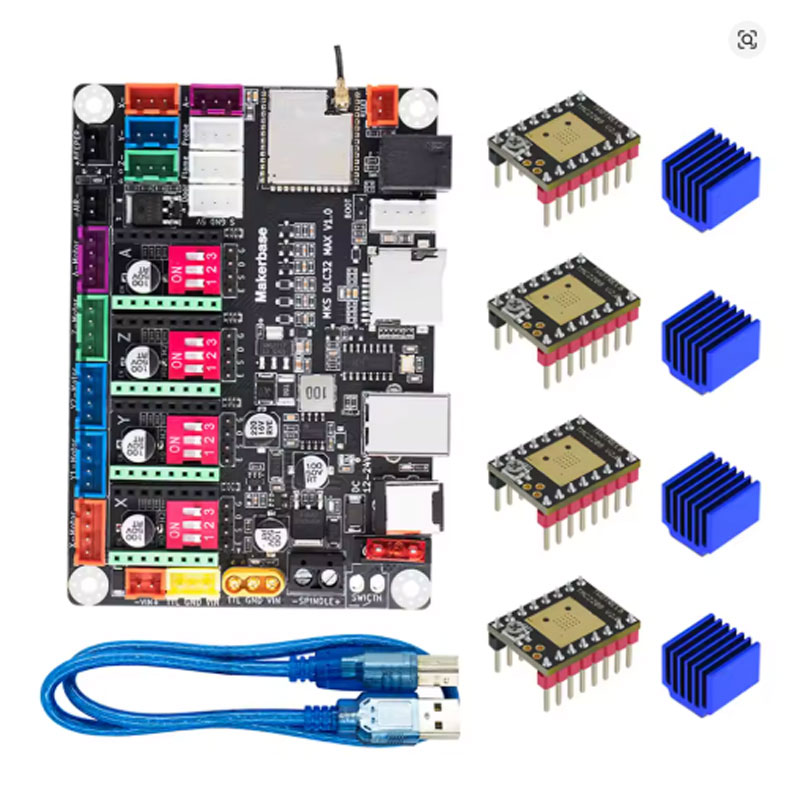
Figure 12: Back view of the Makerbase MKS DLC32 MAX 4 Axis Controller Board.
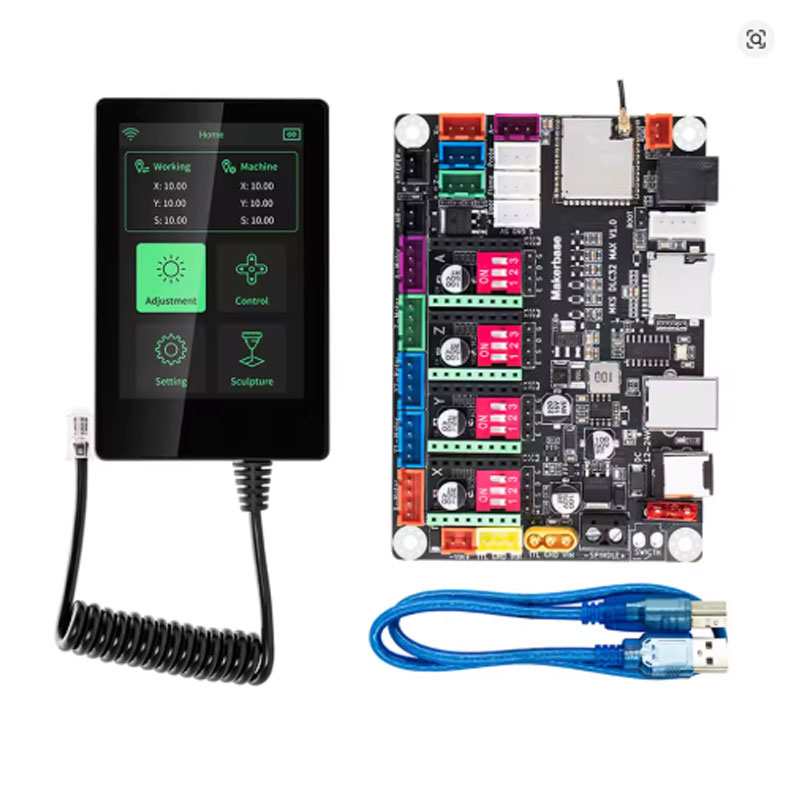
Figure 13: The Makerbase MKS DLC32 MAX 4 Axis Controller Board packaging.
Video 1: Watch the Makerbase MKS DLC32 MAX 4 Axis Controller Board in action – see the features and performance.
ESP32 S3 processor, 4-axis support, WiFi, offline operation. Perfect for USA CNC and laser projects. Order today.
Disclaimer: This information is for informational purposes only. Product specifications, prices, and availability are subject to change without notice. The Makerbase MKS DLC32 MAX 4 Axis Controller Board requires compatible stepper drivers and power supply. Verify compatibility before ordering. The video link is provided for demonstration purposes and may be subject to access restrictions.