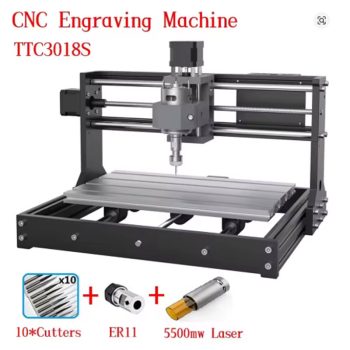

Start Your CNC Journey: The TwoTrees TTC3018 GRBL 3 Axis Mini CNC Engraver Review
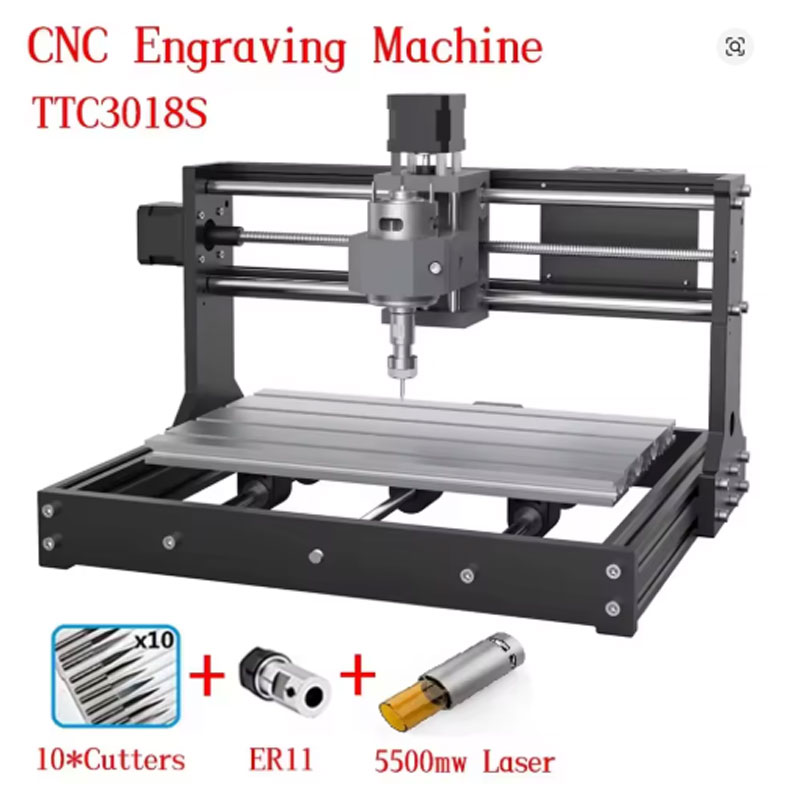
Figure 1: The TwoTrees TTC3018 GRBL 3 Axis Mini CNC Engraver – a compact, powerful desktop machine for hobbyists and makers.
Have you ever wanted to carve your own designs into wood? Have you dreamed of making custom circuit boards at home? Have you been intimidated by large, expensive CNC machines that take up half your garage? There is an ideal starting point. Meet the TwoTrees TTC3018 GRBL 3 Axis Mini CNC Engraver. This compact desktop CNC machine is designed specifically for hobbyists, DIY makers, and small workshop projects. It features reliable GRBL control, which is the standard open-source firmware for hobby CNC machines. The machine can engrave wood, soft metals, PVC, acrylic, and PCBs (printed circuit boards). The popular TTC3018 model has a small footprint that fits easily on any desk or workbench. Thousands of users worldwide have started their CNC journey with this machine. In this complete guide, we will explain everything you need to know about the TwoTrees TTC3018 GRBL 3 Axis Mini CNC Engraver. You will learn what it can do, how to set it up, and why it is the perfect entry point for USA hobbyists, educators, and small business owners.
H2: What is the TwoTrees TTC3018 GRBL 3 Axis Mini CNC Engraver?
The TwoTrees TTC3018 GRBL 3 Axis Mini CNC Engraver is a small desktop CNC (Computer Numerical Control) machine. It uses a rotating cutting bit (spindle) to remove material from a workpiece. The machine moves the spindle in three directions: X (left-right), Y (front-back), and Z (up-down). By following instructions from a computer, it can carve, engrave, and cut shapes into materials like wood, plastic, and soft metals.
This TwoTrees TTC3018 GRBL 3 Axis Mini CNC Engraver is based on the popular “3018” design – a model name that refers to the working area (300x180mm, or roughly 12 x 7 inches). The “GRBL” in the name refers to the control system. GRBL is an open-source firmware that runs on an Arduino-compatible board. It is reliable, well-documented, and supported by many free and paid software programs. The machine comes as a semi-assembled kit. You will need to put it together (about 30-60 minutes), but the process is straightforward. Once assembled, you connect it to your computer via USB, install free software like Candle or UGS (Universal G-code Sender), and start creating. The TwoTrees TTC3018 GRBL 3 Axis Mini CNC Engraver is perfect for wood engraving, PCB prototyping, acrylic cutting, and learning CNC fundamentals.
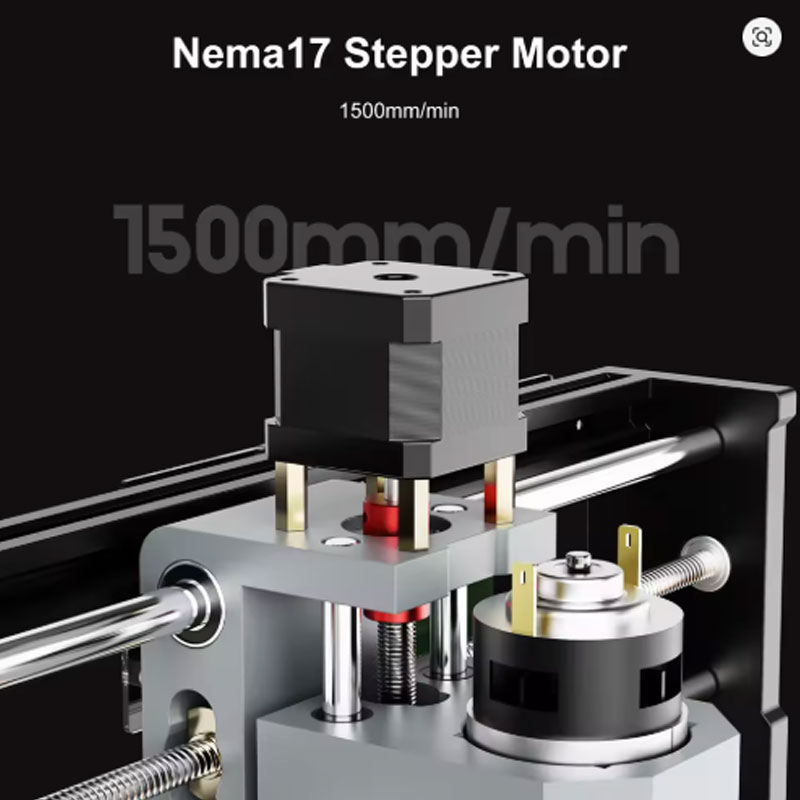
Figure 2: The TwoTrees TTC3018 GRBL 3 Axis Mini CNC Engraver features a 775 spindle motor for reliable cutting power.
H3: Why the TwoTrees TTC3018 GRBL 3 Axis Mini CNC Engraver is Perfect for Beginners
Starting with a large, industrial CNC machine can be overwhelming and expensive. The TwoTrees TTC3018 GRBL 3 Axis Mini CNC Engraver is designed for beginners. Here is why it is a great first machine.
- Affordable Entry Price: Large CNC machines cost thousands of dollars. The TTC3018 is priced for hobbyists. You can learn CNC concepts without a huge investment.
- Small Footprint: The machine fits on a desk, workbench, or even a kitchen table. You do not need a dedicated workshop or garage space.
- Popular and Well-Supported: Thousands of people own 3018-style machines. There are countless online tutorials, YouTube videos, and community forums. If you have a problem, someone has already solved it.
- GRBL Open Source Control: The GRBL firmware is free, well-documented, and used by many hobby CNC machines. You can learn the basics of G-code without being locked into a proprietary system.
- Versatile Material Capability: You can engrave wood, plastic, and soft metals. You can even mill PCBs for electronics projects. One machine covers many hobbies.
H3: Key Features of the TwoTrees TTC3018 GRBL 3 Axis Mini CNC Engraver
Let us break down the main features of this capable TwoTrees TTC3018 GRBL 3 Axis Mini CNC Engraver and why they matter for USA users.
- GRBL Control System: The TwoTrees TTC3018 GRBL 3 Axis Mini CNC Engraver uses open-source GRBL firmware. This provides reliable, responsive control. It is compatible with popular software like Candle, LightBurn (for laser upgrade), UGS (Universal G-code Sender), and Easel. The large community means you will find plenty of help online.
- Compact 3-Axis Machine: The small footprint fits easily on a desk, workbench, or in a garage. It is perfect for hobbyists with limited space. The working area (approximately 300mm x 180mm x 45mm) is ideal for small projects like keychains, coasters, nameplates, and PCB prototypes.
- Multi-Material Capability: This machine can engrave and cut wood, plywood, MDF, acrylic, PVC, soft aluminum (with proper settings and light passes), PCBs, carbon fiber, and plastics. It opens up many creative and practical applications.
- 775 Spindle Motor: The included 775 spindle provides enough power for engraving and light cutting. It is a standard DC motor that is easy to replace if needed. Speed is adjustable via the control board or external controller.
- Popular TTC3018 Model: Thousands of users worldwide own this machine or similar 3018 models. There is a large community support network, readily available upgrades (like limit switches, laser modules, and enclosures), and extensive online documentation and tutorials.
- CE Certified: The machine is independently tested for electrical safety and quality. It is manufactured to meet international standards for regulatory compliance, giving you peace of mind.
- Easy Assembly with Manual and Online Guides: The machine ships as a semi-assembled kit. The parts are clearly labeled. The included manual and numerous YouTube tutorials make assembly straightforward, even for first-time CNC users.
H2: Top Benefits of Using the TwoTrees TTC3018 GRBL 3 Axis Mini CNC Engraver for Your USA Workshop
Why should you add the TwoTrees TTC3018 GRBL 3 Axis Mini CNC Engraver to your workshop? Here are the real-world benefits that USA hobbyists, educators, and makers love.
H3: Learn CNC and G-Code Without Breaking the Bank
CNC machining is a valuable skill for makers, engineers, and small business owners. The TwoTrees TTC3018 GRBL 3 Axis Mini CNC Engraver is a low-cost way to learn the fundamentals. You will learn how to generate G-code, set work zeros, choose speeds and feeds, and manage chip evacuation. The skills you learn on this machine transfer to larger, more expensive CNC routers and mills.
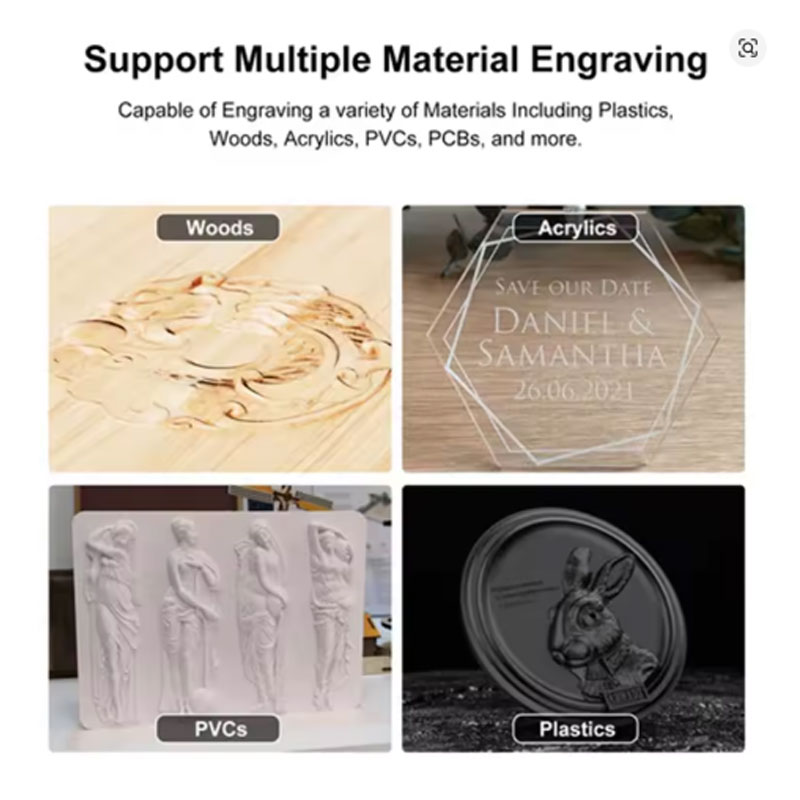
Figure 3: The TwoTrees TTC3018 GRBL 3 Axis Mini CNC Engraver engraves detailed designs into wood for signs and gifts.
H3: Create Custom Wooden Signs, Coasters, and Gifts
Do you enjoy woodworking? The TwoTrees TTC3018 GRBL 3 Axis Mini CNC Engraver takes your projects to the next level. Engrave custom text and logos into wooden signs. Carve intricate patterns into coasters. Make personalized keychains, jewelry boxes, and ornaments. You can produce professional-looking items for your home, as gifts, or to sell at craft fairs.
H3: Prototype PCBs for Electronics Projects at Home
Waiting for PCB fabrication from China takes weeks. With the TwoTrees TTC3018 GRBL 3 Axis Mini CNC Engraver , you can mill single-sided and double-sided PCBs in your workshop. Design a circuit in EasyEDA or KiCad, generate isolation routing G-code, and mill the board in minutes. This is a game-changer for electronics hobbyists and small-run prototype development.
H3: Cut and Engrave Plastics for Enclosures and Panels
Do you need custom enclosures for your electronics projects? The TwoTrees TTC3018 GRBL 3 Axis Mini CNC Engraver can cut and engrave PVC, acrylic, and other plastics. Create front panels for audio equipment, project boxes for Arduino or Raspberry Pi, and custom nameplates. (For best results on acrylic, a laser module upgrade produces cleaner edges.)
H3: Perfect for STEM Education and Makerspaces
Schools, libraries, and makerspaces are adopting digital fabrication tools. The TwoTrees TTC3018 GRBL 3 Axis Mini CNC Engraver is an affordable option for teaching CNC fundamentals. Students can learn G-code programming, CAD/CAM workflows, and subtractive manufacturing. The small size and low cost make it feasible to put multiple machines in a classroom or lab.
H2: How to Set Up and Use the TwoTrees TTC3018 GRBL 3 Axis Mini CNC Engraver
Getting the most out of your TwoTrees TTC3018 GRBL 3 Axis Mini CNC Engraver requires proper assembly and setup. Follow these steps for a successful start.
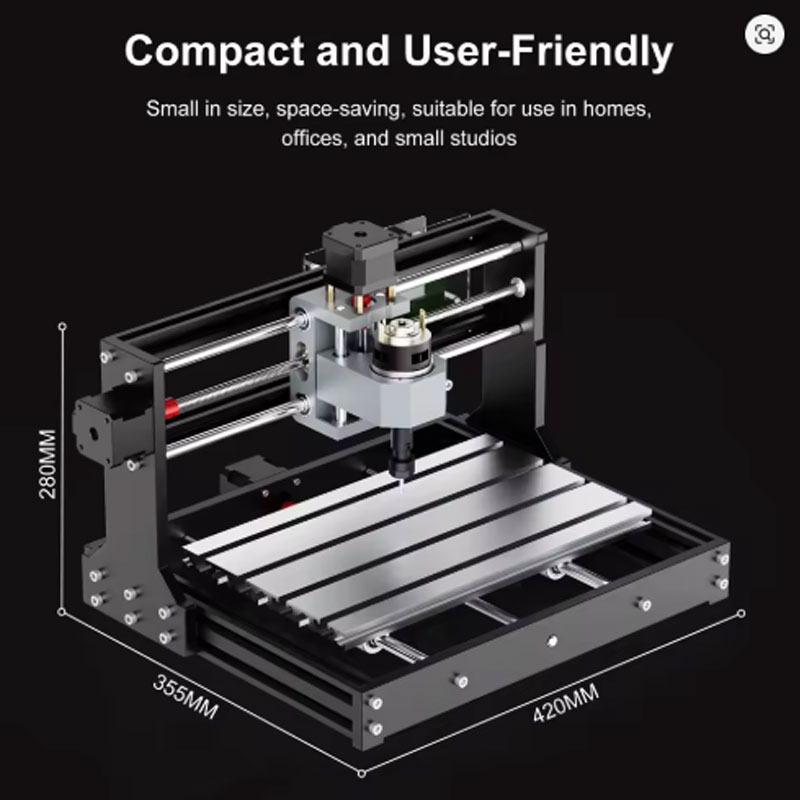
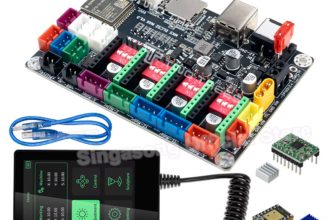
Figure 4: The TwoTrees TTC3018 GRBL 3 Axis Mini CNC Engraver includes a GRBL control board with easy-to-access connections.
H3: Unboxing and Assembly
- Lay Out All Parts: Remove all components from the box. Organize them by type: frame pieces, stepper motors, spindle, control board, hardware, and tools.
- Assemble the Frame: Follow the manual to attach the side plates, base, and gantry. Use the included Allen keys. Do not overtighten screws – snug is fine.
- Install the Stepper Motors: Mount the NEMA 17 motors onto the X, Y, and Z axes. Ensure the motor pulleys align with the belts or lead screw nuts.
- Mount the Spindle: Attach the 775 spindle to the Z-axis carriage using the provided bracket. Ensure it is vertical and secure.
- Connect the Control Board: Place the GRBL control board in its designated spot. Plug in the motor cables, spindle power, limit switches (if included), and USB cable.
- Connect Power: Plug the 24V power supply into the control board and into a wall outlet (select the US plug option at checkout).
- Test Movement: With the power on, use a software like Candle to jog each axis (X, Y, Z). They should move smoothly. If a motor vibrates but does not move, check the cable connections.
H3: Installing Control Software
You need software to send G-code to the TwoTrees TTC3018 GRBL 3 Axis Mini CNC Engraver. Here are the best options for beginners.
- Candle (Free): Simple, reliable GRBL controller. Shows real-time position, allows jogging, and sends G-code files. Great for starting out.
- UGS (Universal G-code Sender, Free): More advanced features. Supports pendant mode and visualizer. Popular among 3018 users.
- LightBurn (Paid, with free trial): Excellent if you plan to add a laser module. Also supports basic milling operations.
- Easel (Web-based, Freemium): Inventables’ easy-to-use platform. Good for beginners but limited for advanced 3D carving.
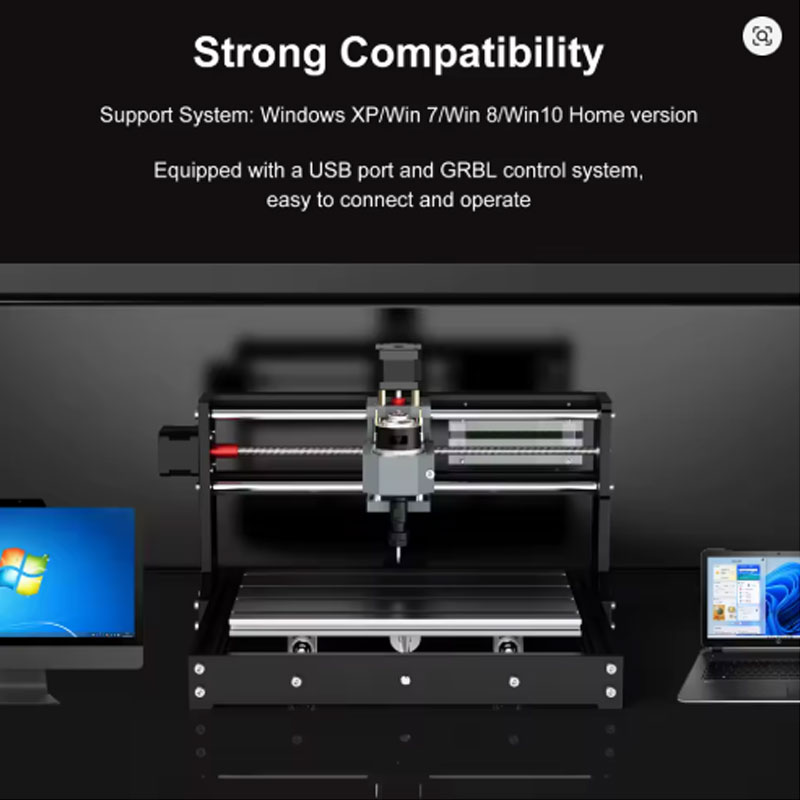
Figure 5: The TwoTrees TTC3018 GRBL 3 Axis Mini CNC Engraver can mill PCBs for custom electronics projects.
H3: First Project – Engraving a Wooden Coaster
Before using the TwoTrees TTC3018 GRBL 3 Axis Mini CNC Engraver for important projects, run a simple test.
- Prepare Material: Use a small piece of basswood or plywood (about 4×4 inches). Secure it to the wasteboard with double-sided tape or clamps.
- Install a V-bit or Engraving Bit: Insert a 30-degree or 45-degree V-bit into the spindle collet. Tighten securely.
- Set Zero (Z-axis): Use the paper method: Lower the Z-axis until the bit just touches a piece of paper on the workpiece. The paper should drag but not tear. Set this as Z zero in your software.
- Set X and Y Zero: Jog the spindle to the corner or center of your workpiece. Set X and Y zero in your software.
- Load a Simple Design: In Candle or UGS, open a sample G-code file (or create a simple text engraving using a CAM program like Easel or Fusion 360).
- Run the Program: Click “Send” or “Run.” Watch the first few moves carefully. Be ready to press the emergency stop or the software’s stop button if something goes wrong.
- Evaluate Results: After the job finishes, inspect the engraving. Adjust depth of cut, feed rate, or spindle speed as needed for future projects.
H3: Tips for Successful CNC Milling
- Always Home the Machine: Before every job, use your software to home all axes (X, Y, Z). This establishes a known position and prevents crashes.
- Use Sharp Bits: Dull bits create poor cuts, generate excess heat, and can break. Replace bits when they show signs of wear.
- Start Shallow: For new materials, start with a shallow depth of cut (0.5mm or less). Increase depth in subsequent passes.
- Use Climb Milling for Better Finish: Most CAM software defaults to conventional milling. For a cleaner finish on wood and plastics, try climb milling (direction opposite of conventional).
- Vacuum Dust: Wood dust, MDF dust, and PCB fiberglass dust are hazardous. Use a shop vacuum with a dust shoe or clean the machine after each job.
- Lubricate Lead Screws: Apply light machine oil to the lead screws every 20-30 hours of operation. This keeps movement smooth and extends life.
H2: Technical Specifications of the TwoTrees TTC3018 GRBL 3 Axis Mini CNC Engraver
For those who love the technical details, here is the spec sheet for the TwoTrees TTC3018 GRBL 3 Axis Mini CNC Engraver.
| Specification | Detail |
|---|---|
| Product Name | TwoTrees TTC3018 GRBL 3 Axis Mini CNC Engraver |
| Working Area (X/Y/Z) | Approx. 300mm x 180mm x 45mm (12 x 7 x 1.8 inches) |
| Control System | GRBL (Open Source, Arduino-based) |
| Spindle Motor | 775 DC Motor (variable speed, ER11 collet) |
| Stepper Motors | 3 x NEMA 17 |
| Software Compatibility | Candle, UGS, LightBurn (laser), Easel |
| Supported Materials | Wood, PCB, PVC, acrylic, soft aluminum, plastics |
| Input Voltage | 110V (USA version – select US plug option) |
| Machine Weight | Approx. 5-6 kg (11-13 lbs) |
| Certifications | CE Certified |
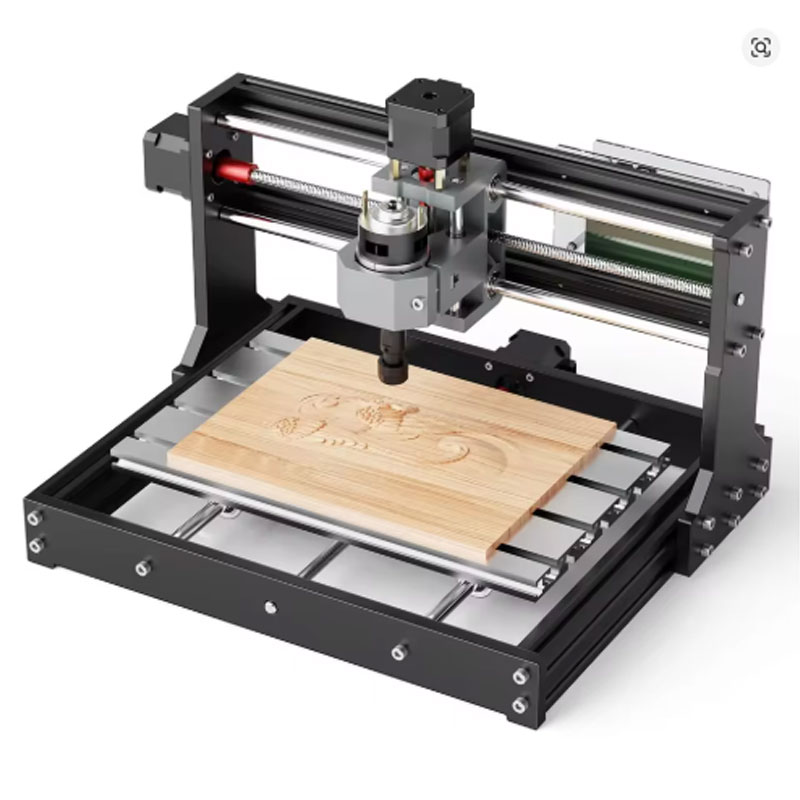
Figure 6: The TwoTrees TTC3018 GRBL 3 Axis Mini CNC Engraver can cut acrylic and PVC for custom enclosures and panels.
H2: Pros and Cons of the TwoTrees TTC3018 GRBL 3 Axis Mini CNC Engraver
Every product has strengths and weaknesses. Here is an honest look at the TwoTrees TTC3018 GRBL 3 Axis Mini CNC Engraver.
Pros – What We Love
- Affordable entry price – perfect for beginners
- Compact desktop size – fits any workspace
- Open-source GRBL control – extensive community support
- Versatile – engraves wood, PCB, acrylic, soft metals
- Easy assembly with manual and online tutorials
- Popular platform – many upgrades and accessories available
- CE certified for electrical safety
Cons – What to Know
- Small work area – not for large projects
- 775 spindle is not as powerful as a router or laser
- Plastic frame components (some versions) – less rigid than all-metal
- Requires assembly – not ready to use out of the box
- Not for hard metals like steel or titanium
H2: Who Should Buy the TwoTrees TTC3018 GRBL 3 Axis Mini CNC Engraver?
The TwoTrees TTC3018 GRBL 3 Axis Mini CNC Engraver is perfect for many different types of USA users. Here is who will benefit the most.
H3: Hobbyists and DIY Makers
Do you enjoy working with wood, making gifts, or building electronics projects? The TwoTrees TTC3018 GRBL 3 Axis Mini CNC Engraver adds precision to your craft. Engrave wooden signs for your shop. Mill PCBs for your Arduino or Raspberry Pi projects. Cut acrylic panels for custom enclosures. It is a versatile tool that will expand your making capabilities.
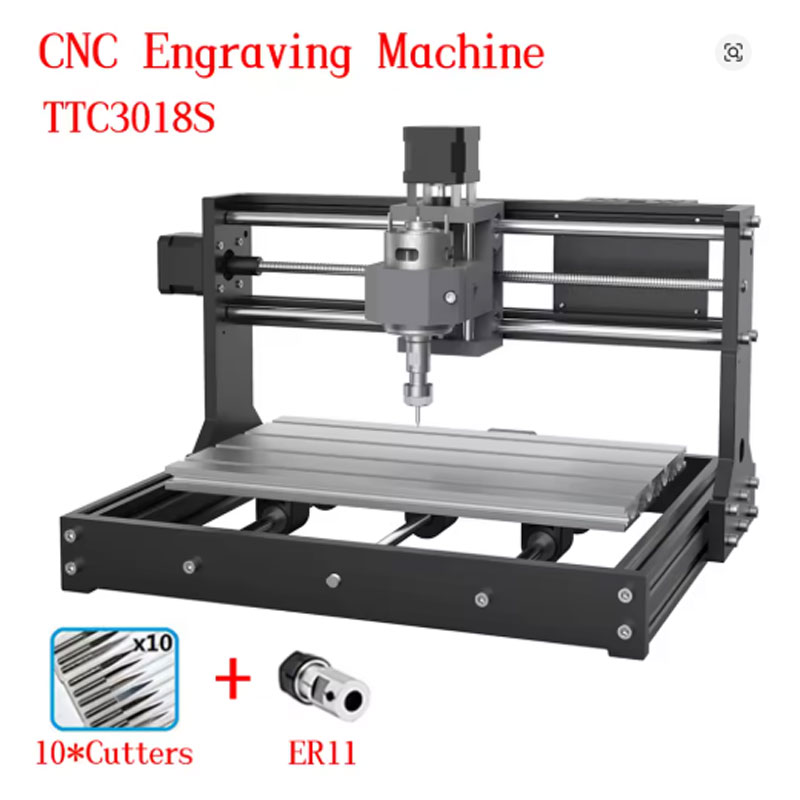
Figure 7: The TwoTrees TTC3018 GRBL 3 Axis Mini CNC Engraver can produce finished wooden projects like this engraved sign.
H3: Electronics Enthusiasts and Hardware Startups
Prototyping PCBs is expensive and slow if you outsource to fabrication houses. The TwoTrees TTC3018 GRBL 3 Axis Mini CNC Engraver lets you mill custom PCBs at your desk. You can iterate on designs quickly, test circuits, and make revisions without waiting weeks for shipping. This is a huge advantage for electronics hobbyists and small hardware startups.
H3: STEM Educators and Makerspace Coordinators
Digital fabrication is a key skill for 21st-century students. The TwoTrees TTC3018 GRBL 3 Axis Mini CNC Engraver is an affordable way to bring CNC technology into your classroom or makerspace. Students can learn CAD design, CAM programming, and subtractive manufacturing. The small size and low cost make it feasible to have multiple machines in a lab.
H3: Small Business Owners Starting a Side Hustle
Do you want to sell custom engraved products on Etsy or at craft fairs? The TwoTrees TTC3018 GRBL 3 Axis Mini CNC Engraver can produce inventory for your small business. Engrave custom wood signs, keychains, coasters, and nameplates. Mill PCBs for electronic products you sell. The machine is affordable enough to pay for itself with just a few sales.
H3: Anyone Curious About CNC Machining
Have you always wondered how CNC machines work? Are you intimidated by the cost and complexity of larger machines? The TwoTrees TTC3018 GRBL 3 Axis Mini CNC Engraver is the perfect learning tool. You can learn G-code, CAM workflow, and machining strategies with a low upfront investment. Once you master the basics, you can upgrade to a larger machine or add accessories like a laser module.
H2: How Does the TwoTrees TTC3018 GRBL 3 Axis Mini CNC Engraver Compare to Other Desktop CNCs?
There are several desktop CNC machines on the market. Here is how the TwoTrees TTC3018 GRBL 3 Axis Mini CNC Engraver stacks up against common alternatives.
- VS. 3D Printers: 3D printers use additive manufacturing (adding material). The TTC3018 is subtractive (removing material). They complement each other. The TTC3018 is better for working with wood, acrylic, and PCBs. 3D printers are better for complex plastic parts.
- VS. Laser Engravers: Laser engravers are faster for engraving and cutting thin materials but cannot mill metals or PCBs. The TTC3018 (with a spindle) can mill PCBs and soft metals. You can upgrade the TTC3018 with a laser module to get both capabilities.
- VS. Larger CNC Routers (Shapeoko, Onefinity): Larger machines have bigger work areas and more rigid frames. They can cut aluminum and even steel. However, they cost $1,000-$3,000+ and take up much more space. The TwoTrees TTC3018 GRBL 3 Axis Mini CNC Engraver is a budget-friendly entry point.
- VS. No CNC: Without a CNC machine, you are limited to hand tools or outsourcing. The TTC3018 gives you the ability to produce precision parts and engravings at home.
H2: Frequently Asked Questions About the TwoTrees TTC3018 GRBL 3 Axis Mini CNC Engraver
H3: Can the TwoTrees TTC3018 GRBL 3 Axis Mini CNC Engraver cut aluminum?
The TwoTrees TTC3018 GRBL 3 Axis Mini CNC Engraver can engrave and cut soft aluminum (like 6061) with the right settings. Use a very shallow depth of cut (0.1-0.2mm), slow feed rates, and lubrication (WD-40 or cutting oil). Do not expect to cut thick aluminum or hard alloys. For serious metal cutting, you need a more rigid machine.
H3: What software do I need for the TwoTrees TTC3018 GRBL 3 Axis Mini CNC Engraver?
The TwoTrees TTC3018 GRBL 3 Axis Mini CNC Engraver works with free GRBL control software like Candle or UGS. For design (CAD) and toolpath generation (CAM), you can use Fusion 360 (free for hobbyists), Easel, Carbide Create, or Inkscape with the G-code extension. Many users start with Easel because it is web-based and beginner-friendly.
H3: Can I upgrade the TwoTrees TTC3018 GRBL 3 Axis Mini CNC Engraver with a laser?
Yes. The TwoTrees TTC3018 GRBL 3 Axis Mini CNC Engraver can be upgraded with a laser module (usually 5W, 10W, or 20W). You will need to remove the spindle and install the laser module. You will also need laser safety glasses for the specific wavelength (e.g., 445nm for blue diode lasers). The GRBL control board works with laser modules, but you may need to adjust firmware settings.
H3: Is assembly difficult for the TwoTrees TTC3018 GRBL 3 Axis Mini CNC Engraver?
Assembly of the TwoTrees TTC3018 GRBL 3 Axis Mini CNC Engraver is straightforward. The machine ships as a semi-assembled kit. Most users complete assembly in 30-60 minutes following the included manual or online video tutorials. No soldering is required – all connections are plug-and-play. If you have built a 3D printer, this will be even easier.
H3: Does the TwoTrees TTC3018 GRBL 3 Axis Mini CNC Engraver come with a US power plug?
Yes. When you order the TwoTrees TTC3018 GRBL 3 Axis Mini CNC Engraver, you can select the plug type. Choose “US PLUG” at checkout to get a power supply that fits standard USA 110V outlets. Do not select EU plug unless you have an adapter.
H2: Why the TwoTrees TTC3018 GRBL 3 Axis Mini CNC Engraver Saves You Money
At $146 (or less with welcome deals), the TwoTrees TTC3018 GRBL 3 Axis Mini CNC Engraver is an incredible value. Compare it to outsourcing your projects. A single custom engraved wooden sign from a professional shop might cost $20-$40. A single PCB prototype from a fabrication house costs $20-$50 plus shipping and takes weeks. With the TTC3018, you can produce these items at home for pennies in material costs. The machine pays for itself after a few projects. For educators, it is an affordable way to bring CNC technology into the classroom. For hobbyists, it opens up new creative possibilities without breaking the bank.
H2: Final Verdict – Should You Buy the TwoTrees TTC3018 GRBL 3 Axis Mini CNC Engraver?
If you want to learn CNC machining, engrave wood, mill PCBs, or cut plastics, the answer is yes. The TwoTrees TTC3018 GRBL 3 Axis Mini CNC Engraver is the best entry-level desktop CNC for USA hobbyists and makers. It is affordable, compact, and well-supported by a large online community. The GRBL control system is reliable and compatible with free software. You can upgrade it with a laser module or other accessories as your skills grow. For the price of a few outsourced projects, you can own your own CNC machine and create unlimited projects.
Do not let the intimidation of CNC stop you. Start with the TwoTrees TTC3018 GRBL 3 Axis Mini CNC Engraver and discover the joy of making precision parts at home.
H2: What’s in the Box?
When you order the TwoTrees TTC3018 GRBL 3 Axis Mini CNC Engraver, you will receive.
- 1 x TTC3018S Frame with pre-installed lead screws and rails (partial assembly)
- 3 x NEMA 17 Stepper Motors (X, Y, Z axes)
- 1 x 775 Spindle motor with collet and ER11 collet nut
- 1 x GRBL Control Board (with 3 driver modules)
- 1 x Power Supply (24V) with US plug (if you select US plug option)
- 1 x USB Cable (for connecting to computer)
- 1 x Set of mounting hardware and tools (Allen keys, screws, nuts)
- 1 x User Manual (English / Chinese, may be digital download)
- 1 x Sample engraving bits (basic set, varies by seller)
- Cable management ties and accessories
Note: A computer with control software is not included. You will need to download free software like Candle or UGS. Limit switches, enclosures, and laser modules are optional upgrades (sold separately).
Video 1: Watch the TwoTrees TTC3018 GRBL 3 Axis Mini CNC Engraver in action – see how it engraves wood, mills PCBs, and cuts acrylic.
Only $146. Perfect for wood engraving, PCB milling, and acrylic cutting. Compact desktop CNC for USA hobbyists. Order today.
Disclaimer: This information is for informational purposes only. Product specifications, prices, and availability are subject to change without notice. The TwoTrees TTC3018 GRBL 3 Axis Mini CNC Engraver is not a toy. Always wear safety glasses and use proper dust collection. This machine is intended for hobby use with soft materials. USA buyers should select the US plug option at checkout for correct voltage (110V). Assembly is required.