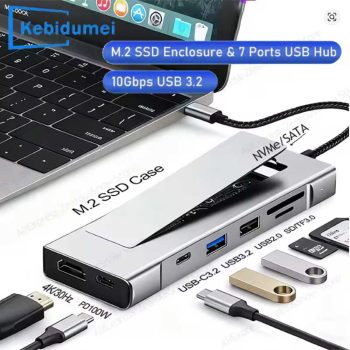

8-in-1 USB C SSD docking station

Maximize your workflow with the Kebidumei 8-in-1 USB-C Hub and M.2 SSD Enclosure. Expand your MacBook Pro or Steam Deck with 4K HDMI, 10Gbps USB 3.2, and 100W PD charging.

Maximize your productivity and device capabilities with the Kebidumei 8-in-1 USB-C Hub and Docking Station. Designed for power users, this sleek accessory combines a multi-port hub with a built-in M.2 SSD enclosure, allowing you to expand your connectivity and storage simultaneously. Featuring ultra-fast 10Gbps USB 3.2 ports, 100W Power Delivery, and up to 4K HDMI output, it perfectly transforms your MacBook Pro, laptop, or Steam Deck into a fully-fledged desktop workstation.
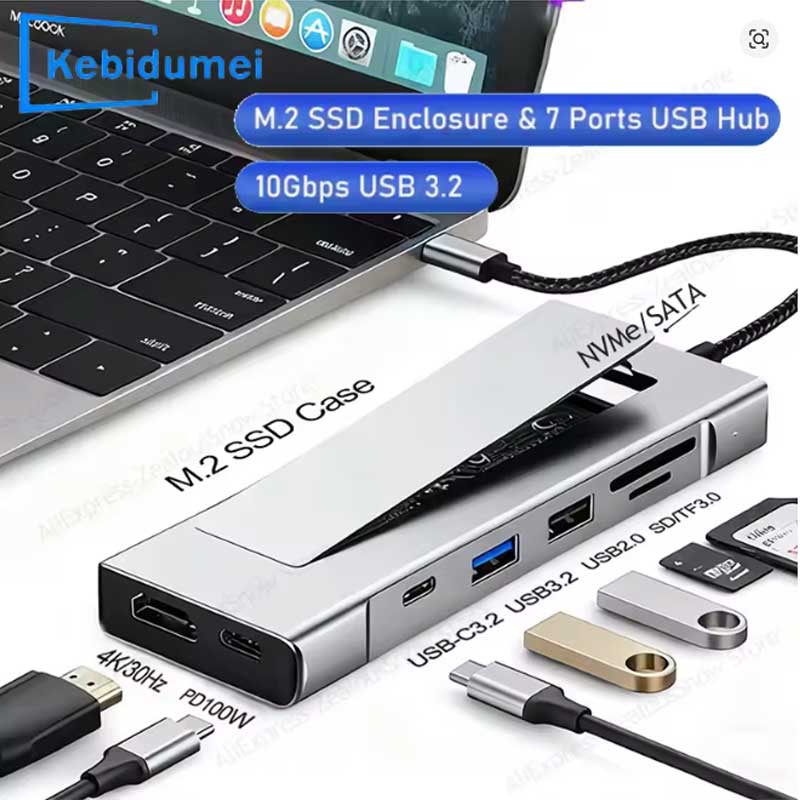
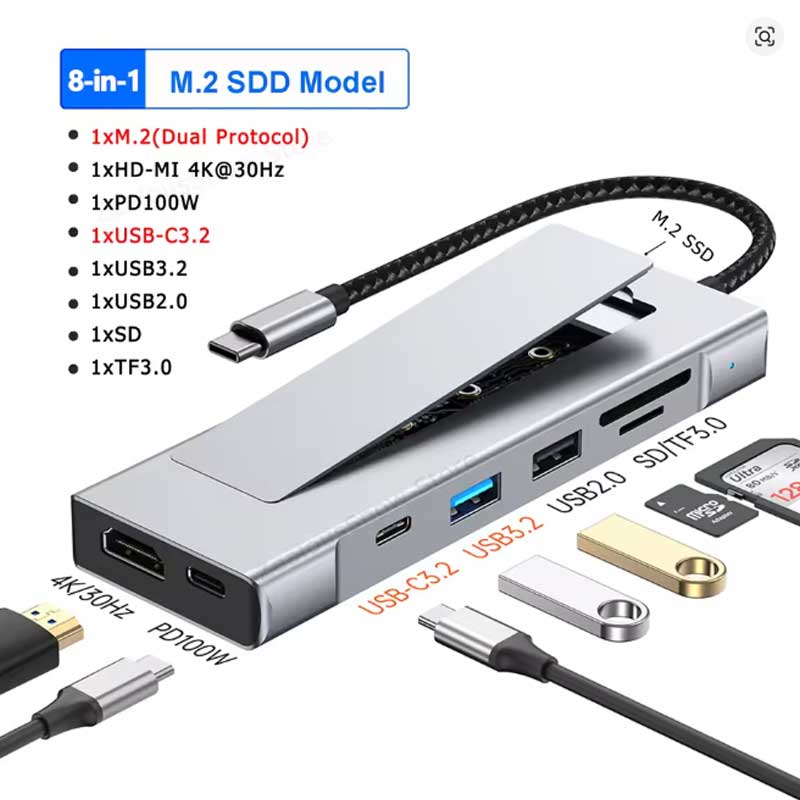
- 8-in-1 functionality including HDMI, PD 100W, USB 3.2, USB 2.0, and SD/TF card readers.
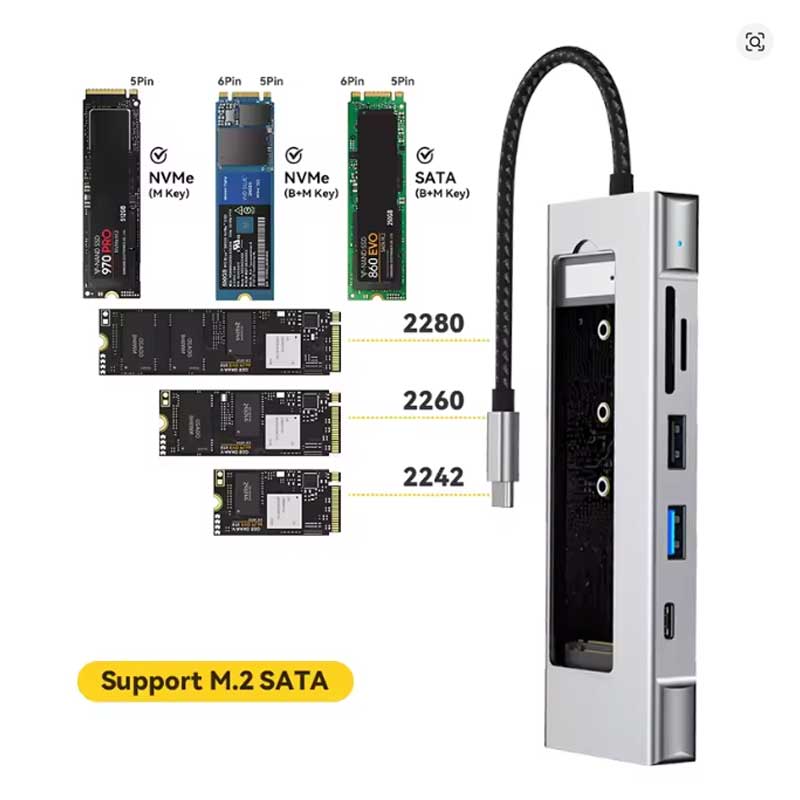
- Built-in M.2 SSD enclosure supporting both NVMe and SATA protocols.
- Supports high-definition 4K HDMI video output for external displays.
- Delivers up to 100W PD fast charging and 10Gbps data transfer speeds.
Key Features
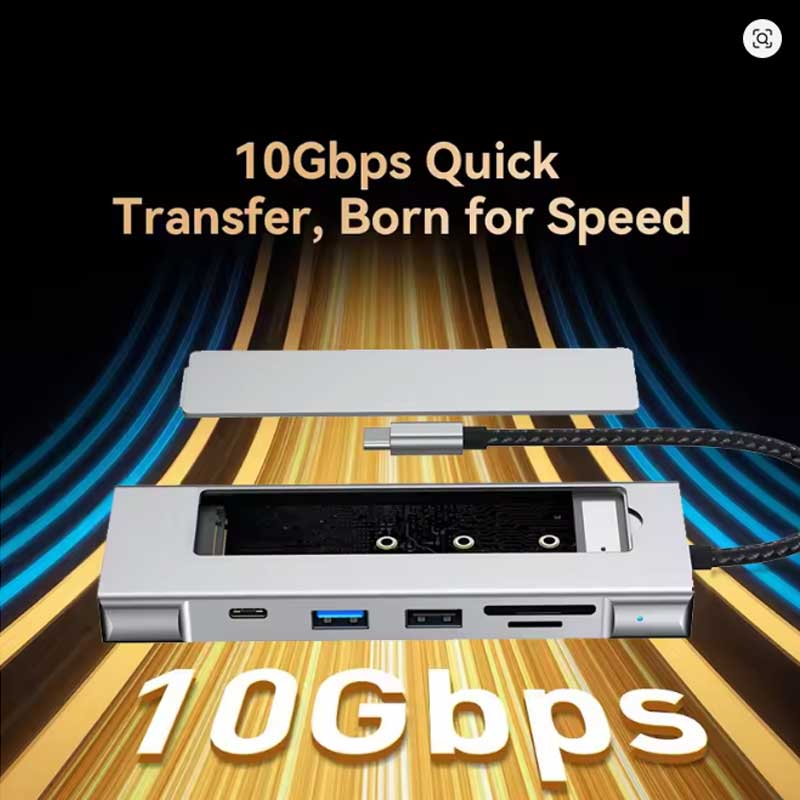
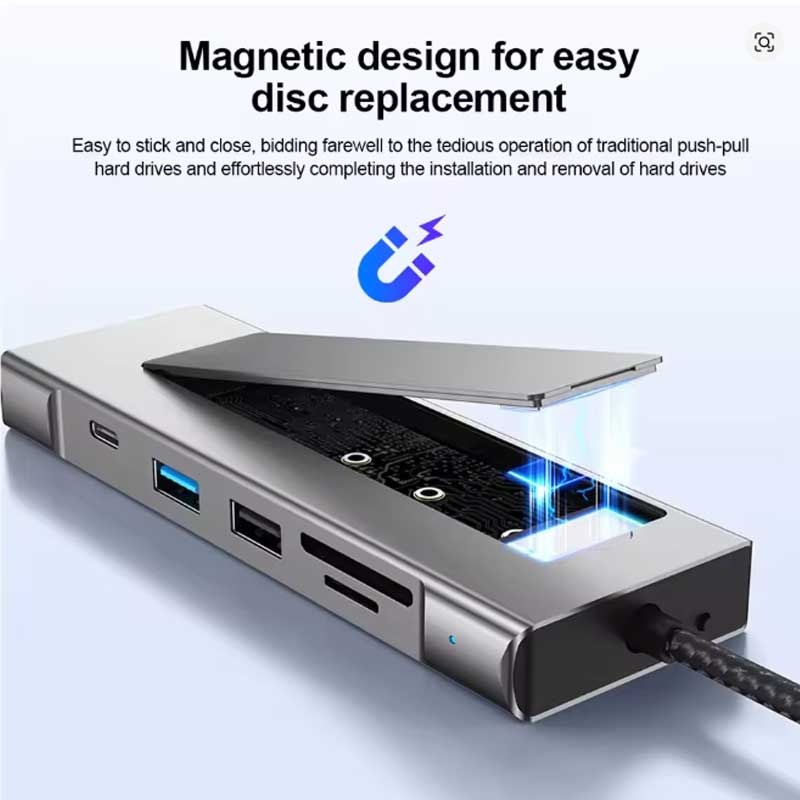
- Integrated M.2 SSD Storage: Features a built-in M.2 SSD case with a convenient sliding cover, supporting both NVMe and SATA drives to seamlessly expand your device’s storage capacity.
- High-Speed 10Gbps Transfers: Equipped with advanced USB-C 3.2 and standard USB 3.2 ports, delivering lightning-fast data transfer speeds of up to 10Gbps for large files and media.
- Stunning 4K Display Output: Connect to external monitors, TVs, or projectors via the HDMI-compatible port, supporting crisp resolutions up to 4K.
- 100W Power Delivery: The robust 100W PD Type-C charging port ensures your host device (like a MacBook Pro or Steam Deck) remains fully powered during heavy usage.
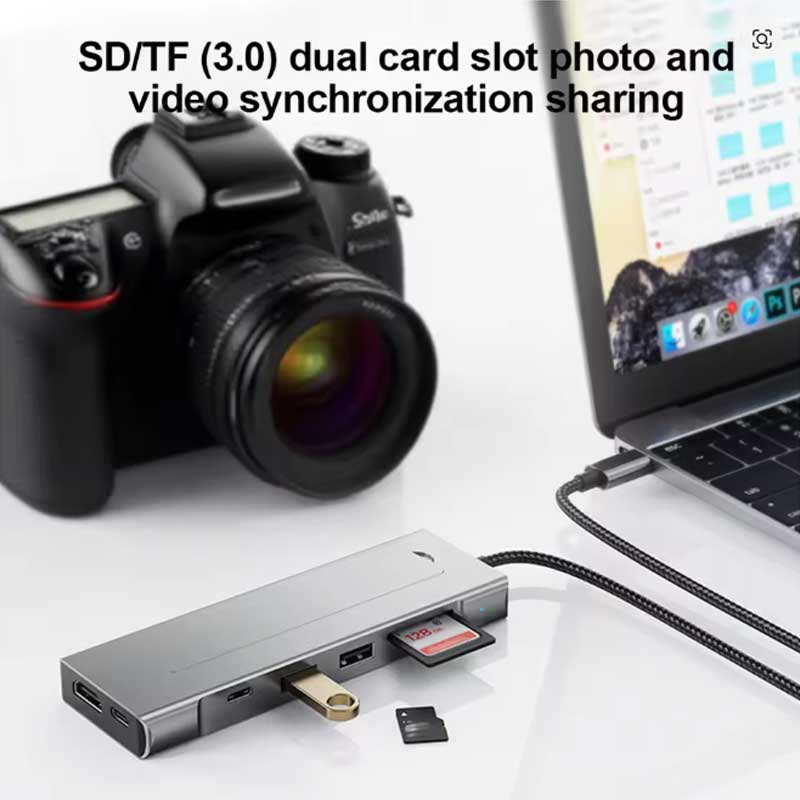
- Comprehensive Card Readers: Includes dual SD and TF 3.0 card slots, making it the perfect tool for photographers and videographers needing quick access to media.
Compatibility & Best Use
- Perfectly tailored as a docking station for MacBook Pro and other premium Type-C Windows laptops.
- Highly compatible with the Steam Deck, allowing gamers to connect to a TV while expanding game storage.
- Ideal for creative professionals who need to combine external SSD storage with multiple peripheral connections in one sleek device.
Installation Tips
- SSD Installation: Simply slide off the top cover of the M.2 SSD case to install your NVMe or SATA drive. Ensure it is secured properly before closing.
- Power Management: For the most stable connection—especially when using a high-capacity SSD and multiple USB peripherals—plug your laptop’s original power adapter into the dock’s 100W PD port.
- First Time Use: If installing a brand-new M.2 SSD, you must format the drive using your computer’s Disk Management utility before it will be recognized by the operating system.
Product Specifications
| Brand Name | Kebidumei |
| Product Name | 8-in-1 USB C HUB Docking Station / M.2 SSD Model |
| Total Ports | 8 |
| Interface Type | USB Type-C |
| Storage Expansion | M.2 SSD Enclosure (Supports NVMe / SATA) |
| HDMI-Compatible Output | 4K 30Hz / 4K 60Hz |
| Power Delivery (PD) | 100W Max |
| USB Interfaces | USB-C 3.2 (10Gbps), USB 3.2 (10Gbps), USB 2.0 |
| Card Readers | SD / TF 3.0 |
| Certification | CE |
Packing List
- 1 x Kebidumei 8-in-1 USB-C Hub with M.2 SSD Enclosure
- Note: M.2 SSD drive is NOT included and must be purchased separately.
Warnings & Safety Notes
- Heat Dissipation: High-speed NVMe SSDs generate significant heat during data transfers. The aluminum casing acts as a heatsink to protect the drive, so it is completely normal for the hub to feel warm to the touch during use.
- Charger Requirement: To utilize the full 100W PD charging capabilities, you must use a compatible 100W wall charger and a high-quality USB-C cable.
- Drive Compatibility: Before purchasing an SSD, ensure it is an M.2 form factor. The enclosure supports NVMe and SATA protocols, but physical M.2 lengths may vary based on standard slot sizes.