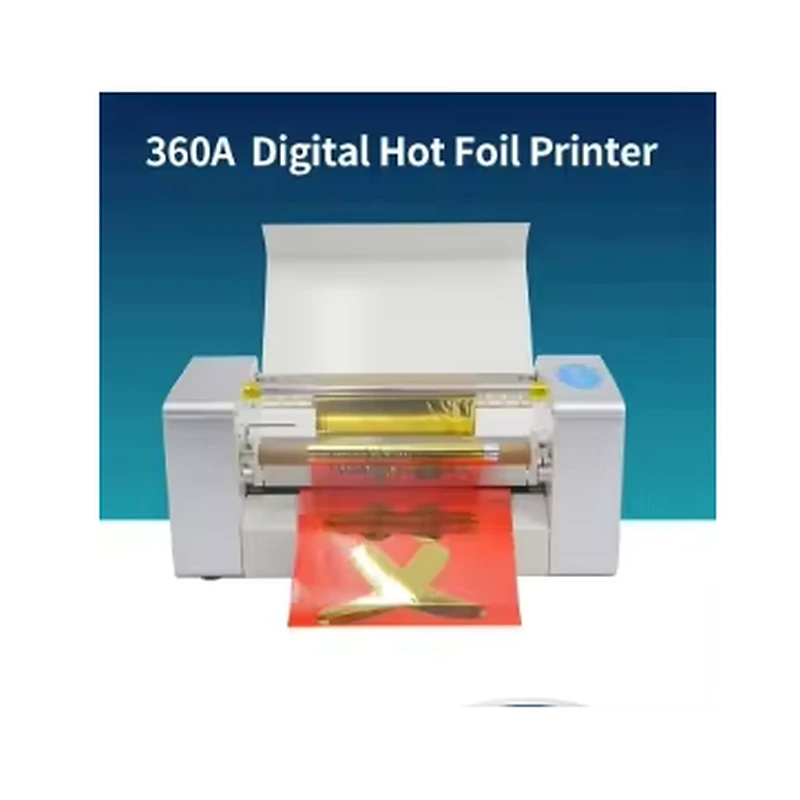
Amydor 360a Digital Foil Printer – Computer-Controlled Hot Foil Stamping and Ribbon Printing Machine

Amydor 360a Digital Foil Printer Hot Foil Stamping and Ribbon Printing Machine

Upgrade your commercial printing and customization capabilities with the Amydor 360a Digital Foil Printer, a computer-controlled digital foil stamping machine designed for professional printing applications. This machine combines digital printing technology, automatic paper feeding, and hot foil printing functionality to help businesses produce attractive metallic-effect designs on compatible printing materials.
Whether you operate a printing company, packaging business, stationery workshop, promotional products business, or customized gift production studio, this digital foil printer offers a practical solution for creating personalized printed designs. Its computer-controlled operation allows users to prepare artwork digitally and manage printing through a connected computer.
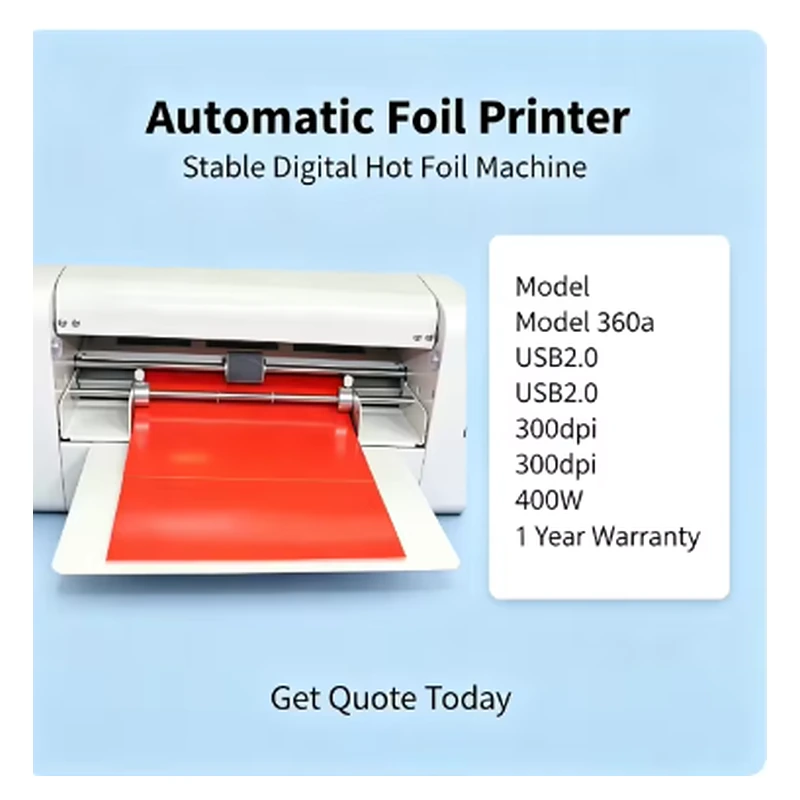
The Amydor 360a features an advertised printing speed of up to 120 meters per hour, a maximum resolution of 1200 × 600 dpi, and 256 MB of internal memory. Additionally, its automatic paper feed mode and wired USB connectivity support a convenient computer-based printing workflow.
With an A4 maximum paper size, a compact commercial machine design, and selectable US and EU plug configurations, this digital foil printer is suitable for businesses looking to expand their printing capabilities. Its 100–240V voltage specification also provides flexibility for different electrical environments, subject to the selected plug and local power requirements.
Key Features and Benefits of the Amydor 360a Digital Foil Printer
- Digital Foil Printing Technology: Designed for computer-controlled foil printing and compatible commercial printing applications.
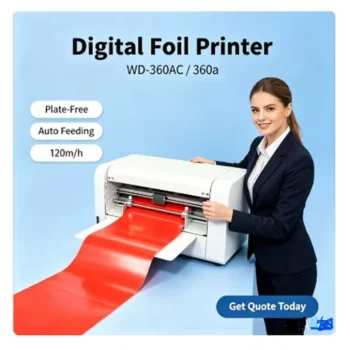
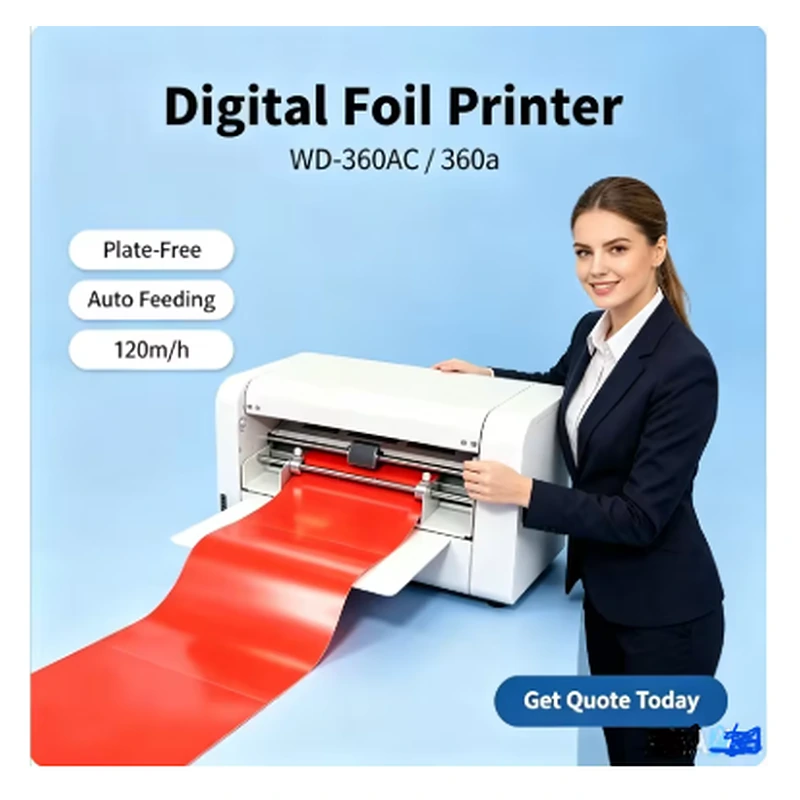
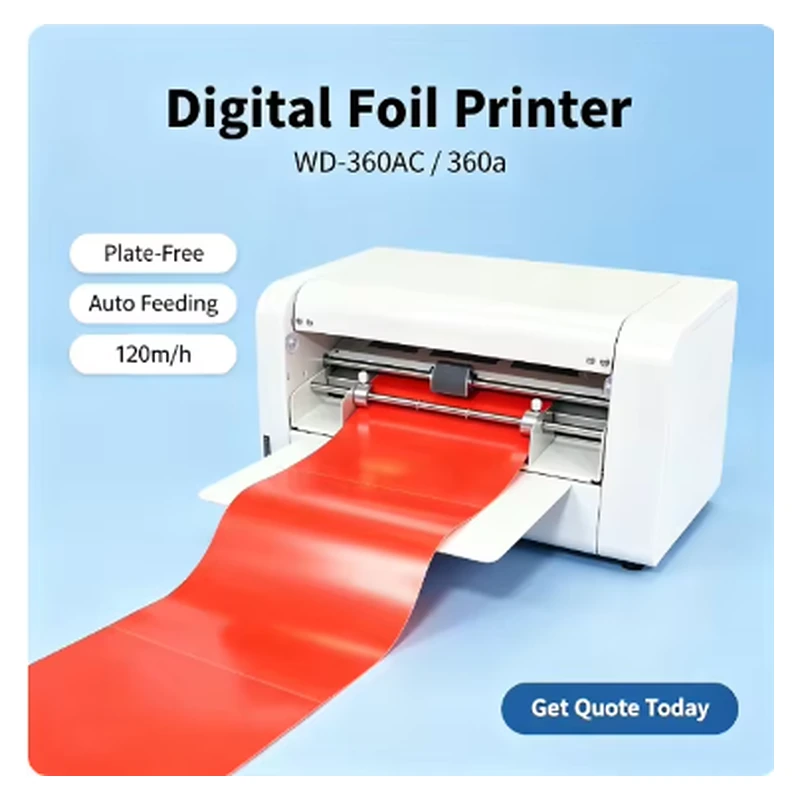
- Plate-Free Printing Design: The product promotional image identifies a plate-free printing feature, offering a digital approach to customized printing without traditional plate preparation.
- Automatic Paper Feeding: Features an automatic paper feed mode to support convenient material handling during compatible printing operations.
- High-Speed Printing: Advertised printing speed of up to 120 meters per hour for suitable production workflows.
- High Maximum Resolution: Supports a listed maximum resolution of 1200 × 600 dpi for detailed printing applications.
- 256 MB Internal Memory: Equipped with internal memory for machine processing operations.
- Computer-Controlled Operation: Connects through a wired USB interface for computer-based printing control.
- A4 Maximum Paper Size: Supports a maximum listed paper size of A4.
- Commercial Application: Designed for commercial printing environments and business applications.
- Automatic Control Features: Includes push-button control for machine operation.
- Wide Voltage Compatibility: Supports a listed voltage range of 100–240V.
- Two Plug Options: Available with US Plug and EU Plug configurations.
- Professional Printing Solution: Suitable for printing businesses seeking digital foil stamping and customized printing capabilities.
What Is the Amydor 360a Digital Foil Printer?
The Amydor 360a is marketed as a digital foil printing machine that combines computer-based artwork preparation with a mechanical printing system. It is designed for businesses that want to produce customized foil-effect designs using a digital workflow.
Traditional foil stamping commonly requires specially prepared dies or plates to transfer metallic foil onto a material. Digital foil printing offers an alternative approach for suitable applications by allowing artwork to be prepared through computer software and sent to compatible printing equipment.
This type of technology can be useful for businesses handling personalized printing projects, short production runs, customized branding, and decorative printing work.
Computer-Based Digital Printing
Computer-based operation allows users to prepare designs before starting a printing job. Artwork can be created, adjusted, and arranged digitally according to the selected printing material and machine configuration.
The Amydor 360a includes a wired USB interface, allowing a connected computer to communicate with the printer.
Digital Foil Stamping Applications
Digital foil printing is commonly associated with decorative and promotional printing applications. Depending on the machine configuration and compatible materials, businesses can explore customized lettering, logos, decorative patterns, and metallic-effect designs.
Plate-Free Digital Foil Printing
One of the main promotional features highlighted in the product image is plate-free digital printing.
Traditional foil stamping methods often require the preparation of physical plates or dies for specific designs. A digital approach can reduce the need for traditional plate preparation in compatible printing workflows.
Benefits of Digital Artwork Preparation
- Prepare artwork using computer-based design software.
- Make design adjustments before production.
- Manage customized printing projects digitally.
- Reduce dependence on traditional plate preparation where supported.
- Support personalized printing requirements.
- Change artwork between suitable production jobs.
This approach can be especially useful for businesses handling customer-specific designs, customized branding, and smaller printing orders.
High-Speed Printing Performance
Production speed is an important consideration when selecting commercial printing equipment. The Amydor 360a advertises a printing speed of up to 120 meters per hour.
This speed specification makes the machine an option for businesses evaluating digital printing equipment for regular production requirements.
120 Meters per Hour Advertised Speed
The listed 120m/hour printing speed provides an indication of the machine’s advertised production capability. Actual output depends on the artwork, material, print coverage, operating conditions, and selected machine settings.
25ppm Listed Print Speed
The product specifications also list a print speed of 25 pages per minute. This is a separate supplier-provided speed specification and should be confirmed with the seller to understand the operating conditions and applicable print mode.
Suitable for Commercial Workflows
Businesses can evaluate the machine for regular printing projects involving customized designs and decorative printing requirements.
For production planning, it is recommended to conduct sample printing and confirm actual output speed before estimating daily production capacity.
1200 × 600 dpi Maximum Printing Resolution
Printing resolution is an important specification when evaluating equipment for detailed artwork and text-based printing applications.
The Amydor 360a product listing identifies a maximum resolution of 1200 × 600 dpi.
Understanding Printing Resolution
DPI stands for dots per inch. It describes the number of printing dots used within a measured area.
Higher resolution settings can support more detailed output, depending on the printing technology, material, artwork, and operating conditions.
Applications for Detailed Artwork
The listed resolution can be considered when evaluating the machine for:
- Decorative lettering.
- Customized logos.
- Small graphic elements.
- Personalized printing designs.
- Branding and promotional artwork.
- Decorative text and patterns.
Actual output quality depends on the complete printing system and compatible materials.
Automatic Paper Feeding and Printing Control
The Amydor 360a includes an automatic paper feed mode according to the supplied specifications. This feature is intended to support material feeding during compatible printing operations.
Automatic Paper Feed Mode
Automatic feeding can help simplify material handling and reduce the need for repeated manual positioning during supported printing tasks.
Correct material loading and alignment remain important for maintaining consistent printing results.
Push-Button Control
The machine uses a push-button control method, providing a physical control interface for operating the equipment.
USB Connectivity
The wired USB interface connects the printer to a compatible computer. This connection supports computer-controlled printing operations and provides a straightforward communication method.
256 MB Internal Memory
The Amydor 360a is equipped with 256 MB of internal memory, according to the supplier’s specifications.
Internal memory is part of the machine’s processing and operating system. It supports the printer’s internal data-handling requirements during compatible printing operations.
For businesses evaluating commercial equipment, memory capacity is one of several technical specifications to consider alongside printing resolution, processing performance, connectivity, and production speed.
A4 Printing Format and Machine Applications
The supplier lists A4 as the maximum paper size for this machine.
This format can be considered for printing projects involving compatible A4-sized materials and smaller customized designs.
Printing Applications to Explore
Depending on the machine’s compatible media and foil configuration, digital foil printing equipment can be considered for various commercial applications.
- Customized stationery and printed paper products.
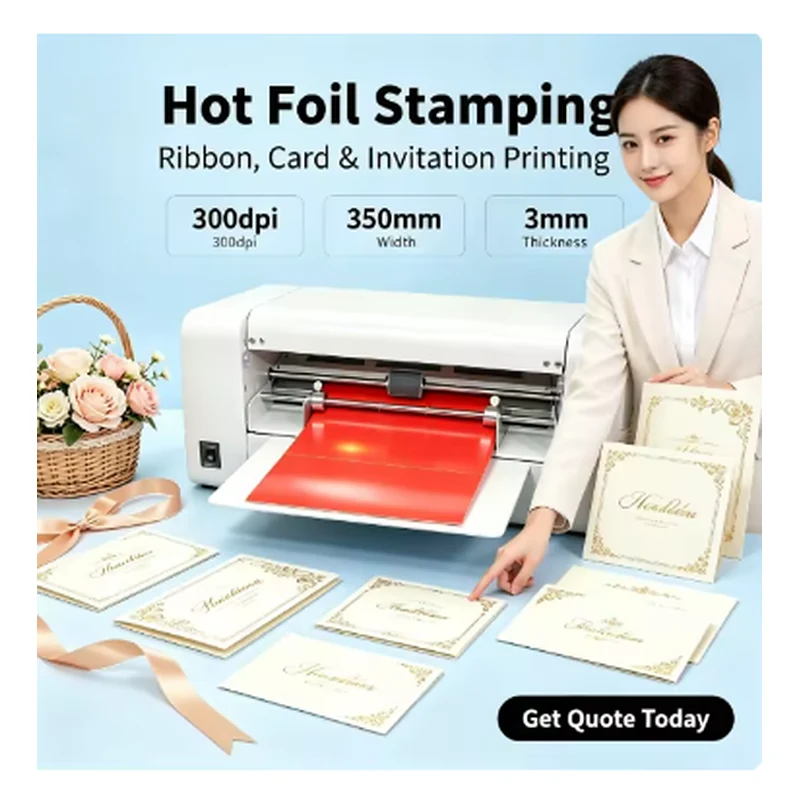
- Decorative invitation cards.
- Business branding materials.
- Promotional printing projects.
- Personalized labels and decorative designs.
- Custom gift packaging elements.
- Specialized commercial printing projects.
Important: The supplied listing does not provide a complete list of supported substrates. Confirm material compatibility, thickness limits, and printing methods with the seller before purchasing.
Commercial Applications of Digital Foil Printing Machines
Digital foil printing technology can serve businesses across several creative and commercial industries. The ability to prepare customized artwork digitally makes it an interesting option for companies offering specialized printing services.
1. Printing and Copy Shops
Commercial printing shops can evaluate digital foil printing as an additional service for customers who want customized decorative printing.
It may complement existing services involving business stationery, personalized printed materials, and promotional products.
2. Invitation Card Production
Invitation card businesses frequently work with customized lettering, decorative elements, and personalized designs.
Compatible digital foil printing equipment can help businesses explore metallic-effect decoration for selected invitation printing projects.
3. Gift Packaging Businesses
Gift packaging companies can explore foil-effect branding and decorative artwork for compatible packaging materials.
Customized logos, decorative lettering, and promotional designs can help create distinctive packaging presentations.
4. Stationery Manufacturing
Stationery businesses can consider digital foil printing for selected products such as notebooks, personalized paper goods, and decorative printed materials, subject to media compatibility.
5. Branding and Promotional Products
Companies providing branded merchandise and promotional printing can explore digital foil effects for compatible customized products.
Digital artwork preparation can be useful when different customers require different logos, text, or decorative designs.
6. Personalized Gift Production
Personalized gift businesses can investigate compatible foil printing applications for customized names, messages, and decorative artwork.
7. Creative Design Studios
Graphic design studios that offer printed products can consider digital foil printing equipment as part of a broader production workflow.
Designers can prepare artwork digitally and coordinate printing according to the machine’s supported materials and operating requirements.
How to Operate a Computer-Controlled Digital Foil Printer
Operating a digital foil printer requires suitable computer software, compatible printing materials, correct machine settings, and proper preparation.
The following is a general preparation and printing workflow. Always follow the official Amydor 360a operating manual for the exact installation and operating procedure.
Step 1: Prepare the Printing Workspace
Place the printer on a stable, level surface with enough space for material loading and operation.
Ensure that the surrounding area is clean and suitable for commercial printing equipment.
Step 2: Check the Power Supply
Verify that the machine’s voltage specification matches the available electrical supply.
The product listing identifies a voltage range of 100–240V. Select the appropriate US or EU plug configuration when ordering.
Step 3: Connect the Computer
Connect the printer to a compatible computer using the wired USB interface.
Install the required driver and software according to the manufacturer’s instructions.
Step 4: Prepare Your Artwork
Create your printing design using compatible graphic design software.
Check the artwork dimensions, positioning, text, and other design elements before sending the job to the printer.
Step 5: Prepare the Printing Material
Choose materials that are compatible with the machine’s printing method.
Check material dimensions, thickness, surface condition, and feeding requirements before starting production.
Step 6: Configure Printing Settings
Adjust the available printing settings according to the material and desired output.
Use the recommended settings provided by the manufacturer or seller.
Step 7: Load the Material
Position the printing material according to the machine’s loading instructions.
Check alignment and make sure the feeding mechanism operates correctly.
Step 8: Start the Printing Process
Send the prepared design from the connected computer and monitor the machine during operation.
Check the printed output for alignment, consistency, and overall appearance.
Step 9: Inspect the Finished Output
After printing, inspect the result and verify that the design matches the original artwork.
Perform additional sample testing when changing materials or printing configurations.
US Plug and EU Plug Options
The Amydor 360a is listed with two plug configurations to accommodate different electrical connection requirements.
US Plug
The US Plug option is available for customers who require the corresponding plug configuration. Check the local electrical outlet and grounding requirements before installation.
EU Plug
The EU Plug option is available for customers who use compatible European-style electrical outlets.
100–240V Voltage Compatibility
The listed voltage range is 100–240V, offering flexibility across different electrical environments.
Always verify the electrical frequency, plug type, grounding requirements, and local installation conditions before connecting the machine.
Technical Specifications of the Amydor 360a
| Specification | Details |
|---|---|
| Product Name | Amydor 360a Digital Foil Printer |
| Product Type | Digital Foil / Commercial Printing Machine |
| Model Number | 360a |
| Brand | Kingcolor |
| Product Application | Commercial |
| Function | |
| Maximum Paper Size | A4 |
| Maximum Resolution | 1200 × 600 dpi |
| Advertised Color Print Speed | 120m/hour |
| Listed Print Speed | 25ppm |
| Internal Memory | 256 MB |
| Control Method | Push Button |
| Paper Feed Mode | Automatic |
| Connectivity | Wired USB |
| Double-Sided Printing | No |
| Voltage | 100–240V |
| Available Plug Types | US Plug / EU Plug |
| Dimensions | 74 × 42 × 32 cm (as listed) |
| Product Weight | 22 kg |
| Battery Included | No |
| High-Concern Chemicals | None Listed |
| Certification | CE |
| After-Sales Service | National Joint Guarantees |
| Origin | Mainland China |
Maintenance and Care for Your Digital Foil Printer
Regular maintenance is important for keeping commercial printing equipment in suitable operating condition. Following the manufacturer’s maintenance instructions can help reduce avoidable operational problems.
Keep the Machine Clean
Maintain a clean working environment and remove dust or loose material from accessible areas according to the manufacturer’s cleaning instructions.
Inspect the Feeding Mechanism
Check the paper feeding area for unwanted material, obstruction, or incorrect alignment before beginning a printing job.
Check USB Connections
Inspect the USB cable and computer connection if communication problems occur during printing.
Use Compatible Printing Consumables
Use the foil and other printing materials recommended for the machine’s particular printing method.
Follow the Operating Manual
Use the manufacturer’s recommended maintenance schedule and operating procedures. Avoid unauthorized mechanical adjustments.
Provide Suitable Storage
When the machine is not in use, keep it in a clean, dry environment and protect it from excessive dust and moisture.
Frequently Asked Questions
What is the Amydor 360a Digital Foil Printer?
The Amydor 360a is marketed as a computer-controlled digital foil printing machine designed for commercial printing applications and customized printing projects.
Does the machine support plate-free printing?
Yes. Plate-free printing is highlighted in the product promotional image. Confirm the exact supported printing process with the seller before purchasing.
What is the maximum printing resolution?
The supplied product specifications list a maximum resolution of 1200 × 600 dpi.
What is the advertised printing speed?
The product listing advertises a color printing speed of up to 120 meters per hour. It also separately lists 25 pages per minute.
Does the Amydor 360a support automatic paper feeding?
Yes. The supplied specifications identify the paper feed mode as automatic.
What is the maximum paper size?
The maximum paper size listed in the specifications is A4.
How much internal memory does the printer have?
The machine is listed with 256 MB of internal memory.
How does the printer connect to a computer?
The product specifications identify wired USB as the interface type.
What voltage does the Amydor 360a support?
The listed voltage range is 100–240V. Always check the electrical requirements before installation.
Are US and EU plug options available?
Yes. The product listing provides US Plug and EU Plug options.
Is this machine suitable for commercial use?
Yes. The supplier identifies its application as commercial.
Does the printer support double-sided printing?
No. The supplied specifications list double-sided printing as unavailable.
What is the weight of the machine?
The product listing specifies a weight of 22kg.
What are the machine dimensions?
The supplied listing shows dimensions of 74 × 42 × 32c. Confirm the final measurement and unit with the seller before arranging shipping or workspace installation.
Does the printer include a battery?
No. The product specifications indicate that a battery is not included.
Where is the Amydor 360a manufactured?
The supplier identifies Mainland China as the product’s country of origin.
What certification is listed?
The supplied product specifications list CE certification.
What software can be used with the printer?
The supplied AliExpress specifications do not identify specific software packages or supported operating systems. Confirm software, drivers, and computer compatibility with the seller before ordering.
Why Choose the Amydor 360a Digital Foil Printer?
Choosing the right commercial printing equipment can help businesses expand their production capabilities and explore new customization services.
The Amydor 360a Digital Foil Printer combines computer-controlled operation, USB connectivity, automatic paper feeding, and an advertised printing speed of 120 meters per hour.
Its listed 1200 × 600 dpi maximum resolution and 256 MB internal memory provide additional technical specifications for businesses evaluating their printing equipment requirements.
Furthermore, the availability of US and EU plug configurations and a 100–240V voltage specification provides flexibility when selecting an electrical connection option.
For commercial printing shops, packaging businesses, stationery producers, and customized printing studios, this machine is worth considering when exploring digital foil printing equipment.
Order the Amydor 360a Digital Foil Printer Today
Expand your commercial printing capabilities with the Amydor 360a Computer-Controlled Digital Foil Printer. Designed for commercial printing applications, it features automatic paper feeding, wired USB connectivity, 256 MB internal memory, and an advertised printing speed of up to 120 meters per hour.
Select your preferred machine configuration and plug type according to your electrical requirements. Before ordering, confirm the supported printing materials, foil compatibility, software requirements, and complete operating specifications with the supplier.
Choose the Amydor 360a Digital Foil Printer and explore new possibilities in customized commercial foil printing.