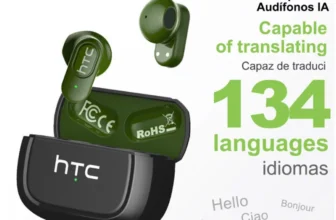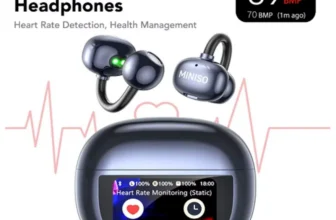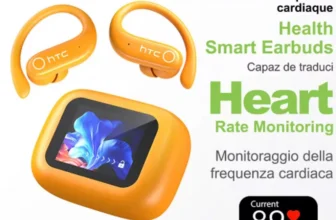
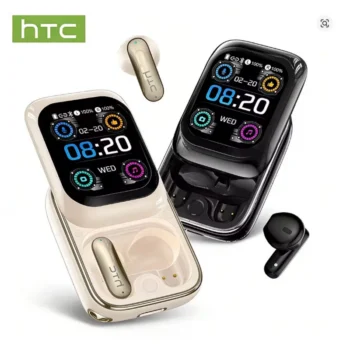

The HTC NE48 Flip Bluetooth AI Translation Touchscreen Earbuds combine wireless listening, real-time AI language translation, a smart flip-style touchscreen charging case, touch controls, remote camera functions, customizable EQ, and travel-friendly convenience in one compact system. Designed for users who move between music, phone calls, international travel, multilingual communication, video entertainment, work, and everyday commuting, the NE48 provides considerably more functionality than a basic pair of Bluetooth earbuds.
View HTC NE48 Flip AI Translation Earbuds
For U.S. shoppers searching for AI translator earbuds, Bluetooth 6.0 earbuds, touchscreen earbuds, real-time translation earbuds, smart charging case earbuds, or wireless translator earbuds for international travel, the HTC NE48 stands out because translation and smart-case features are integrated directly into the everyday earbud experience.
The upgraded NE48 platform supports AI-assisted translation across approximately 134 to 135 languages through a compatible smartphone application. Available translation modes include natural dialogue, free-talk translation, headphones-plus-phone conversation, dual-earbud conversation, voice-note translation, photo translation, and video subtitle translation. These modes make the earbuds relevant not only to vacation travel but also to international business, education, language practice, and multicultural communication.
The charging case is another major difference. Instead of a conventional passive case with only a battery indicator, the NE48 uses an HD touchscreen interface with a variety of smart functions. Depending on software version, users can control music, change EQ, manage calls, check battery status, customize wallpaper, control a phone camera, scroll short videos, access games and a calculator, adjust brightness, manage settings, and interact with translation tools.
This comprehensive guide explores the HTC NE48’s Bluetooth connection, AI translation, smart touchscreen case, flip-style construction, sound system, battery life, touch controls, microphone performance, IPX5 protection, travel applications, business uses, entertainment features, setup process, maintenance, and the important details U.S. buyers should confirm before ordering.

What Are the HTC NE48 Flip AI Translation Earbuds?
The HTC NE48 is a true wireless Bluetooth earbud system featuring a distinctive side-sliding or flip-style charging case with an integrated touchscreen. The earbuds can function as ordinary wireless headphones for music, calls, video, and everyday audio, while the companion software unlocks additional AI translation capabilities.
The model is designed to combine several devices into one. Instead of carrying basic earbuds, a separate translator, and a simple charging case, users receive an integrated system focused on audio, communication, travel, and smart controls.
Upgraded Bluetooth 6.0 Version
The upgraded NE48 is marketed with Bluetooth 6.0 connectivity. Some earlier or alternate NE48 documentation references Bluetooth 5.3, which means shoppers should verify the exact version shown in the selected product variation.
The OnlineDaraz product featured in this guide is the Bluetooth 6.0 version.
True Wireless Earbud Design
There is no physical wire connecting the left and right earbuds. Each earbud communicates wirelessly with the paired device and is stored inside the charging case when not in use.
Smart Case Rather Than a Basic Charging Box
The charging case contains a full-color touchscreen and runs a small interface for music, settings, translation-related functions, camera control, display customization, and other utilities.
The Smartphone Still Plays an Important Role
Although the charging case is unusually capable, the NE48 should not be treated as a completely independent smartphone replacement. AI translation and several advanced features still rely on pairing with a compatible phone and companion application.
Bluetooth 6.0 Connectivity for Modern Devices
The Bluetooth 6.0 version of the NE48 is designed to connect with compatible smartphones, tablets, laptops, and other Bluetooth-enabled devices.
Wireless Audio for Music and Calls
Once paired, the earbuds can play music, podcasts, YouTube audio, movies, calls, voice messages, navigation instructions, and other standard Bluetooth audio.
Approximately 10-Meter Wireless Range
Published NE48 documentation lists an effective wireless range of less than approximately 10 meters under typical unobstructed conditions.
Walls, crowded wireless environments, Wi-Fi routers, furniture, and other electronic equipment can reduce practical range.
Automatic Reconnection
After the first pairing, the earbuds can reconnect to a previously used device when powered on and within Bluetooth range.
Keep the Phone Nearby During Translation
AI translation depends on consistent communication between the earbuds, smartphone, and translation app. Staying within a reliable Bluetooth range can help avoid interruptions during conversations.

AI Translation for Approximately 134 to 135 Languages
AI translation is one of the strongest reasons to consider the HTC NE48. Current documentation describes support for approximately 134 to 135 languages through the compatible translation application.
How Translation Works
The earbuds capture spoken audio through their microphones. The connected application recognizes speech, processes the selected language pair, and generates translated output.
This process allows two people who do not speak the same language fluently to communicate with assistance from the smartphone and earbuds.
Translation Performance Depends on Several Factors
Accuracy can change according to pronunciation, speaking speed, accent, environmental noise, vocabulary, internet connection, and the selected language pair.
Internet Access Is Commonly Required
Online AI translation features usually rely on cloud-based processing. Travelers should therefore plan for mobile data, Wi-Fi, or another reliable internet connection.
Translation Is Best for Everyday Communication
AI translator earbuds can be very helpful for routine conversation, but they should not replace qualified human interpreters for medical, legal, financial, immigration, contractual, or other high-stakes communication.
AI Dialogue Mode
AI Dialogue Mode is intended for natural back-and-forth conversation.
Useful for Two-Person Communication
One person speaks, the application processes the statement, and the translated result is presented to the other participant.
Useful for Travel
This mode can support conversations with hotel staff, restaurant employees, taxi drivers, store workers, tour guides, and local residents.
Short Sentences Usually Work Better
Breaking complicated thoughts into shorter statements can help speech-recognition and translation systems process the intended meaning more accurately.
Free Talk Mode
Free Talk Mode is designed for longer or more continuous multilingual conversations.
Extended Discussion
Rather than handling only isolated words or short phrases, users can continue a conversation with less manual interruption.
Useful for Casual Meetings
This may be convenient when communicating with international friends, customers, colleagues, or suppliers.
Background Noise Can Still Affect Accuracy
Busy restaurants, trade shows, airports, and other noisy environments can make speech recognition more difficult. Moving to a quieter location may improve translation quality.

Headphones Plus Phone Translation Mode
Headphones + Phone Mode is useful when only one participant needs to wear the earbuds.
One Person Uses the Earbuds
The first person listens or interacts through the NE48 earbuds.
The Other Person Uses the Smartphone
The second participant can speak into or interact directly with the phone.
Useful With Strangers
This arrangement can be more practical than giving one of your earbuds to someone you just met while traveling.
Ideal for Hotels, Shops, and Transportation
For brief conversations with service staff, keeping one person on the phone side and one on the earbud side can make the translation workflow easier to manage.
Dual Ear Click Translation Mode
Dual Ear Click Mode provides another approach to face-to-face conversation.
One Earbud for Each Participant
In a supported setup, two people can each use one earbud.
Tap to Speak
Each participant can activate their side of the conversation through the corresponding earbud control.
More Natural Back-and-Forth Communication
Once both users understand the controls, this method can feel more conversational than constantly passing a phone between speakers.
Consider Hygiene Before Sharing Earbuds
When sharing an earbud with another person, clean the device appropriately before and after use.
Voice Note Translation
The NE48 translation platform also includes support for voice-note translation on compatible versions.
Record Spoken Information
Users can capture a voice message and process the speech through translation software.
Useful for Instructions
This can be convenient when a person provides directions, explanations, or other information that needs to be reviewed later.
Always Confirm Important Information
Addresses, dates, times, prices, medical details, or reservation numbers should be verified visually whenever possible.
Photo Translation
Photo translation expands the NE48 beyond spoken conversation.
Translate Signs
Travelers can use a smartphone camera to capture unfamiliar text on signs.
Translate Menus
Restaurant menus can be photographed and processed through the translation interface.
Translate Documents or Labels
Basic printed text can also be translated for everyday understanding.
Clear Images Improve Results
Good lighting, readable text, correct focus, and minimal glare can improve image-recognition performance.

Video Subtitle Translation
The NE48 platform also supports subtitle translation for compatible video content.
Watch Foreign-Language Content
Users may be able to translate subtitles or spoken content from videos produced in another language.
Useful for Language Learning
Students can compare original speech with translated subtitles to improve comprehension.
Useful for International Media
Videos, social clips, tutorials, interviews, and other media can become easier to understand.
Accuracy Depends on Audio and Language Support
Rapid speech, slang, overlapping voices, music, and poor recording quality can reduce subtitle-translation accuracy.
Side-Sliding Flip Touchscreen Charging Case
The charging case is arguably the most visually distinctive part of the HTC NE48.
Instead of simply opening like a conventional earbud case, the NE48 uses a side-sliding or flip-inspired mechanism that reveals the earbuds and smart interface.
Fast Access to the Earbuds
The sliding design allows users to open the case and access the earbuds quickly.
HD Touchscreen Interface
The case screen provides direct access to settings and controls without requiring users to reach for the smartphone for every action.
Modern Tech-Oriented Appearance
The animated interface and display case give the NE48 a more gadget-like experience than ordinary wireless earbuds.
The Screen Needs Protection
A touchscreen case should be kept away from sharp objects, keys, abrasive surfaces, heavy moisture, and strong impacts.
13 Smart Touchscreen Functions
Current NE48 documentation describes approximately 13 core touchscreen functions, though the exact interface can vary with firmware.
Music Control
Play, pause, change tracks, and adjust volume directly from the charging case.
Battery Check
Monitor the remaining charge of the earbuds and case.
Equalizer Control
Switch between supported EQ profiles without always opening a separate smartphone menu.
Remote Camera
Use the case as a remote shutter for a connected phone camera.
Games
Some software versions include simple games for quick entertainment.
Calculator
A basic calculator is included on supported case interfaces.
Brightness Control
Adjust the touchscreen brightness according to indoor or outdoor viewing conditions.
Wallpaper Customization
Change the case background and personalize the appearance.
Available Functions Can Change With Firmware
Do not assume that every NE48 software version displays exactly the same icons or feature arrangement. Firmware updates and seller variations can affect the interface.

Remote Camera Control
The charging case can function as a Bluetooth remote shutter for a connected smartphone camera.
Useful for Group Photos
Place the phone on a stable surface and use the case to capture the picture without touching the phone.
Useful for Travel Photography
Solo travelers can frame themselves in a scenic location and trigger the camera remotely.
Useful for Product Photos
Small-business owners and social-media users can use the remote shutter when photographing products or recording content.
Phone Compatibility Can Affect Behavior
Remote camera functionality may vary according to the smartphone operating system, camera application, and permission settings.
Flip Short Videos Remotely
The NE48 platform also includes short-video control for supported applications.
Hands-Free Scrolling
Users can move through short videos without repeatedly touching the phone screen.
Useful During Workouts
A phone positioned on a stand can be controlled more conveniently while exercising.
Useful for Cooking or Desk Use
Remote scrolling can help when hands are busy or the phone is positioned slightly out of reach.
Application Support Can Vary
Not every social-media or short-video application may respond identically. Functionality depends on the device and app controls supported.
Customizable Wallpapers
The NE48 case allows users to personalize the touchscreen appearance.
Add Personal Photos
Supported versions allow users to upload pets, family photos, artwork, or other images through the companion application.
Use Dynamic Wallpapers
Built-in animated backgrounds can create a more interactive visual experience.
Custom Appearance Does Not Affect Audio Quality
Wallpaper customization is primarily aesthetic, but it makes the charging case feel more personalized than a conventional battery enclosure.
Built-In Equalizer Settings
The NE48 touchscreen interface includes EQ options on supported software versions.
Standard Mode
A general-purpose profile can be used for normal music and video playback.
Rock Mode
A Rock preset may emphasize frequencies that suit guitar-heavy or energetic music.
Pop Mode
Pop EQ typically aims to create a clear vocal and rhythm-focused presentation.
Classic and Jazz Modes
Additional presets allow users to experiment with different tonal balances.
Choose by Listening Rather Than by Label
An EQ preset named for a genre may also sound good with unrelated content. Use whichever setting sounds best to you.

10 mm to 13 mm-Class Dynamic Audio Hardware
Current NE48 documentation varies slightly by production version, with some manuals describing a 10 mm dynamic driver while another side-sliding variant lists a 13 mm driver.
Why Specifications Can Differ
The NE48 name appears across more than one production or seller configuration. Buyers should therefore treat the specification of the exact selected variation as the primary reference.
Designed for Everyday Audio
Regardless of the exact driver revision, the earbuds are intended for music, podcasts, calls, video, translation, and general wireless listening.
Frequency Response
Current documentation lists approximately 20 Hz to 20,000 Hz for supported versions, covering the conventional audible-frequency range.
Driver Size Alone Does Not Determine Sound Quality
Tuning, enclosure design, ear-tip fit, Bluetooth codec, volume, and source quality all influence how the earbuds actually sound.
AAC and SBC Codec Support
Some current NE48 documentation lists both AAC and SBC Bluetooth codecs.
SBC for Broad Compatibility
SBC is a widely supported Bluetooth audio codec found across smartphones, tablets, and computers.
AAC for Compatible Devices
AAC provides another supported wireless audio format and is commonly used with modern mobile devices.
The Connected Device Selects the Actual Codec
Codec availability does not mean the same codec is used with every phone. Operating system and Bluetooth implementation determine the final connection.
Built-In Microphone for Calls and Translation
Microphones are essential to both ordinary communication and AI translation.
Hands-Free Phone Calls
The earbuds can function as a wireless headset for compatible calls.
Speech Input for AI Translation
The microphone captures the user’s voice before the translation application recognizes and processes the sentence.
Useful for Meetings
The NE48 can also serve as a general Bluetooth communication headset for supported online meeting platforms.
Not Intended for Studio Recording
For professional podcasts, voiceovers, or content production, a dedicated recording microphone will generally provide better control and consistency.
Intelligent Noise Reduction Versus ANC
Some NE48 marketing material uses phrases such as intelligent noise reduction, but technical specifications often list Active Noise Cancellation as unavailable.
Microphone Noise Reduction
Noise processing can help make voice capture cleaner during calls or translation.
Passive Sound Isolation
The in-ear fit itself can physically reduce some surrounding sound depending on ear-tip seal.
Not Necessarily True Listening-Side ANC
Buyers should not automatically interpret “noise reduction” as the same technology used by dedicated active noise-canceling headphones.
Verify ANC if It Is a Priority
If aircraft, subway, or office-noise cancellation is one of your primary purchase requirements, verify whether the exact NE48 variation explicitly includes listening-side ANC.

Touch Controls on the NE48 Earbuds
The earbuds use touch gestures for common controls.
Single Tap
A single tap can play or pause music and answer or end supported calls.
Double Tap
Double-tap controls are used for volume adjustment, with exact left and right assignments depending on software revision.
Triple Tap
Triple tapping allows users to move to the previous or next track.
Long Press
Long-press gestures control powering the earbuds on or off.
Check Your Manual for Exact Left and Right Assignments
Different NE48 manuals reverse some left and right volume assignments, so the instructions supplied with the exact package should take priority.
IPX5 Water and Sweat Resistance
Current NE48 documentation lists an IPX5 water-resistance rating.
Suitable for Normal Sweat
IPX5 protection makes the earbuds more suitable for everyday exercise than electronics with no moisture rating.
Useful for Light Splashes
The earbuds can tolerate ordinary splash exposure associated with daily use.
Not for Swimming
IPX5 does not indicate that the earbuds can safely be submerged.
Keep the Touchscreen Case Dry
The charging case contains a display and additional electronics. Do not assume that the earbud water-resistance rating also applies to the case.
Battery Life and Charging Case
The NE48 uses rechargeable earbuds combined with a charging case that provides additional power between listening sessions.
Approximately 3.5 Hours on Some Versions
One current side-sliding NE48 manual lists approximately 3.5 hours of earbud use per charge.
Up to Approximately 48 Hours With the Case
The same documentation lists up to approximately 48 hours of combined use when charging-case capacity is included.
400 mAh Case on a Current Variant
A commonly documented NE48 package uses a 400 mAh charging case.
Battery Figures Vary Across NE48 Versions
Volume, touchscreen use, translation, phone calls, Bluetooth conditions, battery age, and production variation can affect runtime. Check the exact specification provided for the version you order.
USB-C Charging
The charging case uses a USB Type-C connection.
Widely Available Cable Standard
USB-C is now common across modern phones, tablets, laptops, game accessories, and audio products.
Approximately 1.5-Hour Case Charging on Some Versions
A current NE48 manual lists an approximate 1.5-hour case charging time under suitable conditions.
Use an Appropriate Power Source
Follow the supplied charging instructions and avoid damaged cables or unsuitable high-power equipment.

HTC NE48 for International Travel
The combination of earbuds, translation, photo tools, and smart controls makes the NE48 especially interesting for frequent travelers.
Airport Communication
Translation can support simple conversations about baggage, transportation, directions, or check-in questions.
Hotels
Guests can ask about rooms, breakfast, checkout, transportation, luggage, or services.
Restaurants
Speech and photo translation can help users understand menus and communicate basic requests.
Shopping
AI translation can assist with questions about sizes, prices, colors, or availability.
Tourist Attractions
Travelers can use speech or image translation when encountering unfamiliar language.
Do Not Depend on One Electronic Device for Emergencies
Carry important addresses, phone numbers, reservation information, and emergency details separately in case your earbuds, phone, battery, or internet connection becomes unavailable.
HTC NE48 for International Business
U.S. professionals increasingly communicate with suppliers, contractors, clients, and colleagues around the world.
Supplier Discussions
Translation can assist with ordinary scheduling, introductions, or general product conversations.
Trade Shows
The earbuds can provide a compact language-assistance tool for international exhibitions and networking events.
Remote Communication
Voice-note and conversation translation can help users understand routine multilingual messages.
Use Professional Translation for Contracts and Specifications
Automated translation should not be the sole basis for legal agreements, technical tolerances, financial obligations, or other high-stakes business decisions.
HTC NE48 for Students and Language Learners
Students can also use translation earbuds as a supplementary learning tool.
Conversation Practice
AI assistance can help learners continue a conversation when they forget vocabulary.
Photo Translation
Printed words, signs, books, or study materials can be translated using the camera workflow.
Foreign Video Content
Subtitle translation can help learners explore media that would otherwise be difficult to understand.
Use AI as Support Rather Than a Shortcut
Language development still requires listening, vocabulary study, grammar, reading, and real conversation without constant translation assistance.
HTC NE48 for Music and Everyday Entertainment
The NE48 remains a normal pair of Bluetooth earbuds even when translation is not needed.
Music Streaming
Use the earbuds with Spotify, Apple Music, YouTube Music, and compatible services.
Podcasts
The portable design makes them suitable for commuting or daily listening.
Movies and Video
Wireless audio can be used with compatible streaming services and mobile devices.
Short Videos
Remote short-video controls add a unique convenience feature for social-media use.
Use EQ Presets to Match Your Preference
The touchscreen EQ options make it easy to experiment with tonal balance without changing every setting manually.
How to Pair the HTC NE48
Step 1: Charge the Earbuds and Case
Make sure the system has sufficient battery before initial setup.
Step 2: Open the Flip or Sliding Case
Activate the earbuds according to the supplied instructions.
Step 3: Enable Bluetooth on the Phone
Open the smartphone Bluetooth menu and scan for nearby devices.
Step 4: Select HTC NE48
Tap the device name to complete pairing.
Step 5: Test Audio and Touch Controls
Play a short song and confirm that both earbuds operate correctly.
Pair the Case Separately if Required
Some smart-screen functions can require the charging case itself to be paired or synchronized with the earbuds. Follow the exact case-pairing procedure in your supplied manual.

How to Set Up AI Translation
Step 1: Pair the Earbuds With Your Phone
The Bluetooth audio connection should be working before beginning translation setup.
Step 2: Install the Compatible HTC Translation App
Use the QR code or application information supplied with your exact NE48 package.
Step 3: Grant Required Permissions
Translation software may need microphone, Bluetooth, camera, network, and storage permissions for different functions.
Step 4: Select Languages
Choose the source and target language for the conversation.
Step 5: Choose the Translation Mode
Select AI Dialogue, Free Talk, Headphones + Phone, Dual Ear Click, Voice Note, Photo Translate, or another supported mode.
Step 6: Test Before Important Use
Practice with a familiar language pair before relying on the system while traveling.
Update the App When New Versions Are Available
Translation services can improve through software updates, language-model changes, bug fixes, and compatibility improvements.
How to Improve Translation Accuracy
Speak Clearly
A moderate speaking pace gives speech-recognition software a cleaner signal.
Reduce Background Noise
Move away from loud music, traffic, machinery, or overlapping conversations where possible.
Use Short Sentences
Smaller segments can be easier for the AI to interpret accurately.
Avoid Excessive Slang
Informal regional phrases may not translate as reliably as standard vocabulary.
Confirm Names and Numbers
Write down addresses, prices, dates, phone numbers, room numbers, or flight details when they are important.
Ask for Clarification When a Translation Seems Strange
If the translated sentence does not make sense, rephrase the original rather than assuming the first result is correct.
How to Maintain the HTC NE48
Clean the Ear Tips
Remove skin oils and debris periodically using an appropriate gentle cleaning method.
Clean the Charging Contacts
Dirty contacts can prevent reliable charging.
Protect the Touchscreen
Avoid placing the case loose in a pocket or bag with keys, coins, or abrasive objects.
Keep the Case Dry
The case includes a display, battery, and processing electronics and should be protected from moisture.
Store the Earbuds in the Case
This protects them from dust and helps ensure they remain charged.
Avoid Extreme Temperatures
Do not leave lithium-powered earbuds in excessively hot vehicles or other extreme environments.
HTC NE48 Versus Standard Wireless Earbuds
AI Translation
Most ordinary earbuds focus on music and calls, while the NE48 adds dedicated multilingual assistance.
Touchscreen Case
The interactive case provides considerably more functionality than a basic battery indicator.
Remote Camera Control
The case can act as a phone-camera shutter on compatible devices.
Short-Video Control
Remote scrolling expands the case beyond conventional audio control.
Photo and Subtitle Translation
These features make the product more useful for travel and international-media consumption.
Standard Earbuds Can Still Be Better for Specialized Audio
Users who prioritize high-end ANC, premium audiophile sound, tiny cases, or ecosystem-specific features may prefer specialized alternatives.
Who Should Consider the HTC NE48?
International Travelers
AI translation, photo translation, and portable wireless audio make the NE48 particularly useful for people traveling abroad.
Multilingual Professionals
Business users can use translation as an extra communication tool when working across languages.
Students
Translation and foreign-language subtitle functions can support education and language practice.
Tech Enthusiasts
The flip case and smart touchscreen appeal to users who enjoy interactive gadgets.
Social-Media Users
Remote photo capture and short-video control provide extra convenience.
Everyday Wireless-Earbud Users
Music, calls, EQ, battery monitoring, and standard touch controls make the NE48 practical even when translation is not needed.
Who May Prefer Another Product?
Users who want professional interpretation, dedicated active noise cancellation, medical-grade features, studio sound, or extremely simple earbuds without smart-case functions may prefer another category.

What U.S. Buyers Should Check Before Ordering
Confirm the Bluetooth Version
The OnlineDaraz product is presented as Bluetooth 6.0, while older or alternative NE48 documentation can reference Bluetooth 5.3. Check the exact package and seller variation.
Confirm AI Translation Support
Make sure the product includes the translation-enabled software package if multilingual communication is the main reason for purchase.
Check the Supported Languages
The platform is commonly advertised with approximately 134 to 135 languages, but buyers should verify that the languages they specifically need are available.
Confirm the Touchscreen Functions
Firmware differences can affect which smart-screen tools are available.
Check Battery Specifications
Some current documentation lists approximately 3.5 hours per charge and up to 48 hours with the charging case. Verify the figures shown for your exact variation.
Confirm Driver Specifications
Current NE48 manuals show variation between approximately 10 mm and 13 mm driver configurations, another reason to review the exact seller specification.
Verify IPX5 Protection
Current manuals commonly list IPX5 water resistance for the earbuds, but this does not mean the charging case is waterproof.
Confirm ANC if You Need It
Do not assume that marketing phrases such as intelligent noise reduction mean full active noise cancellation.
Review Package Contents
A typical package can include the earbuds, smart charging case, USB-C cable, quick-start documentation, and a lanyard depending on version.
Check U.S. Shipping and Return Terms
Review delivery estimates, tracking, seller warranty, taxes, return requirements, and replacement policies before ordering internationally.
Keep the Box Until Every Feature Is Tested
Test Bluetooth, both earbuds, microphone, touchscreen, translation, remote camera, music controls, charging, EQ, and battery behavior before discarding the original packaging.
Frequently Asked Questions About the HTC NE48
What is the HTC NE48?
The HTC NE48 is a pair of true wireless Bluetooth earbuds with an interactive flip or sliding touchscreen charging case and AI translation features.
Does the HTC NE48 use Bluetooth 6.0?
The upgraded version featured by OnlineDaraz is identified as Bluetooth 6.0. Some earlier documentation references Bluetooth 5.3, so buyers should verify the exact variation.
Does the HTC NE48 support AI translation?
Yes. Translation is one of its core smart features and works through a compatible companion application.
How many languages does the NE48 translate?
Current documentation commonly advertises approximately 134 to 135 languages.
Does AI translation require a smartphone?
Yes. The translation workflow relies on a compatible phone and application.
Does AI translation require internet access?
Online AI translation features normally require a stable internet connection.
Does the NE48 support face-to-face translation?
Yes. Multiple conversation modes are available, including AI Dialogue and Dual Ear Click.
Can one person use an earbud while the other uses the phone?
Yes. Headphones + Phone Mode is specifically designed for that scenario.
Does the NE48 support photo translation?
Yes. Compatible software can process text captured through the phone camera.
Does it translate video subtitles?
Video subtitle translation is included among the advertised translation functions.
Does the charging case have a touchscreen?
Yes. The HD touchscreen is one of the defining features of the NE48.
Can I control music from the case?
Yes. Music playback, volume, and track controls are available through supported touchscreen interfaces.
Does the case have EQ settings?
Yes. Current documentation includes presets such as Standard, Rock, Pop, Classic, and Jazz.
Can the NE48 control a phone camera?
Yes. Remote camera-shutter functionality is available on compatible phones.
Can it control short videos?
Yes. Supported configurations include remote short-video scrolling and interaction.
Can I customize the case wallpaper?
Yes. Supported versions allow wallpaper customization through the companion application.
Does the NE48 have games?
Some touchscreen versions include simple built-in games.
Does it have a calculator?
Yes. A basic calculator is included among current touchscreen functions.
Does the NE48 have a microphone?
Yes. Built-in microphone support is used for calls, voice input, and AI translation.
Does it have active noise cancellation?
Current technical documentation generally lists ANC as unavailable even though some marketing materials use intelligent noise-reduction terminology.
Is the NE48 water resistant?
Current manuals commonly list IPX5 protection for the earbuds.
What type of charging does the case use?
The case charges through USB Type-C.
How long does one charge last?
One current side-sliding NE48 manual lists approximately 3.5 hours of earbud use per charge.
How much total battery life does the case provide?
Some current documentation lists up to approximately 48 hours of total use with the charging case.
How large is the case battery?
A commonly documented NE48 side-sliding version uses a 400 mAh charging case.
How long does the case take to charge?
Some versions list approximately 1.5 hours under appropriate charging conditions.
Can the HTC NE48 replace a professional interpreter?
No. It is best used for everyday translation assistance. Professional interpreters should be used when medical, legal, financial, immigration, contractual, or safety-critical accuracy is required.
Why the HTC NE48 Fits Modern Travel and Everyday Technology
The main appeal of the HTC NE48 is the way it combines several practical functions into one portable accessory. It can serve as standard Bluetooth earbuds during normal life and then become a translation tool when language barriers appear.
Use It for Daily Music
The earbuds support ordinary wireless music and podcast playback.
Use It for Calls
Built-in microphones support hands-free communication.
Use It During International Travel
AI Dialogue, photo translation, and other tools can support basic communication abroad.
Use It for Social Media
Remote camera and short-video controls add useful convenience for content consumption and creation.
Use It for Study
Translation tools can support foreign-language practice and international media.
Use It as a Smart Desk Gadget
The touchscreen, wallpaper, calculator, games, battery display, EQ, and music controls give the case functionality even when the earbuds are not being actively used.
Versatility Is the Main Selling Point
The NE48 is not designed to be the absolute best professional tool in every category. Its advantage is combining wireless audio, translation, smart controls, and travel-oriented features into one compact system.
Final Thoughts on the HTC NE48 Flip AI Translation Touchscreen Earbuds
The HTC NE48 Flip Bluetooth AI Translation Touchscreen Earbuds offer one of the more feature-rich approaches to everyday wireless audio. Instead of pairing conventional earbuds with a simple charging case, HTC combines Bluetooth listening with a side-sliding smart case, touchscreen controls, multilingual AI translation, remote camera functionality, EQ presets, video controls, customization, and everyday utility tools.
For international travelers, the translation system is the most significant feature. Support for approximately 134 to 135 languages gives users access to a large multilingual toolkit through the companion application. AI Dialogue Mode, Free Talk, Headphones + Phone, Dual Ear Click, Voice Note, Photo Translate, and Video Subtitle Translation provide different ways to handle communication barriers.
The touchscreen case adds another level of convenience. Music controls, EQ, battery information, camera controls, brightness, wallpapers, games, calculator functions, and system settings can be accessed without constantly opening separate menus on the phone.
The upgraded Bluetooth 6.0 version provides the wireless foundation for everyday audio and smart features. Buyers should nevertheless pay close attention to the exact product revision because some older NE48 documentation refers to Bluetooth 5.3 and different driver or battery specifications.
The earbuds also provide normal entertainment and communication features, including music, calls, AAC and SBC support on documented variants, gesture controls, USB-C charging, built-in microphones, and IPX5 protection.
Battery life can vary between production versions. One current side-sliding configuration lists approximately 3.5 hours per earbud charge and up to 48 hours of combined use with its 400 mAh charging case. Actual performance depends on volume, touchscreen use, translation, calls, wireless conditions, and battery age.
The NE48 should also be understood realistically. AI translation is a powerful convenience feature, but it depends on a phone, app, internet access, microphones, and automated language processing. It can assist ordinary conversation but does not replace qualified human interpreters when accuracy is critical.
View HTC NE48 Flip Product Details
Before ordering, U.S. shoppers should verify that the selected model is the Bluetooth 6.0 NE48 variation, confirm the supported translation languages, check the companion app, review touchscreen features, verify battery and driver specifications, confirm IPX5 protection, and make sure the exact package includes the accessories and functions shown in the seller listing.
For shoppers searching for AI translator earbuds, Bluetooth 6.0 touchscreen earbuds, real-time translation earbuds, smart charging case earbuds, or wireless travel earbuds with photo translation, subtitle translation, remote camera control, and everyday music features, the HTC NE48 offers a distinctive combination of communication technology, entertainment, customization, and portable convenience.