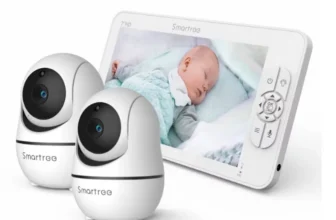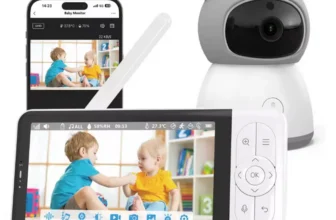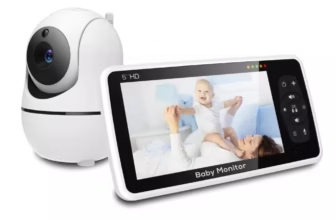
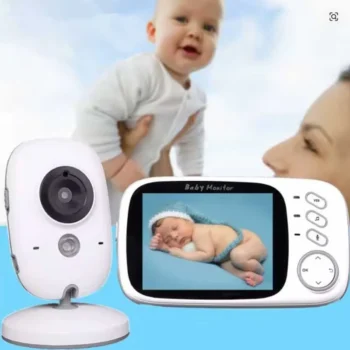

The 2.4G Wireless 3.2 Inch LCD Baby Monitor with 2-Way Talk is a compact video-and-audio nursery monitoring system designed for parents and caregivers who want a simple dedicated screen without depending on a smartphone, home WiFi network, mobile application, or cloud account. Its combination of a portable 3.2-inch color monitor and separate nursery camera provides real-time video, sound monitoring, automatic infrared night vision, two-way voice communication, room-temperature information, VOX power-saving operation, built-in lullabies, and useful household wireless range.
View 2.4G Wireless 3.2 Inch LCD Baby Monitor
For U.S. shoppers searching for a 3.2 inch baby monitor, wireless video baby monitor, baby monitor with two-way talk, no WiFi baby monitor, baby monitor with night vision, or a compact nursery monitor with VOX mode and temperature monitoring, this product provides a straightforward alternative to larger app-connected smart cameras.
The closest matching VB603 specifications identify a 3.2-inch color TFT LCD with approximately 320 × 240 resolution. The camera and parent monitor communicate over a dedicated 2.4GHz wireless connection rather than relying on normal household WiFi. This allows parents to keep the baby monitor separate from smartphones and internet service during everyday use.
The product family also includes automatic infrared night vision with visibility up to approximately 5 meters or 15 feet, a two-way talk function, room-temperature monitoring, built-in lullabies, VOX sound-activated power saving, adjustable volume and brightness, and a rechargeable battery in the portable parent unit.
Current matching documentation lists approximately 50 meters of indoor wireless range and up to 260 meters under open line-of-sight conditions. That is roughly 160 feet indoors and up to about 850 feet in favorable outdoor or barrier-free conditions. Practical performance inside a U.S. home will depend on walls, floors, appliances, building materials, and surrounding radio interference.
This complete guide explains what each feature does, how to use the monitor around a nursery, how VOX mode can extend battery runtime, how automatic night vision works, where to position the camera safely, how the product compares with WiFi baby cameras, and what U.S. buyers should check before ordering.

What Is the 2.4G Wireless 3.2 Inch LCD Baby Monitor?
This baby monitor is a two-part monitoring system consisting of a parent receiver and a separate nursery camera.
Portable Parent Monitor
The parent unit contains the 3.2-inch color screen, speaker, control buttons, rechargeable battery, temperature display, volume controls, and other monitoring functions.
Nursery Camera
The baby unit stays in the nursery and sends video and audio wirelessly to the parent monitor.
Direct Wireless Connection
The two devices communicate through a dedicated 2.4GHz digital wireless link.
No Smartphone Is Required
Parents can see and hear the nursery directly from the included monitor without opening a mobile application.
3.2-Inch Color LCD Display
The matching VB603 product family uses a 3.2-inch TFT color display with approximately 320 × 240 resolution.
Compact and Portable
A 3.2-inch monitor is smaller than modern 5-inch or 7-inch baby-monitor displays, but that compact size makes it easier to carry around the home.
Useful for Basic Nursery Checks
The display is large enough to show a live view of the crib, sleeping position, and surrounding nursery area.
Physical Controls
The dedicated monitor uses onboard buttons rather than requiring touchscreen gestures or smartphone navigation.
Designed for Monitoring Rather Than Entertainment
The screen resolution is modest by modern smartphone standards, but its primary purpose is to provide a simple live nursery view rather than high-resolution media playback.
Why a Smaller Baby Monitor Screen Can Be Useful
A larger monitor is not automatically the best choice for every family.
Easier to Carry
A compact parent unit can move easily between the kitchen, living room, bedroom, and home office.
Takes Less Space
The screen can sit on a crowded nightstand without occupying as much room as a 7-inch display.
Lower Power Requirements
A smaller LCD can require less energy than a large display, particularly when combined with VOX mode.
Ideal for Parents Who Want Simplicity
The compact format can be attractive to users who care more about reliable video and sound than very large images.

2.4GHz Digital Wireless Connection
The product uses 2.4GHz wireless transmission between the parent monitor and camera.
Direct Camera-to-Monitor Communication
The nursery video is transmitted locally to the dedicated parent receiver.
No Home Router Required
Normal monitoring does not depend on your household WiFi network.
No Internet Subscription Required
The camera-to-monitor connection works locally within the device’s wireless range.
Wireless Does Not Automatically Mean WiFi
This distinction is important. The system uses wireless radio communication, but it is not primarily an internet-connected smartphone camera.
Why Some U.S. Parents Prefer a No-WiFi Baby Monitor
Smart WiFi cameras offer useful remote-access features, but many families still prefer a self-contained monitor.
No App Installation
Parents do not need to install software or create a cloud account.
No Router Pairing
There is no need to enter household WiFi credentials for normal operation.
No Smartphone Dependency
The parent’s phone remains free for calls, messages, work, navigation, or entertainment.
Local Monitoring Can Be Easier
For parents who primarily need to monitor a nursery from another room in the same home, a dedicated screen can be simpler than an internet camera.
Two-Way Audio and Talkback
Two-way communication is one of the key features of this monitor.
Hear the Nursery
The camera microphone sends sound to the parent receiver.
Talk Through the Camera
The parent can press and hold the talk button to transmit voice audio back into the nursery.
Useful for Reassurance
A familiar voice may comfort a baby or toddler while the caregiver prepares to enter the room.
Talkback Temporarily Changes Audio Direction
On matching VB603 systems, the camera may pause normal sound transmission while the parent is actively pressing the talk button. Releasing it returns the system to listening mode.
When Two-Way Talk Can Be Useful
During Naps
A parent may reassure an older baby without immediately opening the nursery door.
For Toddlers
Simple verbal reassurance can be useful if a child wakes briefly.
During Household Tasks
A caregiver can respond verbally while moving toward the nursery.
Two-Way Audio Is Not a Substitute for Care
Feeding, changing, illness, distress, or safety needs require an appropriate in-person response.
Automatic Infrared Night Vision
The matching camera includes automatic infrared night vision.
Monitor in Darkness
Parents can continue seeing the nursery after the main room light is turned off.
Automatic Activation
The camera switches to infrared operation when surrounding light becomes low.
Approximately 15-Foot Night Range
Matching documentation lists infrared visibility of approximately 5 meters, or 15 feet.
Night Images Are Usually Black and White
This is normal because infrared monitoring produces a different image from ordinary daytime color video.

Why Night Vision Matters for Nursery Monitoring
Many baby-monitor checks happen after bedtime.
No Need for Bright Nursery Lighting
The room can remain dark while the camera continues transmitting a useful image.
Check Before Entering
Parents can determine whether a noise requires an immediate visit.
Monitor Overnight
The system remains useful beyond daytime naps.
Infrared Video Is Not Medical Monitoring
The camera should never be treated as a breathing monitor, oxygen monitor, heart monitor, or medical diagnostic device.
VOX Voice-Activated Power-Saving Mode
VOX mode is one of the most useful features on this type of compact baby monitor.
What Does VOX Mean?
VOX refers to voice-activated or sound-activated monitoring behavior.
Screen Can Turn Off During Quiet Periods
If nursery sound remains below the selected detection threshold, the LCD can enter a power-saving state.
Screen Reactivates When Sound Is Detected
When crying or another sufficiently loud sound occurs, the monitor can wake automatically.
VOX Extends Battery Runtime
Keeping the LCD off when nothing is happening reduces energy consumption substantially.
Adjustable VOX Sensitivity
Matching VB603-style monitors commonly offer several sound-sensitivity levels.
High Sensitivity
The display responds to lower sound levels.
Medium Sensitivity
This provides a middle balance between responsiveness and unnecessary activation.
Low Sensitivity
The monitor responds only to louder sounds.
Choose Sensitivity for the Nursery Environment
A room with a fan, white-noise machine, street noise, or siblings nearby may require different settings from a very quiet nursery.
750mAh Rechargeable Parent-Unit Battery
Matching VB603 specifications list a rechargeable 750mAh lithium-polymer battery inside the parent monitor.
Portable Around the House
The receiver does not need to remain plugged into an outlet continuously.
Useful for Household Tasks
Parents can carry the monitor from room to room.
VOX Mode Conserves Energy
The relatively compact battery can provide extended standby-style operation when the screen spends significant time asleep.
The Nursery Camera Normally Requires Continuous Power
The rechargeable battery is generally in the parent unit, while the baby camera operates from its power adapter.
Battery Runtime in VOX Mode
Current matching sellers advertise significantly longer battery life when VOX is active than during continuous screen use.
Some Listings State Around 20 Hours
This figure applies to power-saving use rather than continuous LCD operation.
Actual Runtime Varies
Screen activity, brightness, volume, VOX sensitivity, battery age, and temperature can influence operating time.
Recharge Before Overnight Monitoring
A regular charging routine helps prevent unexpected low-battery warnings.
Do Not Interpret VOX Runtime as Continuous Video Runtime
The LCD uses much more power when it remains active for long periods.

Room Temperature Monitoring
The nursery camera includes a built-in temperature sensor.
View Approximate Nursery Temperature
The parent unit can show the current reading on its display.
Useful During Winter
A nursery can be warmer or cooler than the room containing the home’s central thermostat.
Useful During Summer
Air-conditioning performance may differ between rooms.
Temperature Readings Are Supplemental
The sensor provides convenient environmental information but should not be treated as laboratory-grade measurement equipment.
Temperature Alarm Functions
Some matching 3.2-inch monitor versions provide high- and low-temperature alarm settings.
High Temperature Warning
The parent unit can warn the caregiver when the measured room temperature exceeds a configured limit.
Low Temperature Warning
A similar alert may indicate an unusually cool nursery.
Confirm the Exact Version
Temperature display is consistently supported across matching products, while configurable high/low alarm behavior can depend on the specific firmware version.
Built-In Lullabies
Matching VB603 systems include soothing music that can be played through the nursery camera.
Eight Lullabies on Common Versions
Several current VB603 configurations list eight built-in melodies.
Useful During Bedtime
Parents can incorporate familiar music into the child’s sleep routine.
No Separate Speaker Required
The audio plays through the baby-unit speaker.
Use Comfortable Volume Levels
Do not place the speaker extremely close to the baby’s head or play audio unnecessarily loudly.
Feeding Reminder Function
Some matching versions include a feeding or alarm reminder.
Useful for Routine Organization
Parents can set a timer to help track recurring household tasks.
Useful During the Newborn Stage
Interrupted sleep can make timing difficult to remember.
A Timer Is Not Medical Guidance
Parents should follow individualized pediatric recommendations where applicable.
Volume Adjustment
The parent monitor includes adjustable audio volume.
Higher Volume in Busy Areas
A kitchen or living room may require louder sound than a quiet bedroom.
Lower Volume Overnight
Parents can adjust the receiver for a quieter sleep environment.
Keep Audio High Enough to Hear Important Nursery Sounds
Extremely low volume can defeat the purpose of sound monitoring.
Brightness Adjustment
Matching 3.2-inch monitors allow users to adjust LCD brightness.
Reduce Brightness at Night
A dimmer display can be easier on the eyes in a dark bedroom.
Increase Brightness During the Day
Higher brightness may improve visibility in a well-lit room.
Lower Brightness Can Help Battery Life
Reducing unnecessary LCD intensity can reduce power consumption.

Indoor Wireless Range
The closest matching VB603 specifications list approximately 50 meters indoors.
Approximately 160 Feet
This can be enough for many apartments and average-size homes.
Walls Reduce Signal Strength
Brick, concrete, metal, appliances, insulation, and multiple floors can weaken the signal.
Every Home Is Different
A wood-frame suburban house may perform differently from a reinforced-concrete apartment.
Test the Real Home Environment
The best range measurement is whether the monitor remains stable between the nursery and the rooms where the caregiver spends time.
Up to 260 Meters in Open Space
Matching specifications list an outdoor or barrier-free range of up to approximately 260 meters.
About 850 Feet
This figure represents favorable line-of-sight conditions.
It Is Not a Guaranteed Indoor Distance
Walls and floors dramatically change radio behavior.
Do Not Buy Based Only on Maximum Range
House layout and construction matter more than a laboratory-style open-space specification.
Using the Monitor in a Small Apartment
Compact Range Requirements
The shorter distance between rooms can work well with a dedicated monitor.
No Router Configuration Needed
The baby monitor remains independent from apartment WiFi.
Easy to Carry
The 3.2-inch parent unit can move between the bedroom, kitchen, and living area.
Concrete Walls Can Still Affect Reception
Test the monitor even when room-to-room distances seem short.
Using the Monitor in a Two-Story House
Place the Camera in the Nursery
Choose a safe, elevated location with a clear view.
Walk the Parent Unit Downstairs
Test reception in the kitchen, living room, office, and other normal areas.
Close Doors During Testing
This more closely represents overnight conditions.
Floors Can Reduce Wireless Performance
Building structure between levels may reduce range more than horizontal distance alone.
Using the Baby Monitor During Naps
Carry the Parent Monitor
The rechargeable unit can remain nearby while the caregiver completes household tasks.
Enable VOX
The display can sleep during quiet periods.
Listen for Alerts
The monitor can react when nursery noise exceeds the selected sensitivity level.
Check Video Before Entering the Room
A quick visual check may help avoid unnecessarily waking a sleeping child.

Using the Baby Monitor Overnight
Night Vision Activates Automatically
The room can remain dark while the video feed continues.
VOX Can Save Power
The screen does not need to stay illuminated throughout quiet sleeping periods.
Temperature Display Remains Useful
Parents can check approximate room conditions from the parent unit.
Keep Charging Power Nearby
Battery runtime varies, so convenient charging access is useful for overnight use.
Using the Monitor in a Home Office
Keep the Screen Beside the Computer
The phone remains available for calls and work tasks.
Use VOX to Minimize Distraction
The screen can remain off while the nursery is quiet.
Use Two-Way Talk When Appropriate
A caregiver can speak briefly while preparing to go to the nursery.
Dedicated Monitoring Keeps Nursery Video Separate From Work Devices
This can be convenient for remote-working parents.
Baby Monitor Camera Placement
Good placement improves both safety and image quality.
Use an Elevated Position
A shelf or secure wall location can provide a clearer view of the crib.
Avoid Obstructions
Crib rails, furniture, curtains, and decorative objects can block the camera.
Test Night Vision
Some reflective surfaces can create glare under infrared illumination.
Safety Comes Before Image Angle
The camera should never be placed where the child can grab it or its power cable.
Keep Baby-Monitor Cords Away From the Crib
Cord placement is one of the most important baby-monitor safety considerations.
Do Not Place the Camera Inside the Crib
The monitor should remain outside the sleeping space.
Do Not Leave Loose Power Cable Near the Child
Secure the cord well beyond the baby’s reach.
Re-Evaluate as Mobility Develops
A newborn who cannot move around the crib will eventually become a toddler who can stand and reach.
Update the Installation Over Time
Nursery electronics should be reconsidered whenever furniture or child mobility changes.
Baby Monitor Safety Limitations
A video monitor provides information, not physical protection.
It Does Not Replace Adult Supervision
Parents and caregivers remain responsible for direct care.
It Does Not Replace Safe-Sleep Practices
A camera cannot make an unsafe sleeping environment safe.
It Is Not a Medical Monitor
The system does not diagnose breathing problems, heart conditions, oxygen levels, or other medical issues.
Respond Directly When Something Appears Wrong
Technology should support caregiver judgment, not replace it.
3.2-Inch Baby Monitor Versus 5-Inch Baby Monitor
3.2-Inch Monitor Is More Compact
It takes less space and can be easier to carry.
5-Inch Monitor Provides a Larger View
Parents who prioritize image size may prefer a larger display.
Smaller Screen Can Use Less Power
A compact display can complement a smaller rechargeable battery.
Choose Based on Portability Versus Viewing Size
The 3.2-inch format is attractive to parents who want simple portable monitoring.
3.2-Inch Monitor Versus 7-Inch Monitor
7-Inch Display Is Easier to View From Farther Away
Larger monitors are particularly useful for split-screen multi-camera systems.
3.2-Inch Display Is Easier to Move
It is much more compact for routine household carrying.
Smaller Monitor Occupies Less Nightstand Space
This may matter in compact bedrooms.
This Product Focuses on Simplicity Rather Than Large-Screen Monitoring
Its main strengths are portability, two-way communication, VOX, and no-WiFi operation.

No-WiFi Baby Monitor Versus WiFi Baby Camera
No-WiFi Monitor Has a Dedicated Screen
Your smartphone remains available for other activities.
WiFi Camera Can Offer Internet Remote Viewing
Smart cameras are useful when a parent wants to view the nursery while away from home.
Dedicated Wireless Monitor Requires Less Network Setup
There is no router password, app login, or cloud configuration for ordinary use.
Neither Approach Is Best for Every Family
Choose based on whether local simplicity or internet access is more important.
Video Baby Monitor Versus Audio-Only Monitor
Video Provides Visual Context
A parent can see whether a child is sleeping, awake, or moving.
Audio-Only Units Are Simpler
They can work well for families who only need sound notification.
Night Vision Adds More Value to Video
The camera can remain useful even in darkness.
Video Can Reduce Unnecessary Nursery Visits
A quick visual check may show that a brief noise does not require immediate intervention.
Dedicated Baby Monitor Versus Smartphone
No Incoming Call Interruptions
The nursery image is not replaced by a phone call.
No Social Notifications
The monitor focuses on one job.
No Need to Keep a Phone Charging Near the Parent
The dedicated device has its own battery and charger.
A Separate Screen Can Be Convenient for Remote Workers
Parents can continue using their smartphones and computers normally.
Can the System Support Multiple Cameras?
Some related 3.2-inch baby-monitor models support pairing with multiple transmitters.
Up to Four Cameras on Certain Versions
Matching products such as the HelloBaby HB32W support up to four camera units.
Useful for Multiple Rooms
Parents may want separate cameras in a nursery and playroom.
Confirm Before Buying Extra Cameras
Multi-camera compatibility is not consistently documented across every VB603-style version, so it should not be assumed for the exact OnlineDaraz model unless stated.
Does the Camera Pan and Tilt?
This feature can vary significantly between closely related 3.2-inch monitor versions.
Some 3.2-Inch Models Include Remote Pan and Tilt
Matching BM202-style documentation shows directional pan-and-tilt control on certain 3.2-inch units.
Standard VB603 Cameras May Use Manual Positioning
Other common versions use a camera stand that is physically adjusted rather than motorized remotely.
Check the Exact OnlineDaraz Images and Specification
Do not assume remote pan-and-tilt unless the selected product explicitly lists the feature.
Does the Baby Monitor Have Zoom?
Zoom also varies between models in this product category.
Some Related Units Offer Digital Zoom
Matching 3.2-inch monitors may provide 2X or 3X digital enlargement.
Other VB603 Versions Do Not Emphasize Zoom
The core consistent features remain video, audio, VOX, night vision, temperature monitoring, and lullabies.
Verify Zoom Before Ordering if It Is Important
Do not purchase based on a generic 3.2-inch baby-monitor feature list.

U.S. Power Adapter Compatibility
Matching VB603 product families are sold with several regional plug options.
U.S. Plug Versions Are Available
Current international listings include U.S., EU, UK, and AU power-adapter configurations.
Matching Adapters Commonly Support 100–240V
This wide input range can accommodate standard U.S. household voltage when the correct adapter is supplied.
Select the Correct Plug at Checkout
U.S. buyers should choose the U.S.-plug variation rather than depending on an external travel adapter.
Verify the Label Before Connecting Power
Always check the actual supplied adapter for voltage, current, polarity, and connector compatibility.
What Comes in the Package?
Matching VB603 packages commonly contain the basic items required for operation.
One Parent Monitor
This contains the 3.2-inch color LCD and rechargeable battery.
One Nursery Camera
The camera provides video, audio, temperature sensing, and infrared night vision.
Two Power Adapters
One powers or charges the parent unit, while the second powers the camera.
User Manual
The included instructions explain pairing, settings, and operation.
Verify Package Contents Before Installation
Check everything immediately after delivery so missing or damaged components can be addressed promptly.
First-Time Setup Guide
Charge the Parent Monitor
Begin with a full battery before evaluating wireless range or runtime.
Connect the Nursery Camera to Power
Use a safe outlet and keep all cables outside the baby’s reach.
Turn On Both Units
The camera and parent monitor may arrive pre-paired.
Check Video and Audio
Confirm that the live image and nursery sound are working.
Test Two-Way Talk
Use the talk button and confirm that your voice plays through the camera speaker.
Test VOX and Night Vision Before Permanent Placement
This ensures that the chosen location works correctly during both daytime and dark-room use.
How to Test Wireless Range
Start Near the Nursery
Verify stable video and audio first.
Walk to Common Household Areas
Test the kitchen, living room, office, bedroom, and patio-adjacent spaces where appropriate.
Test Through Closed Doors
This better represents real household use.
Identify Weak-Signal Locations
A maximum advertised distance is less important than reliable performance where the parent actually spends time.
How to Test Night Vision
Position the Camera Normally
Aim it toward the intended crib or room area.
Turn Off the Nursery Lights
The camera should switch automatically to infrared mode.
Check for Glare or Obstructions
Nearby reflective furniture or crib rails can affect infrared image quality.
Adjust the Camera Before Final Installation
A small angle change can improve nighttime visibility significantly.
How to Test VOX Mode
Select VOX in the Menu
Choose the desired sensitivity level where available.
Allow the Screen to Sleep
Wait until the nursery remains quiet for the required period.
Create Normal Nursery Sound
Speak near the camera or create a sound at an appropriate level.
Confirm the Monitor Reactivates as Expected
Adjust sensitivity if ordinary background sounds cause too many activations or genuine crying does not trigger quickly enough.

How to Clean the Parent Monitor
Disconnect Charging Power
Do not clean electronic equipment while it is connected unnecessarily to power.
Use a Soft Cloth
Wipe the display and housing gently.
Avoid Liquid Sprays
Do not spray cleaning solution directly into buttons, speaker openings, ports, or display edges.
Keep the Screen Free of Heavy Dust
A clean display is easier to read, particularly at low brightness.
How to Clean the Nursery Camera
Unplug the Camera
Disconnect it from power first.
Clean the Lens Gently
A soft lens-safe cloth can remove dust and fingerprints.
Avoid Water Exposure
The camera is an indoor electronic device rather than waterproof nursery equipment.
Clean Infrared LED Areas Carefully
Dust around the lens can affect nighttime image quality.
Battery Care Tips
Recharge Regularly
Do not wait until the parent monitor is urgently needed before charging.
Use VOX When Appropriate
This can reduce unnecessary battery drain.
Avoid Excessive Heat
Rechargeable batteries generally perform better when kept under normal indoor conditions.
Expect Capacity to Change With Age
The battery may provide less runtime after many charging cycles.
Common Baby-Monitor Mistakes to Avoid
Placing the Power Cord Near the Crib
This creates an unnecessary safety hazard.
Expecting Maximum Range Through Several Walls
Open-area distance and real indoor range are not the same.
Leaving the Screen Continuously On and Expecting Maximum VOX Runtime
The longest battery estimates depend on substantial screen-off time.
Assuming Every Similar 3.2-Inch Monitor Has Motorized Pan and Tilt
This feature differs between variants.
Assuming Zoom Is Included
Zoom is not consistently documented across every VB603 version.
Treating Temperature Data as Medical Information
The room sensor is intended as a convenient environmental reference.
Using the Monitor Instead of Direct Supervision
A baby monitor supplements caregiver awareness; it does not replace responsible adult supervision.
What U.S. Buyers Should Check Before Ordering
Confirm the 3.2-Inch Display
The closest matching VB603 model uses a 3.2-inch TFT LCD.
Confirm 320 × 240 Resolution
This is the consistently documented display and video resolution for common VB603 configurations.
Confirm 2.4GHz Wireless Operation
This establishes the local no-WiFi style of monitoring.
Confirm Two-Way Talk
Two-way audio is one of the core verified features.
Confirm Automatic Night Vision
The matching infrared range is approximately 15 feet.
Confirm VOX Mode
This is useful for battery-saving operation.
Confirm Temperature Monitoring
Room-temperature display is consistently documented.
Confirm Lullabies
Common VB603 versions include eight built-in melodies.
Confirm Battery Capacity
The closest matching model lists a 750mAh rechargeable parent-unit battery.
Confirm Wireless Range
Common specifications list about 50 meters indoors and 260 meters under open conditions.
Confirm U.S. Plug Option
Select the appropriate regional adapter package if offered.
Check Pan, Tilt, and Zoom Separately
These features vary between closely related 3.2-inch monitors and should not be assumed.
Check the Exact OnlineDaraz Variation Before Checkout
Seller bundles and firmware versions can differ even when the main product appearance is similar.

Frequently Asked Questions About the 2.4G Wireless 3.2 Inch LCD Baby Monitor
How large is the parent monitor?
The closest matching model uses a 3.2-inch color LCD.
What is the display resolution?
Common VB603 specifications list approximately 320 × 240 pixels.
Is the display color?
Yes. Normal daytime video is shown in color.
Does the baby monitor use WiFi?
No normal home-WiFi connection is required for the matching 2.4GHz dedicated camera-to-monitor system.
Do I need a smartphone?
No. The parent unit has its own screen.
Do I need an app?
No. Standard operation is handled through the dedicated monitor.
Do I need internet service?
No internet connection is required for normal local monitoring.
Can I watch the camera when I am away from home?
This type of system is primarily designed for local monitoring within its wireless range rather than internet viewing from another location.
Does the monitor have two-way talk?
Yes. Two-way communication is one of the verified core features.
Can I hear my baby?
Yes. Nursery audio is transmitted to the parent unit.
Can my baby hear me?
Yes. Pressing the talkback control sends your voice through the baby-unit speaker.
Does the camera have night vision?
Yes. It uses automatic infrared night vision.
How far can night vision see?
Matching specifications list up to approximately 5 meters or 15 feet.
Is night vision in color?
Infrared nighttime video is typically monochrome.
What is VOX mode?
VOX allows the screen to sleep during quiet periods and activate when the nursery sound reaches the selected threshold.
Can VOX sensitivity be adjusted?
Many matching versions provide several sensitivity levels.
Does it monitor nursery temperature?
Yes. A room-temperature sensor is one of the consistently listed features.
Does it play lullabies?
Yes. Common VB603 versions include eight lullabies.
Does it have a feeding reminder?
Some matching versions include feeding or alarm reminders. Verify the exact selected unit.
How large is the battery?
The closest matching VB603 specifications list a 750mAh lithium-polymer battery in the parent monitor.
Does the nursery camera have a battery?
The camera normally operates from its power adapter rather than the portable parent-unit battery.
How long does the monitor battery last?
Some matching listings advertise up to about 20 hours when VOX mode is used extensively. Continuous-screen runtime will be shorter.
What is the indoor range?
Approximately 50 meters or 160 feet is commonly listed under suitable indoor conditions.
What is the open-area range?
Up to approximately 260 meters or around 850 feet under favorable line-of-sight conditions.
Will it reach 850 feet through walls?
No such indoor range should be assumed. Walls, floors, concrete, metal, and appliances can significantly reduce transmission distance.
Can I adjust screen brightness?
Yes. Matching versions include brightness controls.
Can I adjust the audio volume?
Yes.
Does the camera pan remotely?
Some related 3.2-inch monitors support remote pan-and-tilt, but standard VB603 versions can use manual camera positioning. Verify the exact OnlineDaraz model.
Does it have zoom?
Some closely related models offer digital zoom, while others do not emphasize this feature. Check the exact product variation.
Can it support more than one camera?
Certain related 3.2-inch systems support up to four cameras, but this should be confirmed for the exact OnlineDaraz unit.
Is a U.S. plug available?
Matching international VB603 product families include U.S.-compatible adapter options.
Can I leave the monitor charging overnight?
Follow the supplied manufacturer’s charging instructions and use only compatible charging equipment.
Can the monitor record video?
Standard VB603 specifications generally do not include local video storage. Do not assume recording is available unless the exact listing states it.
Does it connect to a microSD card?
The common VB603 configuration does not list onboard storage or a memory-card recording function.
Can this baby monitor detect breathing?
No verified breathing-detection capability is part of the standard product specification.
Is it a medical monitor?
No. It is a consumer video-and-audio nursery monitor.
Can the monitor prevent SIDS?
No. A consumer video monitor cannot prevent SIDS and should not replace established safe-sleep recommendations.
Can it replace direct caregiver supervision?
No. Baby monitors are supplemental observation tools.
What are the most important verified features?
The strongest consistently supported features are the 3.2-inch color LCD, 320 × 240 video, 2.4GHz dedicated wireless connection, two-way talk, automatic infrared night vision, VOX mode, temperature monitoring, lullabies, rechargeable parent-unit battery, and useful indoor/open-area wireless range.

Why a Simple Dedicated Baby Monitor Still Makes Sense
Smart-home cameras have become more sophisticated, but simplicity remains valuable in a nursery product.
One Device Has One Main Job
The parent receiver is designed specifically for checking the nursery.
No Social or Work Notifications
Nothing unrelated covers the baby-monitor screen.
No Cloud Setup
Parents can focus on local monitoring rather than online accounts.
Fewer Features Can Mean Less Setup Complexity
Some families prefer a basic reliable monitor rather than an elaborate smart-home system.
Why 2.4GHz Monitoring Is Useful Around the Home
Independent of Broadband Internet
Local monitoring can continue even during an internet outage.
Portable Parent Receiver
The monitor can move with the caregiver.
Suitable for Apartments and Houses
Practical indoor performance depends on construction but can cover common household distances.
Always Test the Actual Environment
Wireless specifications can never perfectly predict every home’s performance.
Why VOX Mode Is One of the Most Useful Features
Continuous video is not necessary during every minute of a sleeping baby’s nap.
Reduces LCD Power Consumption
The screen can remain off during quiet periods.
Restores Attention When Noise Occurs
Sound activation helps the monitor become more noticeable when needed.
Can Make a Small Battery More Practical
The 750mAh parent-unit battery benefits significantly from screen-sleep operation.
Choose Sensitivity Carefully
The ideal setting should respond to meaningful nursery sound without repeatedly waking because of harmless background noise.
Why Two-Way Talk Can Reduce Unnecessary Room Visits
Voice Reassurance
An older baby or toddler may respond to a familiar parent’s voice.
Check the Situation First
Parents can listen and view the screen before entering.
Useful for Short Transitional Moments
A caregiver may speak while moving toward the nursery.
Physical Needs Still Require Physical Care
Talkback is convenient communication, not a substitute for direct response.
Why Temperature Monitoring Adds Useful Context
The Nursery May Differ From the Main Thermostat
Bedrooms upstairs or at the far end of a home can experience different conditions.
Seasonal Changes Can Be Significant
Heating and cooling systems do not always distribute air evenly.
One Screen Shows Both Baby and Room Information
Parents do not necessarily need a separate basic thermometer nearby.
Use Temperature Information Alongside Normal Judgment
The sensor is an additional reference rather than a precision environmental instrument.
Who Is This Baby Monitor Best For?
Parents Who Do Not Want WiFi
The dedicated 2.4GHz connection is the strongest reason to choose this style of monitor.
Parents Who Prefer Compact Electronics
The 3.2-inch receiver is smaller than many modern parent displays.
Families Monitoring One Primary Nursery
The standard configuration is straightforward for one camera and one sleeping area.
Parents Who Want Two-Way Talk
The intercom function allows basic communication with the nursery.
Families Who Need Remote Internet Viewing May Prefer Another Type
A WiFi-enabled smart baby camera is better suited to parents who want to monitor from outside the home.
Final Thoughts on the 2.4G Wireless 3.2 Inch LCD Baby Monitor with 2-Way Talk
The 2.4G Wireless 3.2 Inch LCD Baby Monitor with 2-Way Talk is a practical choice for parents who want a compact, straightforward nursery-monitoring system without relying on WiFi, smartphone apps, or cloud accounts.
The 3.2-inch color display provides a dedicated view of the nursery while keeping the parent unit small enough to carry easily around the house. Matching VB603 specifications identify approximately 320 × 240 display resolution, which is appropriate for basic real-time nursery monitoring even though it is lower than modern smartphone resolutions.
The dedicated 2.4GHz wireless connection is one of the system’s most important features. Parents can monitor locally without connecting the camera to a router or internet service. This also means normal use does not depend on a smartphone remaining available.
Two-way audio adds useful communication. Parents can hear nursery sounds and use the talkback button to send their voice through the camera. Automatic infrared night vision keeps video useful after the room becomes dark, with matching specifications listing approximately 5 meters or 15 feet of nighttime visibility.
VOX mode adds practical power management. Instead of leaving the LCD illuminated continuously, the screen can sleep when the nursery remains quiet and reactivate when sound reaches the selected sensitivity level. This helps extend the operating time of the portable parent-unit battery.
The room-temperature sensor provides additional information about nursery conditions, while built-in lullabies can become part of a sleep routine. Depending on the exact product version, feeding reminders and configurable temperature alarms may provide additional convenience.
The wireless range is suitable for many household situations, with common matching specifications around 50 meters indoors and up to 260 meters in favorable open space. Parents should remember that real indoor range can be much shorter because walls, floors, concrete, metal, furniture, and electronics interfere with radio signals.
U.S. buyers should also verify the power-adapter package. Current VB603-family listings include U.S.-plug options and commonly use adapters designed for wide international voltage ranges, but the actual label on the supplied equipment should always be checked before use.
Most importantly, nursery camera placement should be safe. Keep the camera outside the crib, secure every power cord well beyond the baby’s reach, and reassess the setup as the child becomes more mobile. A monitor improves awareness but cannot replace direct caregiver supervision or established safe-sleep practices.
View 2.4G Wireless 3.2 Inch Baby Monitor Product Details
Before ordering, confirm the 3.2-inch LCD, 2.4GHz wireless connection, two-way talk, automatic infrared night vision, VOX power-saving mode, nursery-temperature monitoring, lullabies, rechargeable parent-unit battery, wireless range, package contents, and U.S.-plug compatibility. If remote pan-and-tilt, zoom, multi-camera pairing, or feeding reminders are essential to you, verify those features specifically because they vary among closely related 3.2-inch baby-monitor versions.
For U.S. shoppers searching for a 3.2 inch baby monitor, wireless video baby monitor, baby monitor with two-way talk, no WiFi baby monitor, baby monitor with night vision, or a compact nursery-monitoring system with VOX mode, temperature sensing, lullabies, and a dedicated parent screen, this 2.4GHz wireless baby monitor provides a useful combination of portability, straightforward operation, local connectivity, and essential everyday monitoring features.