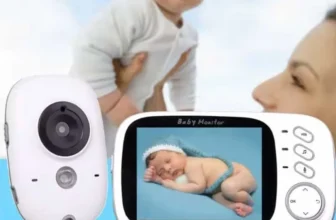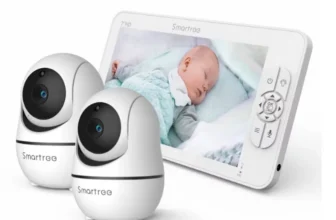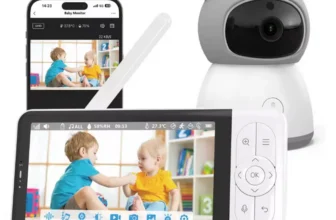
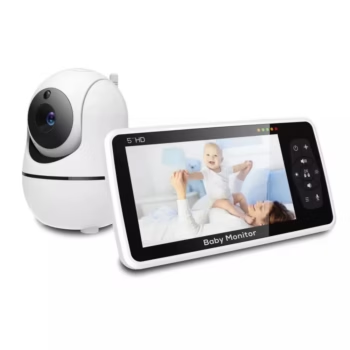

The 5 Inch Video Baby Monitor with 4X Zoom and 22-Hour Battery is a dedicated wireless nursery-monitoring system designed for parents and caregivers who want to see and hear their baby without depending on a smartphone, mobile application, or home WiFi connection. The system combines a large 5-inch HD color display, remotely adjustable nursery camera, 2X and 4X digital zoom, automatic night vision, two-way audio, room-temperature monitoring, sound alerts, built-in lullabies, reminder functions, and a rechargeable 4000mAh parent-unit battery.
View 5 Inch Video Baby Monitor Product Details
For U.S. shoppers searching for a 5 inch baby monitor, video baby monitor without WiFi, baby monitor with camera and audio, 4X zoom baby monitor, long battery baby monitor, or a dedicated nursery camera with night vision and two-way talk, this system offers a practical alternative to app-based cameras that depend on internet connectivity.
The verified product configuration uses a 5-inch 1280 × 720 color parent display paired with an HD nursery camera. The camera provides approximately 355 degrees of horizontal pan and 120 degrees of vertical tilt, allowing parents to adjust the nursery view remotely rather than physically repositioning the camera.
The monitor also supports 2X and 4X digital zoom. This makes it possible to enlarge a particular area of the video feed when a closer view of the crib or sleeping area is useful.
Communication between the nursery camera and parent display uses 2.4GHz FHSS wireless technology. The system therefore communicates directly between its own components for normal monitoring instead of requiring the video feed to travel through a household WiFi router or cloud-based account.
The parent monitor contains a rechargeable 4000mAh battery. Matching current product documentation lists approximately eight hours of operation when the LCD remains continuously active and up to 22 hours in the default sleep or VOX-style power-saving mode. The system is also marketed with wireless range coverage of up to approximately 1000 feet under favorable open-area conditions.
Additional functions include infrared night vision, sound alerts, two-way talk, room-temperature monitoring, eight built-in lullabies, volume adjustment, screen-brightness control, an alarm or feeding reminder, and wall-mount support for the nursery camera.
This complete USA guide explains how these features work, how the monitor compares with WiFi baby cameras, how to position the nursery camera safely, what the 22-hour battery claim actually means, how to use pan, tilt, zoom, night vision, VOX monitoring, temperature readings, lullabies, and two-way audio, and what U.S. parents should check before ordering.

What Is the 5 Inch Video Baby Monitor?
This product is a two-part nursery monitoring system consisting of a portable parent display and a wireless baby camera.
Dedicated Parent Screen
The parent unit has its own 5-inch color screen, so parents do not have to open a mobile app whenever they want to check the nursery.
Wireless Nursery Camera
The camera sends video and audio directly to the parent monitor through a 2.4GHz FHSS wireless connection.
Real-Time Video and Audio
The system lets caregivers watch the nursery while also listening to sounds from the room.
No Smartphone Is Required for Everyday Monitoring
The parent monitor contains the display, controls, speaker, battery, and camera-management interface needed for normal operation.
5-Inch HD 720P Color Display
The parent unit uses a large 5-inch color display with a verified 1280 × 720 resolution.
Larger Than Many Compact Baby Monitors
Older or lower-cost baby monitors often use screens around 2.4 or 3.5 inches. A 5-inch panel provides significantly more viewing area.
Useful for Quick Nursery Checks
A larger image can make it easier to understand the baby’s position without holding the monitor extremely close to the face.
Portable Around the Home
Although larger than compact monitors, the display remains portable enough to move between rooms.
Resolution and Screen Size Work Together
The 720P panel provides a practical balance between image detail, power consumption, and portable-monitor performance.
HD Nursery Camera
The nursery camera provides a high-definition video feed for real-time monitoring.
Designed for Crib Monitoring
When positioned correctly, the camera can provide a useful view of the baby’s sleeping area.
Useful for Wider Nursery Viewing
Remote pan and tilt make it possible to look beyond one fixed point.
Works With 2X and 4X Zoom
Parents can enlarge a smaller portion of the live video when they want a closer look.
Good Camera Positioning Is Still Essential
Resolution cannot compensate for a camera that is blocked by furniture, mounted too low, or aimed from an unsuitable angle.

355-Degree Remote Pan
The camera supports approximately 355 degrees of horizontal rotation.
Look Across Most of the Room
The wide pan range can cover substantially more of a nursery than a fixed-position camera.
Useful as Babies Become Toddlers
A newborn may remain in one sleeping area, but a mobile toddler may move around much more of the room.
Adjust the View Without Entering the Nursery
The parent can reposition the camera remotely from the monitor.
Nearly Full-Room Horizontal Coverage
A 355-degree pan range is almost a complete rotation and provides considerable viewing flexibility.
120-Degree Vertical Tilt
The nursery camera also provides approximately 120 degrees of vertical tilt.
Look Down Toward the Crib
The feature is particularly useful when the camera is positioned on a shelf or mounted above the sleeping area.
Adjust for Furniture Changes
The view can be modified if the crib, bed, or play area is moved.
Useful With Wall Mounting
An elevated camera can tilt downward while still maintaining broad nursery coverage.
Pan and Tilt Provide Greater Flexibility Together
The combination allows caregivers to adjust both horizontal and vertical direction from the parent monitor.
2X and 4X Digital Zoom
The system includes two digital magnification levels.
2X Zoom
This provides moderate enlargement while retaining a relatively wide portion of the original image.
4X Zoom
The highest setting enlarges a smaller part of the live video for a closer view.
Useful During Sleep Monitoring
Parents may want to zoom toward the crib before deciding whether to enter the nursery.
Digital Zoom Has Limits
Because this is digital rather than optical zoom, increasing magnification enlarges existing pixels rather than capturing additional optical detail.
Why Pan, Tilt, and Zoom Matter
These controls become more valuable as monitoring needs change.
Newborn Stage
The camera can remain focused primarily on the crib.
Toddler Stage
The viewing area may expand to include more of the floor and room.
Changing Nursery Layouts
Remote adjustments can reduce the need to reinstall the camera every time furniture moves slightly.
One Camera Can Cover More Space
The combination of wide pan, tilt, and zoom improves the usefulness of one strategically placed nursery camera.

2.4GHz FHSS Wireless Connection
The monitor uses 2.4GHz FHSS communication.
What Does FHSS Mean?
FHSS stands for Frequency-Hopping Spread Spectrum. Instead of remaining continuously on one narrow frequency, the communication system changes channels according to its configured pattern.
Direct Monitor-to-Camera Connection
The nursery camera communicates locally with its dedicated display.
No Home WiFi Required for Standard Operation
This makes the system useful for households that do not want nursery monitoring to depend on internet service.
Wireless and WiFi Are Not the Same Thing
The baby monitor is wireless, but it is not using normal WiFi app connectivity for its core camera-to-monitor connection.
Why Parents May Prefer a Non-WiFi Baby Monitor
Dedicated FHSS monitors have several practical advantages for certain families.
No Smartphone App Needed
Parents do not need to install software, register an account, or keep an app open.
No Internet Dependency
The local connection can continue working even if the household’s internet service is unavailable.
Dedicated Screen
The nursery remains visible while the parent’s phone is being used for calls, work, messages, navigation, or entertainment.
Designed Mainly for Monitoring Within the Home
The tradeoff is that this style of system is not primarily intended for remote internet viewing from another city or workplace.
Up to 1000-Foot Advertised Range
Matching product specifications advertise wireless coverage of up to approximately 1000 feet.
Open-Area Range
The highest distance is generally achieved when there are few physical barriers between the devices.
Indoor Range Will Usually Be Shorter
Walls, floors, concrete, metal, appliances, and other structures can reduce signal strength.
Building Materials Matter
A wood-frame house may provide different wireless performance from a concrete apartment.
Test the Monitor Throughout Your Actual Home
The practical range between your nursery and living areas is more important than the theoretical maximum specification.
Using the Monitor Around a Larger Home
Kitchen
The portable parent unit can remain nearby while preparing food.
Living Room
Caregivers can keep the display visible while relaxing.
Home Office
Remote-working parents can place the monitor beside a computer without sacrificing the smartphone screen.
Bedroom
The unit can remain near the bed during nighttime monitoring.
Check Range Between Floors
Multiple floors can weaken wireless signals more than open horizontal distance.
4000mAh Rechargeable Battery
The parent display includes a rechargeable 4000mAh battery.
Portable Monitoring
The parent unit does not need to remain plugged into a wall outlet throughout normal use.
Move Between Rooms Easily
The monitor can follow the caregiver around the home.
Useful During Evening Routines
Parents can move from the kitchen to living room and bedroom while continuing to monitor the nursery.
Battery Runtime Depends on Settings
Screen brightness, sound activity, display-on time, battery age, temperature, and power-saving settings all affect real-world runtime.

Approximately 8 Hours With the Screen On
The battery specification needs to be understood correctly.
Continuous LCD Use Requires More Energy
The display is one of the major power-consuming parts of the parent unit.
Useful for Active Monitoring
Parents who prefer leaving the live image visible can still receive substantial cordless operating time.
Recharge Between Long Sessions
Regular charging can ensure the monitor is ready for overnight use.
Eight Hours Is an Approximate Rated Figure
Actual operation may vary according to brightness, volume, battery age, and usage.
Up to 22 Hours in VOX or Sleep Mode
The highlighted 22-hour runtime is associated with power-saving operation rather than keeping the screen continuously illuminated.
The Screen Can Sleep During Quiet Periods
This significantly reduces battery demand.
Sound Detection Helps Maintain Awareness
The parent monitor can alert caregivers when nursery noise is detected.
Useful Overnight
Many parents do not need to watch continuous video while the baby is sleeping quietly.
Do Not Confuse 22-Hour Sleep Runtime With 22 Hours of Continuous Video
The verified specification separates approximately eight hours of display-on use from the longer power-saving runtime.
VOX-Style Sound Activation
Power-saving operation works together with sound detection.
Quiet Nursery
The screen can remain off when there is little activity.
Detected Sound
The parent unit can alert the caregiver so attention can return to the nursery.
Saves Battery Power
The display does not need to operate continuously throughout every quiet period.
Adjust Settings According to Your Monitoring Preference
Some parents prefer constant video while others prefer alerts and periodic visual checks.
Automatic Infrared Night Vision
Night vision allows the camera to continue monitoring after the nursery becomes dark.
No Need to Leave the Main Light On
Parents can maintain a dark sleeping environment while still seeing the video feed.
Automatic Mode Switching
The camera can transition into infrared viewing when ambient light becomes sufficiently low.
Useful for Overnight Monitoring
The caregiver can check sleeping position without entering the nursery and switching on a room light.
Night Vision Is Usually Monochrome
Infrared images normally appear black and white rather than full color.

Real-Time Sound Alerts
The monitor includes sound-detection functionality.
Helps Alert Parents to Crying
Sound activity can draw attention even when the parent is not continuously looking at the screen.
Useful While Cooking or Working
The parent unit can remain nearby while the caregiver focuses on another activity.
Works With Power-Saving Monitoring
Sound detection helps make screen-off monitoring more practical.
A Monitor Is Only a Supplemental Tool
Sound alerts should never replace appropriate caregiver supervision or established infant safety practices.
Two-Way Audio
The baby monitor provides audio communication in both directions.
Hear the Nursery
The camera microphone transmits sound to the parent unit.
Talk Back Through the Camera
The caregiver can speak into the parent monitor and send voice audio into the nursery.
Useful for Reassurance
A familiar voice may sometimes help settle a child while the caregiver prepares to enter the room.
Two-Way Talk Does Not Replace Direct Care
Feeding, changing, comforting, and other physical needs still require appropriate in-person attention.
Room Temperature Monitoring
The camera also includes a room-temperature sensor.
See Approximate Nursery Temperature
The parent unit provides an additional environmental reference.
Useful During Seasonal Changes
Heating and air-conditioning can make the nursery warmer or cooler than other areas of the home.
Useful in Multi-Level Homes
Upstairs bedrooms can have different temperatures from the main thermostat location.
Treat the Reading as Supplemental Information
The monitor is not a laboratory thermometer and should not replace appropriate judgment about room comfort or professional guidance.
Eight Built-In Lullabies
The verified feature list includes eight soothing melodies.
Integrated Nursery Audio
Parents do not need a separate speaker to play the built-in lullabies.
Useful During Bedtime
A consistent melody can become part of a family sleep routine.
Controlled Through the Monitoring System
The function can be managed alongside the other nursery controls.
Keep Volume Comfortable
The speaker should not play unnecessarily loudly or be positioned very close to the baby’s ears.
Alarm and Feeding Reminder
The parent monitor includes alarm-clock or feeding-reminder functions.
Supports Household Routines
Parents can use reminders for scheduled tasks.
Helpful During Tired Newborn Periods
Frequent feeding and sleep interruptions can make routine tracking more difficult.
Integrated Into the Parent Unit
This can reduce dependence on a separate phone timer.
Reminder Features Do Not Replace Individual Feeding Guidance
Parents should follow pediatric or individualized feeding recommendations when applicable.

Volume and Screen Brightness Control
Lower Brightness at Night
A dimmer display can be more comfortable when checking the monitor in a dark bedroom.
Increase Brightness During Daytime
Higher brightness may improve visibility in a well-lit kitchen or living room.
Adjust Volume to the Environment
A busy kitchen may require more volume than a quiet bedroom.
Lower Screen Brightness Can Help Reduce Power Consumption
Using only as much brightness as necessary may contribute to longer battery operation.
Wall-Mount Camera Support
The camera is compatible with wall mounting.
Improved Viewing Angle
An elevated position can provide a clearer view across the crib and surrounding area.
Better Pan and Tilt Coverage
A higher camera can use its movement range more effectively.
Keep Electronics Away From Curious Toddlers
Wall mounting can help position the camera where it is harder for a child to touch.
Cord Placement Is Critical
All power cords must remain well outside the child’s reach.
Safe Camera Placement Around a Crib
Nursery-camera placement should prioritize safety over getting the most dramatic camera angle.
Keep Power Cords Away
Never leave a monitor cable where a baby or toddler can grab it from the crib.
Secure the Camera Properly
Use appropriate mounting hardware if the camera is installed on a wall.
Keep the Camera Out of the Sleeping Space
The device should not be placed inside the crib.
Reassess Placement as the Baby Grows
A camera that is unreachable by a newborn may become accessible after the child learns to stand or climb.
Baby Monitor Safety Considerations
A Camera Does Not Replace Safe Sleep Practices
The monitor can show the nursery but cannot make an unsafe sleep environment safe.
A Monitor Does Not Replace Adult Supervision
It is an additional observation tool rather than a substitute for responsible caregiving.
Check Hardware Periodically
Wall mounts and cables should remain secure.
Update the Setup as Development Changes
Mobility increases rapidly during infancy and toddlerhood, so nursery electronics should be reassessed regularly.
Video Monitor Versus Audio-Only Baby Monitor
Video Adds Visual Context
Parents can see whether a baby is sleeping, moving, standing, or appearing awake.
Audio-Only Monitors Are Simpler
They may be enough for caregivers who only need sound notification.
Video May Reduce Unnecessary Room Visits
A quick visual check can help determine whether a sound requires immediate attention.
Pan and Tilt Add More Value as the Child Becomes Mobile
The camera can follow activity across more of the room than an audio monitor can communicate.
Dedicated Monitor Versus Smartphone Baby Camera
The Parent Unit Is Always Available
The nursery screen does not disappear when an incoming phone call arrives.
No App Setup
The system does not require normal smartphone software for everyday use.
Smartphone Cameras May Offer Internet Access
WiFi baby cameras can be useful for viewing when someone is away from home.
Choose According to Your Monitoring Style
This product is strongest for caregivers who prefer a dedicated local monitor with its own screen.
FHSS Baby Monitor Versus WiFi Baby Monitor
FHSS Provides Local Direct Communication
The camera sends its video to the dedicated parent unit.
WiFi Systems Connect Through a Network
They frequently depend on an app, account, router, and sometimes cloud services.
FHSS Setup Can Be Simpler
There is no need to enter household WiFi credentials for basic monitoring.
Internet Viewing Is the Major Difference
A local FHSS monitor is not primarily designed for viewing the nursery from another city through a smartphone.
Using the Baby Monitor in a Two-Story House
Install the Camera Safely in the Nursery
Choose a location that offers good visibility while keeping cables inaccessible.
Walk the Parent Monitor Downstairs
Test the kitchen, living room, office, patio-adjacent area, and other normal household locations.
Test With Doors Closed
Real household use often involves several walls and doors.
Verify Performance Before Depending on Overnight Coverage
The advertised 1000-foot maximum does not guarantee identical performance in every building.
Using the Baby Monitor in an Apartment
Shorter Distances Can Be Convenient
Most apartment rooms are relatively close together.
Concrete Walls Can Reduce Signal Strength
Construction varies significantly between buildings.
Nearby Wireless Activity Can Be High
Many neighboring devices may also use the 2.4GHz frequency range.
Test the System in Your Own Apartment
The actual environment provides the best indication of reliable range.
Using the Monitor for Naps
Keep the Parent Unit Nearby
The rechargeable display can move around the house with the caregiver.
Use VOX or Sound Alerts
This reduces the need for continuous screen operation.
Use Digital Zoom for Closer Checks
2X or 4X zoom can enlarge the sleeping area before a parent enters the room.
Power-Saving Mode Can Extend Portable Runtime
This is particularly useful during long naps or multiple sleep periods.
Using the Monitor Overnight
Automatic Night Vision Handles Darkness
The nursery can remain dark while the camera continues providing a view.
Reduce Parent-Screen Brightness
A low setting can be easier on the eyes during nighttime checks.
Use Sleep Mode
The longer 22-hour battery claim applies to the power-saving configuration.
Keep Charging Power Available
Battery runtime varies, so having the charging adapter nearby is practical.

U.S. Plug Compatibility
Current matching listings include regional plug choices, including a U.S. plug option.
Select the U.S. Version
U.S. buyers should choose the correct regional plug at checkout where the variation is offered.
Check the Adapter Label After Delivery
Confirm that supplied power equipment is appropriate for the product and local electrical system.
Avoid Unnecessary Travel Adapters
Selecting the correct native plug is preferable when available.
Do Not Substitute Random Power Adapters
Output voltage, current, polarity, connector dimensions, and electrical safety requirements need to match.
What Comes in the Box?
Matching current packages commonly include the main components needed to begin monitoring.
5-Inch Parent Monitor
The portable receiver includes the display and controls.
Nursery Camera
The camera provides video, audio, temperature sensing, night vision, and two-way communication.
Power and Charging Equipment
Adapters or charging accessories are included according to the selected regional package.
User Manual
The manual provides operating and pairing guidance.
Wall-Mount Hardware
Wall mounting is supported in the matching product package. Verify exact contents after delivery.
First-Time Setup Guide
Charge the Parent Monitor
Begin with a fully charged battery before testing portable runtime.
Power the Nursery Camera
Select a safe location near an appropriate electrical source.
Verify the Video Connection
Make sure the parent display shows the camera feed.
Test Audio
Confirm that room sound reaches the monitor and that two-way talk works.
Test Pan, Tilt, and Zoom
Check all camera controls before final installation.
Test Night Vision and Range
Darken the nursery and then carry the monitor around the house to test practical performance.
Improving Wireless Performance
Avoid Large Metal Objects Between Devices
Metal can interfere with radio propagation.
Consider Electronic Interference
Routers and other household devices may also operate around 2.4GHz.
Test Different Camera Positions
Small changes can sometimes improve reception.
Never Compromise Nursery Safety for Better Signal
Safe mounting and cord placement remain the priority.
Understanding the 1000-Foot Range Claim
It Is a Maximum Stated Range
The specification should not be interpreted as a guaranteed indoor distance.
Walls Reduce Wireless Range
Brick, concrete, metal, appliances, and insulation can weaken signals.
Floors Also Matter
Vertical communication through multiple levels can be more challenging.
Your Home Is the Final Test Environment
The most useful measurement is whether the monitor remains reliable between the nursery and the rooms your family actually uses.
Battery Care Tips
Charge Regularly
A routine charging schedule can reduce unexpected low-battery situations.
Avoid Extreme Temperatures
Rechargeable batteries perform best under normal indoor conditions.
Use Compatible Charging Equipment
Follow the supplied instructions and adapter ratings.
Battery Capacity Naturally Changes With Age
The monitor may not maintain its original runtime indefinitely after extensive charge cycles.
Cleaning the Monitor and Camera
Disconnect Power First
Unplug the devices before cleaning.
Use a Soft Cloth
Wipe the screen and camera housing gently.
Avoid Direct Liquid Sprays
Do not allow moisture to enter buttons, ports, microphones, speakers, or electronic seams.
Keep the Camera Lens Clean
Fingerprints and dust can reduce daytime and night-vision image clarity.
Common Mistakes to Avoid
Placing Camera Cords Too Close to the Crib
All cords should remain inaccessible to infants and toddlers.
Believing 1000 Feet Is Guaranteed Through Walls
The published range is a maximum under favorable conditions.
Expecting 22 Hours With the Screen Continuously On
The longer figure applies to sleep or VOX mode; continuous-display runtime is approximately eight hours.
Using Maximum Zoom All the Time
Digital enlargement naturally reduces perceived image detail.
Relying Completely on the Temperature Sensor
The reading is useful supplemental information rather than a precision environmental instrument.
Using the Monitor as a Replacement for Caregiver Supervision
It should be used as an aid, not a substitute for appropriate care.
Failing to Update Camera Placement as the Child Grows
Reassess equipment access as the child becomes able to stand, climb, and reach farther.
What U.S. Buyers Should Check Before Ordering
Confirm the 5-Inch HD Screen
The verified model uses a large color parent display.
Confirm 720P Resolution
Matching product specifications identify the 5-inch monitor as a 720P display.
Confirm Camera Movement
Look for approximately 355-degree horizontal pan and 120-degree vertical tilt.
Confirm 2X and 4X Zoom
Both magnification options are part of the matching feature set.
Confirm the 4000mAh Battery
This battery capacity is tied to the approximately eight-hour display-on and up-to-22-hour sleep-mode specifications.
Confirm 2.4GHz FHSS
The monitor should be the dedicated non-WiFi version if that is the functionality you want.
Confirm Night Vision
Automatic dark-room viewing is included.
Confirm Two-Way Audio
The system allows listening and speaking through the nursery camera.
Confirm Temperature Monitoring
A room-temperature sensor is included.
Confirm Eight Lullabies
The verified product family includes eight built-in melodies.
Confirm Sound Alert and Reminder Features
These functions help support power-saving and routine monitoring.
Select the U.S. Plug Version
Choose the correct regional configuration at checkout.
Inspect Everything Before Permanent Mounting
Test the camera, monitor, adapters, pan/tilt controls, zoom, night vision, audio, and wireless range before drilling permanent wall-mount holes.
Frequently Asked Questions About the 5 Inch Video Baby Monitor
How large is the parent display?
The system uses a 5-inch color screen.
What is the display resolution?
The matching product is specified with a 1280 × 720 display.
Does the camera move remotely?
Yes. It supports approximately 355 degrees of horizontal pan and 120 degrees of vertical tilt.
Does it have 4X zoom?
Yes. Both 2X and 4X digital zoom are supported.
Does it use home WiFi?
No. The matching version uses direct 2.4GHz FHSS wireless communication between the camera and parent monitor.
Do I need a smartphone?
No. The system includes its own 5-inch parent display.
Do I need an internet connection?
Internet service is not required for standard local monitoring.
What is the advertised wireless range?
Up to approximately 1000 feet under favorable open-area conditions.
Will it reach 1000 feet inside my house?
Not necessarily. Walls, floors, metal, appliances, and interference can reduce range considerably.
What is the battery capacity?
The verified parent-monitor battery is 4000mAh.
How long does the battery last?
Approximately eight hours with the screen continuously on and up to 22 hours in the default sleep or VOX-style mode.
Does it have automatic night vision?
Yes.
Does night vision display color?
Infrared night vision generally displays a monochrome image in darkness.
Does the monitor have two-way talk?
Yes. Parents can hear nursery sounds and speak through the camera.
Does it measure nursery temperature?
Yes. A room-temperature sensor is included.
Does it play lullabies?
Yes. The verified model includes eight lullabies.
Does it have sound detection?
Yes. Sound alerts are included.
Does it have feeding reminders?
Alarm or feeding-time reminder functionality is included in the matching specification.
Can I change screen brightness?
Yes. Brightness control is included.
Can I adjust volume?
Yes.
Can I mount the camera on a wall?
Yes. Wall-mount support is part of the current product configuration.
Is a U.S. plug available?
Yes. Matching international listings currently include a U.S.-plug variation.
Can I use the monitor while cooking?
Yes. The portable parent display can be carried around the home while remaining within wireless range.
Can I use it in a two-story house?
Yes, but actual range through floors and walls should be tested in the specific building.
Can I watch the camera from outside my house using my phone?
This version is primarily a local FHSS system and is not designed around remote smartphone internet viewing.
Is 4X zoom optical zoom?
No. It is digital magnification.
Can the baby monitor replace adult supervision?
No. It is a supplemental monitoring tool.
What are the main features to remember?
The key features are the 5-inch 720P display, remote 355-degree pan, 120-degree tilt, 2X and 4X zoom, 2.4GHz FHSS connection, 4000mAh rechargeable battery, approximately eight-hour continuous-display runtime, up to 22-hour sleep-mode runtime, up to 1000-foot stated open-area range, night vision, sound alerts, two-way audio, temperature monitoring, eight lullabies, reminders, brightness controls, and wall-mount support.
Product Video
Watch the product video below for an additional look at the baby-monitor design and functions.
Why a Dedicated Baby Monitor Can Simplify Parenting Routines
A dedicated monitoring system keeps the nursery visible without competing with everything else happening on a smartphone.
Your Phone Remains Free
You can use it for calls, messages, work, photos, or entertainment while the nursery remains visible on the monitor.
Fewer Digital Distractions
The baby-monitor screen is designed for one primary purpose.
Simple Portable Operation
The rechargeable battery allows the parent unit to travel around the home.
A Separate Screen Can Be Particularly Useful for Remote Workers
The monitor can stay beside a computer while the phone continues handling normal communications.
Why the 5-Inch Screen Is a Practical Size
Larger Than Small Handheld Monitors
More screen area makes nursery details easier to view.
Smaller Than a Tablet
The device remains practical to carry from room to room.
Suitable for Bedside Use
It can remain on a nightstand without requiring a large amount of space.
The 720P Panel Complements the Screen Size
The combination provides a useful viewing experience without turning the system into a large high-power tablet.
Why Pan and Tilt Become More Useful Over Time
Monitoring needs change as children grow.
Newborn
The crib may be the only area that needs to remain visible.
Older Baby
More of the room becomes relevant as rolling, crawling, and sitting begin.
Toddler
A nearly 360-degree camera view becomes increasingly valuable when the child moves around the nursery.
Reposition Equipment as Development Changes
Always keep the camera, mount, and power cord outside the child’s reach.
Why Power-Saving Mode Can Be More Valuable Than Continuous Video
Continuous viewing is not always necessary during quiet sleep periods.
The LCD Uses Significant Battery Power
Turning the screen off during quiet periods can greatly extend portable runtime.
Sound Detection Maintains Awareness
The parent monitor can alert caregivers when noise is detected.
Video Can Be Checked When Needed
The caregiver can return to the display for a visual confirmation.
This Explains the Difference Between 8 Hours and 22 Hours
The longer battery specification depends on reducing continuous screen usage.
Final Thoughts on the 5 Inch Video Baby Monitor with 4X Zoom and 22-Hour Battery
The 5 Inch Video Baby Monitor with 4X Zoom and 22-Hour Battery offers a strong combination of nursery-monitoring features for U.S. parents who prefer a dedicated parent screen rather than a smartphone-dependent WiFi system.
The 5-inch HD display provides enough viewing area for convenient nursery checks while remaining portable. The camera’s approximately 355-degree pan and 120-degree tilt provide broad room coverage, and 2X/4X digital zoom gives caregivers the option to enlarge specific areas of the live image.
The 2.4GHz FHSS connection is particularly important for buyers searching for a baby monitor without WiFi. Normal operation does not depend on household internet access, smartphone applications, or cloud viewing.
The rechargeable 4000mAh parent-monitor battery makes it practical to move around the home without keeping the display permanently connected to a charger. Buyers should remember that the headline 22-hour runtime refers to power-saving or VOX operation. The verified continuous-display specification is approximately eight hours.
Automatic night vision supports dark-room viewing, while sound detection helps attract attention when the display is not being watched continuously. Two-way talk provides a convenient way to speak into the nursery, and the temperature sensor adds information about the room environment.
Eight built-in lullabies and alarm or feeding-reminder functions add convenience for bedtime and daily routines. Volume and display-brightness controls also allow parents to adapt the monitor for daytime and nighttime use.
The advertised 1000-foot wireless range provides useful potential coverage, but it should be interpreted as an open-area maximum rather than guaranteed indoor performance. Every home contains different walls, floors, electronics, and building materials that affect wireless reception.
Camera installation is one of the most important parts of using any nursery monitor. The camera and all power cords must remain well outside the child’s reach, the wall mount should be installed securely, and the setup should be reassessed as the child becomes increasingly mobile.
The system can make checking a sleeping baby more convenient, but it remains a supplemental tool. It should never replace direct caregiver attention, appropriate supervision, or established safe-sleep practices.
View 5 Inch Video Baby Monitor Product Details
Before ordering, confirm the 5-inch 720P display, camera configuration, 355-degree pan, 120-degree tilt, 2X/4X zoom, 4000mAh battery, 2.4GHz FHSS wireless connection, night vision, sound alerts, two-way talk, temperature sensor, eight lullabies, wall-mount support, U.S.-plug variation, and current package contents.
For U.S. shoppers searching for a 5 inch baby monitor, video baby monitor without WiFi, baby monitor with camera and audio, 4X zoom baby monitor, long battery baby monitor, or a nursery camera with night vision, two-way talk, temperature monitoring, and a dedicated parent display, this model provides a useful combination of local wireless communication, portable battery operation, broad camera movement, and practical everyday monitoring features.