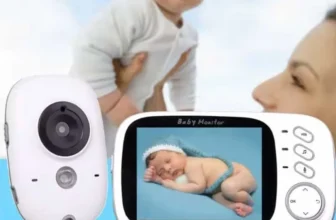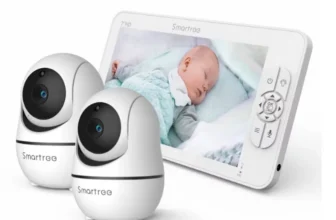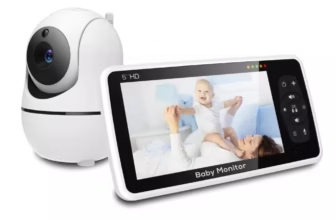
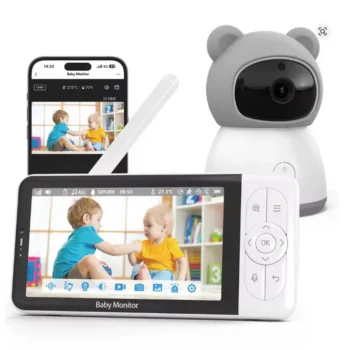

The Tuya Smart 2K Baby Monitor with 5-Inch 1080P Display and App Control is a dual-mode nursery monitoring system designed for parents who want the convenience of a dedicated parent screen together with smartphone access through the Tuya smart-home platform. Instead of forcing families to choose between a traditional non-app baby monitor and a WiFi camera, this type of system combines both approaches.
View Tuya Smart 2K Baby Monitor Product Details
For U.S. parents searching for a Tuya baby monitor, 2K baby camera, 5 inch baby monitor, WiFi baby monitor with app, 1080P baby monitor, or a nursery camera with two-way audio, motion detection, cry alerts, night vision, temperature monitoring, and local recording, this product family offers an unusually broad feature set.
Current matching BABY6TYQ/Tuya specifications show a 5-inch 1080P parent display paired with a 2K camera capable of approximately 2304 × 1296 resolution. The camera can connect to the dedicated parent monitor while also supporting Tuya smartphone-app access through WiFi. That means parents at home can use the dedicated screen, while authorized users can also view the camera through the mobile app when internet connectivity is available.
The matching configuration also includes motion detection, crying detection, noise detection, remote pan-and-tilt control, 2X and 4X digital zoom, automatic infrared night vision, two-way audio, room-temperature monitoring, lullabies, feeding reminders, and support for local microSD recording up to 128GB.
A rechargeable battery in the parent display allows cordless use around the home. Current matching specifications list a 3000mAh battery with up to approximately 16 hours of operation in sleep or power-saving mode. Wireless monitor-to-camera range is listed at approximately 40 meters indoors and up to 300 meters in favorable open conditions, while smartphone app access can operate over the internet when the camera is connected to WiFi.
Because similar Tuya baby-monitor configurations can vary slightly by seller, production version, plug type, and firmware, buyers should confirm the exact OnlineDaraz variation before ordering. Features such as battery capacity, screen resolution, storage support, and included mounting accessories should always be checked against the selected package.
This comprehensive USA guide explains how the Tuya Smart 2K Baby Monitor works, how the parent monitor differs from smartphone app control, how to use motion and cry detection, night vision, two-way talk, temperature monitoring, local storage, digital zoom, remote viewing, and how to install the camera safely in a nursery.

What Is the Tuya Smart 2K Baby Monitor?
The Tuya Smart 2K Baby Monitor is a camera-and-display monitoring system that can operate through both a dedicated parent monitor and the Tuya mobile platform.
Dedicated Parent Monitor
The parent unit provides a separate screen for viewing the nursery without requiring a smartphone to remain open continuously.
Smartphone App Access
The camera can also connect to a compatible Tuya or Smart Life app through WiFi, allowing authorized users to check the camera from a phone or tablet.
2K Camera Resolution
Current matching product specifications identify the camera at approximately 2304 × 1296 resolution, often marketed as 2K or 3MP-class video.
Two Monitoring Methods in One System
The biggest practical advantage is flexibility: parents can use the dedicated display at home while retaining the option of remote smartphone access when desired.
5-Inch 1080P Parent Display
The matching BABY6TYQ configuration uses a 5-inch HD parent monitor with 1920 × 1080 resolution.
Large Enough for Convenient Viewing
A 5-inch screen provides significantly more viewing area than smaller 2.4-inch or 3.5-inch baby monitors.
Dedicated Nursery Display
The parent monitor can remain beside a bed, desk, kitchen counter, or living-room seating area while a smartphone continues handling other tasks.
Clear HD Interface
The high-resolution screen is designed to show the camera feed, monitoring status, alerts, and other settings in one place.
Display Specifications Can Vary by Production Version
Some related Tuya models use a 5-inch 720P IPS screen, so U.S. buyers should confirm that the selected OnlineDaraz variation specifically includes the advertised 1080P display.
2K Camera Resolution Explained
The matching camera is specified at 2304 × 1296 pixels, which provides more captured detail than standard 1080P video.
More Pixels Than Full HD
Standard 1080P uses approximately 1920 × 1080 pixels. A 2304 × 1296 camera records a larger image area.
Useful for Digital Zoom
Higher native camera resolution can help preserve more visible detail when parents use 2X or 4X digital magnification.
Useful for Recorded Clips
When compatible storage is installed, higher-resolution video can provide more detail during playback.
App and Parent-Screen Resolution May Differ
The camera can capture higher-resolution video than the dedicated display necessarily shows at its full native resolution. This is normal in camera-monitor systems.

Tuya App Control
Tuya compatibility is one of the defining features of this baby monitor.
Smartphone Viewing
Authorized users can access the camera through a compatible Tuya mobile app when the camera is connected to the internet.
Remote Camera Control
Depending on firmware and product variation, users can access functions such as pan, tilt, monitoring, alerts, and live video through the app.
Useful When Away From the Parent Monitor
A parent can use the dedicated screen around the home while another authorized family member may use app access remotely.
Internet Access Requires WiFi
Remote app viewing is different from the direct local connection between the camera and dedicated parent display.
Dedicated Monitor and App Can Serve Different Purposes
One of the strongest features of a dual-mode system is that the two viewing methods are useful in different situations.
At Home
The dedicated screen is convenient because it remains available without tying up a smartphone.
At Work or Away From Home
App access can provide remote viewing when the camera remains connected to the home’s internet service.
For Two Caregivers
One person can use the parent monitor while another uses an authorized smartphone.
App Sharing Should Be Controlled Carefully
Only trusted users should receive access to a nursery camera.
WiFi and Local Wireless Operation
The Tuya monitor combines two different communication paths.
Camera to Parent Monitor
The camera communicates locally with the dedicated display through the monitor’s wireless system.
Camera to Smartphone
WiFi allows the camera to connect with the Tuya app through the internet.
Home Monitoring Can Continue Without Constant Phone Use
The dedicated display remains the simplest way to monitor while moving around the house.
Remote Smartphone Access Depends on Network Connectivity
If home internet or WiFi goes offline, app-based remote viewing may become unavailable even when the dedicated local monitor remains functional.
2.4GHz WiFi Compatibility
Many Tuya baby monitors use 2.4GHz WiFi for app connectivity.
2.4GHz Has Broad Smart-Home Compatibility
Many routers and smart-home products support this frequency range.
Better Wall Penetration Than Higher Frequencies in Many Homes
2.4GHz signals can often travel farther through ordinary residential spaces than higher-frequency alternatives.
Router Configuration Matters
Some dual-band routers combine network names, while others separate 2.4GHz and 5GHz networks.
Confirm the Exact WiFi Requirement
Some current Tuya monitoring products support additional WiFi configurations, but buyers should follow the exact setup instructions included with the selected unit.
Remote Pan and Tilt Camera Control
The camera supports PTZ-style movement so parents are not limited to one fixed view.
Pan Across the Nursery
Horizontal movement makes it possible to check different sides of the room.
Tilt Up and Down
Vertical adjustment helps cover the crib, floor, or another sleeping area from one installation point.
Useful as Babies Become Toddlers
A mobile child may spend time in more than one part of the room.
Remote Movement Reduces the Need to Reposition the Camera Physically
Parents can adjust the view from the monitor or app instead of repeatedly entering the nursery.
2X and 4X Digital Zoom
Current matching Tuya baby monitors include both 2X and 4X digital zoom.
2X Zoom
This provides moderate magnification for a closer view while retaining more of the surrounding frame.
4X Zoom
This enlarges a smaller portion of the image when parents want to inspect a specific area.
High-Resolution Camera Helps
A 2K source image gives digital zoom more original image data to work with than a lower-resolution camera.
Digital Zoom Is Not Optical Zoom
The camera is enlarging part of the existing image rather than physically changing lens magnification.

Automatic Motion Detection
Motion detection allows the system to identify activity within the camera view.
Useful When a Sleeping Child Starts Moving
The system can provide additional awareness when movement is detected.
Useful for Toddlers
As children begin climbing or leaving a bed, motion information becomes increasingly useful.
App Notifications May Be Available
Compatible Tuya configurations can send supported alerts through the mobile application.
Motion Detection Does Not Replace Supervision
Alerts are supplemental information and should not be treated as a guarantee that every movement or event will be detected.
Cry Detection
Cry detection is another major smart-monitoring feature.
Identifies Baby-Crying Sounds
The camera analyzes sound activity and can alert the caregiver when crying is detected.
Useful During Screen-Off Periods
Parents do not need to watch the video constantly to receive useful monitoring alerts.
Useful With Smartphone Notifications
Compatible Tuya configurations can provide remote notification functions.
False or Missed Alerts Are Possible
Background sounds, television, pets, toys, or other noises may affect audio-based detection.
Noise Detection
Matching BABY6TYQ specifications include general noise detection in addition to cry detection.
Broader Than Cry Detection
The monitor may react to significant nursery sound even when it does not fit a specific crying pattern.
Useful for Older Children
Parents may want to know when a sleeping toddler begins talking or making other sounds.
Adjust Alert Behavior if Supported
Sensitivity settings may vary by firmware or app version.
Motion Tracking
Some current Tuya baby-monitor versions also include motion-tracking functionality.
Camera Follows Detected Movement
Compatible configurations can automatically adjust the viewing direction when movement is identified.
Useful for Toddlers
A mobile child can move beyond the original center of the camera frame.
Works With Pan-and-Tilt Hardware
Tracking depends on the camera’s motorized movement system.
Confirm Tracking on the Exact Variation
Motion detection is common across this product family, while automatic tracking can vary by specific version.
Automatic Infrared Night Vision
The camera provides infrared night vision for dark nursery conditions.
No Need to Leave a Bright Light On
The nursery can remain dark while parents continue watching the video feed.
Automatic Day-to-Night Switching
The camera detects reduced ambient light and changes to infrared operation.
Matching Listings Specify About 15 Feet of Night-Vision Range
Current BABY6TYQ specifications list approximately 5 meters, or 15 feet.
Infrared Night Vision Usually Appears Monochrome
This is normal and differs from daytime full-color video.

Two-Way Audio
The Tuya Smart baby monitor includes two-way voice communication.
Listen to Nursery Audio
The camera microphone transmits sound to the parent screen and compatible app.
Speak Through the Camera
A caregiver can transmit voice audio back into the nursery.
Useful for Reassurance
A familiar voice may help comfort a child while the parent prepares to enter the room.
Two-Way Audio Is Not a Substitute for Physical Care
Feeding, changing, comforting, medical needs, and safety concerns require appropriate in-person response.
Room Temperature Monitoring
The monitor includes a nursery-temperature sensor.
See Approximate Room Temperature
Parents can monitor changes without placing a separate basic thermometer beside the camera.
Useful During Seasonal Changes
Heating and cooling can create large differences between winter and summer nursery conditions.
Temperature Alerts May Be Supported
Matching Tuya configurations include high- and low-temperature warning functions.
Sensor Accuracy Is Not Laboratory Grade
Related Tuya documentation notes that room airflow and sensor placement can create small differences in displayed temperature.
Temperature and Humidity Monitoring on Some Versions
Some closely related Tuya variants also add humidity monitoring.
Humidity Can Affect Nursery Comfort
Very dry or humid air can change how the room feels.
Combined Environmental Information
Temperature and humidity together provide more context than temperature alone.
Confirm Humidity Support Before Purchase
Not every matching configuration lists a humidity sensor, so it should be treated as variation-dependent.
Built-In Lullabies
Matching Tuya baby monitors include multiple built-in soothing melodies.
Play Audio Through the Camera
No separate Bluetooth speaker is required for the built-in lullaby feature.
Useful for Bedtime Routines
Parents can incorporate familiar music into naps or nighttime routines.
Remote Control
Playback can typically be managed through the monitoring interface.
Keep Volume Moderate
The camera should not be placed extremely close to the crib or played unnecessarily loudly.
Feeding Timer and Reminder
The system includes reminder functionality that can help caregivers organize recurring routines.
Useful During Newborn Schedules
Frequent waking and feeding can make time tracking more difficult.
Integrated Into the Monitor
The dedicated parent unit can provide routine reminders without requiring a separate phone alarm.
Follow Individual Pediatric Guidance
A reminder function is only an organizational feature and should not replace individualized feeding recommendations.
3000mAh Rechargeable Parent-Monitor Battery
The matching BABY6TYQ configuration uses a 3000mAh rechargeable battery.
Cordless Use Around the Home
The parent screen can move between the bedroom, living room, kitchen, and office.
Useful During Daytime Naps
The monitor does not need to remain plugged in while the caregiver moves between rooms.
Supports Sleep Mode
Power-saving operation helps extend battery runtime.
Battery Capacity Can Differ Across Related Tuya Versions
Other related models may use 3500mAh, 5000mAh, or other capacities. Confirm the exact OnlineDaraz package before purchase.
Up to Approximately 16 Hours in Sleep Mode
Current matching specifications advertise up to around 16 hours of battery operation in sleep mode.
Screen-Off Operation Saves Power
The LCD consumes substantial energy, so turning it off when continuous viewing is unnecessary extends runtime.
Alerts Help Maintain Awareness
Sound and smart-detection features can draw attention when activity occurs.
Useful Overnight
Many caregivers do not need the parent display illuminated continuously while the nursery remains quiet.
Actual Runtime Varies
Brightness, wireless activity, battery age, app usage, alert frequency, and temperature can influence real-world performance.

Indoor and Open-Area Wireless Range
Current matching specifications list approximately 40 meters indoors and up to 300 meters outdoors or in open space between the camera and parent monitor.
About 131 Feet Indoors
This provides useful coverage for many apartments and average-size homes.
Up to About 960 Feet in Open Conditions
The longer specification applies when fewer obstacles block the radio signal.
Walls Reduce Practical Range
Concrete, brick, metal framing, appliances, and several floors can weaken communication.
Test the System in Your Actual Home
Published range figures cannot predict every building layout.
Smartphone App Range Is Different
App-based viewing does not follow the same local-range limitation when the camera remains connected to the internet.
Camera Connects to Home WiFi
The internet carries supported remote app access beyond the house.
Parents Can Check Remotely
Authorized smartphone users can potentially view the camera from another location.
Internet Quality Matters
Poor upload speed or unstable home WiFi can affect remote video performance.
App Access Should Be Protected
Use a strong unique account password and keep the mobile app and device firmware updated when updates are available.
Up to 128GB microSD Card Support
The matching Tuya baby monitor supports local TF or microSD storage up to 128GB.
Save Video Locally
A compatible memory card can store recordings without relying exclusively on cloud services.
Useful for Reviewing Events
Parents may be able to review recorded clips after motion or other activity.
Storage Capacity Depends on Recording Settings
Higher-resolution recording uses more space than lower-quality video.
Memory Card Is Not Always Included
Check the package description before assuming a 128GB card comes with the monitor.
Cloud Storage Support
Some Tuya versions also provide optional cloud-storage functionality through the app platform.
Off-Device Recording
Cloud storage can preserve recordings even if the local memory card becomes unavailable.
Remote Playback
Supported recordings may be accessible through the mobile application.
Cloud Services May Require a Subscription
Pricing, availability, retention periods, and privacy terms can change, so buyers should review the current Tuya app offering.
Local Storage Versus Cloud Storage
microSD Storage
Provides local recording and can avoid recurring cloud fees after the memory card is purchased.
Cloud Storage
Can provide off-camera backup and convenient remote access.
Some Families May Use Both
A combination can provide additional flexibility.
Review Privacy Preferences Before Choosing
Parents should understand where nursery footage is stored and who has account access.
Privacy Considerations for a WiFi Baby Monitor
Any internet-connected nursery camera should be configured carefully.
Use a Strong Unique Password
Do not reuse a password already used for email, banking, or social media.
Secure the Home WiFi Network
Use current encryption and a strong router password.
Keep the Tuya App Updated
Software updates can include compatibility and security improvements.
Limit Shared Access
Only trusted caregivers should have permission to view the camera.
Remove Access When It Is No Longer Needed
If a temporary caregiver no longer requires camera access, revoke it through the applicable account controls.
Dedicated Monitor Privacy Advantage
One benefit of this dual-mode system is that parents do not always need to use internet viewing.
Use the Dedicated Screen at Home
Local monitoring can be more convenient for normal daily use.
Use App Access Only When Needed
Families can choose when internet-based remote viewing is useful.
Dual-Mode Monitoring Offers Flexibility
The product can function more like a traditional baby monitor at home while still providing smart-camera features.
Safe Camera Placement
Correct nursery installation is more important than obtaining a perfect camera angle.
Keep Cords Away From the Crib
Power cables should remain well outside an infant or toddler’s reach.
Use Secure Mounting Hardware
If the camera is wall-mounted, ensure the mounting system is appropriate for the wall surface.
Do Not Place the Camera Inside the Crib
The camera should remain outside the sleeping area.
Reassess Placement as the Child Grows
A device that a newborn cannot reach may become accessible to a standing toddler.
Wall, Table, and Crib-Area Placement
Current Tuya baby-monitor systems can support several placement approaches.
Tabletop Placement
A dresser or high shelf can provide a quick setup if cords remain safely secured.
Wall Mounting
A higher viewpoint can provide broader nursery coverage.
Crib-Area Mounting Accessories
Some versions and third-party accessories allow additional mounting configurations.
Never Create a Cord Hazard
Convenience should never override nursery safety.

Using the Tuya Baby Monitor for Daytime Naps
Keep the Parent Display Nearby
The battery-powered screen can travel around the home.
Use Sound and Cry Alerts
These functions can draw attention even when the screen is not being watched continuously.
Use App Access When Necessary
An authorized caregiver can check the camera from another compatible device.
Pan and Zoom Before Entering the Room
A quick visual check can help parents determine whether a nursery visit is necessary.
Using the Monitor Overnight
Automatic Night Vision Handles Darkness
The baby’s room does not need to remain brightly illuminated.
Sleep Mode Conserves Battery
The parent screen can remain off during quiet periods.
Cry Detection Provides Additional Awareness
Supported alerts can bring attention back to the monitor.
Keep Charging Power Available
Actual battery runtime can vary, so overnight charging access is useful.
Using the Monitor in a Home Office
Keep the Dedicated Monitor Beside the Computer
This allows continuous nursery awareness without occupying the phone screen.
Use App Alerts as a Secondary Option
Smartphone notifications can complement the parent monitor.
Two-Way Talk Can Be Convenient
A caregiver can speak briefly through the camera while preparing to enter the room.
A Dedicated Screen Helps Reduce Multitasking on One Device
The phone remains available for work calls and other activities.
Using the Monitor in a Two-Story Home
Test Parent-Monitor Range
Carry the display to the kitchen, office, living room, and bedroom.
Test Through Closed Doors
Real-world conditions differ from an open-area wireless test.
Use App Access Where Local Range Is Weak
When internet connectivity is available, the smartphone option can provide additional flexibility.
Do Not Assume Every Wall Has the Same Effect
Concrete and metal can reduce wireless range more than typical wood-frame construction.
Using the Monitor in an Apartment
Local Distances Are Often Short
The parent monitor may easily cover most rooms in many apartments.
Wireless Congestion Can Be Higher
Neighbors may operate many routers and smart-home devices.
Tuya App Access Adds Flexibility
Remote viewing remains available when the camera has stable WiFi.
Place the Camera Where WiFi Is Reliable
Weak router coverage can affect app performance even when the dedicated parent monitor works normally.
How to Set Up the Tuya App
Install the Official Compatible App
Follow the product manual for the recommended Tuya Smart or Smart Life application.
Create or Sign Into Your Account
Use a unique password that is not reused elsewhere.
Connect the Camera to the Appropriate WiFi Network
Follow the pairing procedure provided in the included instructions.
Verify Live Video
Confirm that the camera feed loads correctly through the smartphone.
Configure Notifications Carefully
Enable only the alerts that are useful so important notifications do not become lost among excessive warnings.
How to Improve WiFi Performance
Keep the Router Within Reasonable Range
Multiple walls between the camera and router can reduce performance.
Avoid Hiding the Camera Behind Large Metal Objects
Metal can weaken radio signals.
Keep Router Firmware Updated
Modern router software can improve reliability and security.
Do Not Move the Camera Into an Unsafe Position Just for Better WiFi
Safe nursery placement always comes first.
How to Use microSD Recording
Choose a Compatible Card
The matching product family supports up to 128GB.
Insert the Card According to the Manual
Powering down first may be recommended depending on the product design.
Format the Card When Required
The device or app may provide a formatting function.
Review Recorded Footage
Compatible recordings can be accessed according to the system interface.
Use a Reliable Memory Card
Video recording places repeated write demands on storage media, so quality and endurance matter.
U.S. Plug Availability
Current matching BABY6TYQ listings include a dedicated U.S.-plug version.
Select the U.S. Variant at Checkout
This avoids unnecessary plug adapters.
Current Packages Include Separate Camera and Monitor Adapters
Matching product listings specify one adapter for each component.
Check Electrical Labels Before Use
Verify that the supplied adapters correspond to the selected regional package.
Do Not Substitute Random Chargers
Voltage, current, connector type, polarity, and safety requirements need to match.
What Comes in the Package?
Current matching U.S.-plug packages list the following items.
One Parent Monitor
The 5-inch display serves as the dedicated local viewing device.
One 2K Nursery Camera
The camera provides live video, audio, night vision, detection, and smart-app connectivity.
Two Power Adapters
Separate power is provided for the camera and monitor.
English User Manual
The manual includes setup and operation information.
Wall-Mount Hardware
Matching U.S.-plug packages also list mounting screws. Verify exact contents after delivery.
First-Time Setup Checklist
Charge the Parent Monitor
Start with a full battery before evaluating runtime.
Connect the Camera
Choose a temporary safe location before permanent mounting.
Test the Dedicated Monitor
Verify image, audio, pan, tilt, and zoom.
Connect the Tuya App
Complete WiFi pairing according to the manual.
Test Night Vision
Darken the nursery and confirm infrared operation.
Test Detection Alerts
Verify cry, motion, or noise notifications according to available settings.
Only Then Choose Permanent Placement
Testing first avoids drilling mounting holes before confirming that the chosen location provides a useful view and reliable connectivity.
Common Mistakes to Avoid
Placing Cords Near the Crib
This creates an avoidable nursery hazard.
Using Weak Account Passwords
Internet-connected cameras deserve strong account security.
Sharing App Access Too Broadly
Only trusted caregivers should have viewing permission.
Expecting 300 Meters Through Multiple Walls
The longest range applies to favorable open conditions.
Assuming Every Tuya Variant Has the Same Battery
Related models can use different battery capacities.
Assuming a microSD Card Is Included
Storage support does not necessarily mean storage media comes in the package.
Treating Temperature Readings as Medical Data
The environmental sensor provides supplemental information only.
Using the Camera as a Substitute for Caregiving
A smart baby monitor is an observation tool, not a replacement for direct supervision.
What U.S. Buyers Should Check Before Ordering
Confirm the 2K Camera Version
Look for approximately 2304 × 1296 camera resolution if the high-resolution model is important to you.
Confirm the 5-Inch Display
Verify that the selected package includes the dedicated parent monitor.
Confirm 1080P Monitor Resolution
Some related models use a 720P screen, so verify the exact variation.
Confirm Tuya App Compatibility
Make sure smartphone remote monitoring is supported.
Confirm Pan and Tilt
Motorized movement is important for broader nursery coverage.
Confirm 2X and 4X Zoom
Matching configurations support both magnification levels.
Confirm Cry and Motion Detection
These are core smart-monitoring features.
Confirm Night Vision
The matching system supports automatic infrared viewing.
Confirm Two-Way Audio
Parents should be able to listen and talk through the system.
Confirm Temperature Monitoring
Room-temperature sensing is included in matching versions.
Confirm Storage Support
Check whether the selected unit supports up to 128GB microSD storage.
Confirm Battery Capacity
Matching BABY6TYQ units commonly use 3000mAh, but related versions can differ.
Select the U.S. Plug
Choose the correct regional power package before checkout.
Confirm Every Important Specification on the Exact Product Variation
Tuya baby monitors are sold in several closely related configurations, so the variation selected at checkout matters.
Frequently Asked Questions About the Tuya Smart 2K Baby Monitor
What is the camera resolution?
The closest matching configuration uses a 2K camera with approximately 2304 × 1296 resolution.
How large is the parent monitor?
The dedicated display is 5 inches.
Is the parent screen 1080P?
The matching BABY6TYQ specification lists a 1920 × 1080 parent display. Closely related Tuya models may instead use 720P, so verify the selected version.
Does it work with the Tuya app?
Yes. Tuya app compatibility is a core feature of this product family.
Can I view my baby on my smartphone?
Yes, when the camera is connected to compatible WiFi and configured through the supported Tuya app.
Can I also use a dedicated monitor?
Yes. The 5-inch parent display provides local monitoring without requiring continuous smartphone use.
Does the parent monitor need home WiFi?
The dedicated camera-to-monitor connection is designed to work locally. WiFi is required for remote app features.
Does the camera support pan and tilt?
Yes. Current matching models include motorized pan-and-tilt control.
Does it have zoom?
Yes. 2X and 4X digital zoom are listed.
Does it detect crying?
Yes. Cry detection is part of the matching feature set.
Does it detect movement?
Yes. Motion detection is included.
Does it detect other sounds?
Matching models also list general noise detection.
Does it automatically follow movement?
Some Tuya versions include motion tracking. Confirm that feature on the exact variation.
Does it have night vision?
Yes. Automatic infrared night vision is included.
How far can it see in darkness?
Matching BABY6TYQ specifications list approximately 15 feet, or 5 meters.
Does it support two-way talk?
Yes. Parents can hear the nursery and transmit voice through the camera.
Does it monitor temperature?
Yes. Room-temperature monitoring is included.
Does it monitor humidity?
Some related Tuya versions include humidity sensing, but this should be confirmed on the exact OnlineDaraz variation.
Does it play lullabies?
Yes. Multiple built-in lullabies are included in current matching products.
Does it have a feeding reminder?
Yes. Feeding-timer or reminder functionality is supported in matching versions.
How large is the parent-monitor battery?
The closest matching BABY6TYQ configuration uses a 3000mAh battery.
How long does the battery last?
Matching specifications advertise up to approximately 16 hours in sleep mode. Actual runtime depends on settings and usage.
What is the indoor monitor range?
Current matching specifications list approximately 40 meters, or about 131 feet, indoors.
What is the maximum open-area range?
Approximately 300 meters, or around 960 feet, under favorable conditions.
Can I watch from outside the home?
Yes, supported app access can work remotely through the internet when the camera remains connected to WiFi.
Does it record video?
Compatible models support local microSD recording.
What is the maximum memory-card size?
Current matching specifications support up to 128GB.
Does it support cloud storage?
Some Tuya versions support optional cloud services. Availability and pricing should be checked in the current app.
Is the memory card included?
Do not assume so unless the exact package states that a card is included.
Is a U.S. plug available?
Yes. Current matching products are offered with U.S., EU, UK, and AU plug versions.
Can I mount the camera on the wall?
Yes. Matching packages include or support wall-mount hardware.
Can several people use the app?
Tuya platforms may support device sharing, but access should be limited to trusted users and configured through the current app controls.
Can the monitor prevent accidents?
No. It can improve awareness but does not guarantee detection or prevention of nursery incidents.
Can it replace direct supervision?
No. A baby monitor is a supplemental monitoring tool.
What are the main features U.S. parents should remember?
The closest matching configuration combines a 2K nursery camera, 5-inch HD/1080P parent display, Tuya smartphone app, local wireless monitoring, WiFi remote access, pan and tilt, 2X/4X digital zoom, motion and cry detection, noise alerts, night vision, two-way audio, temperature monitoring, lullabies, feeding reminders, rechargeable battery operation, and up to 128GB local storage support.
Tuya Smart Baby Monitor Versus a Non-WiFi Baby Monitor
Tuya Adds Remote Smartphone Access
Parents can potentially check the nursery even when they are away from the dedicated monitor.
Traditional FHSS Monitors Are More Self-Contained
They do not normally send video through the internet.
The Tuya System Combines Both Concepts
The dedicated display can handle ordinary home monitoring while WiFi enables optional smartphone access.
Privacy Management Becomes More Important With Internet Connectivity
Strong passwords, trusted account access, and secure home WiFi should be part of setup.
Tuya Baby Monitor Versus a WiFi-Only Camera
Tuya Dual-Mode Monitor Includes a Dedicated Display
You do not need to keep your phone open all day.
WiFi-Only Cameras Depend More Heavily on Apps
Every visual check may require opening the smartphone interface.
Dedicated Monitor Can Remain Beside the Bed
This can be more convenient for overnight checks.
Dual-Mode Monitoring Offers More Choice
Parents can select whichever viewing method best fits the situation.
Why the 2K Camera Is Useful With Digital Zoom
More Source Pixels
The original camera image contains more detail than standard Full HD.
Useful for Cropping
Digital zoom effectively enlarges a smaller portion of the source image.
Useful for Recorded Footage
Higher-resolution local video can provide clearer playback when storage settings support it.
2K Does Not Mean Unlimited Detail
Lighting, focus, compression, lens quality, and digital zoom level still influence what parents can actually see.
Why Smart Detection Can Reduce Constant Screen Watching
Cry Detection
Alerts can draw attention when crying is recognized.
Motion Detection
Activity can trigger monitoring notifications.
Noise Detection
Additional sounds can provide another layer of awareness.
Alerts Support Monitoring Rather Than Replacing It
Automated detection should be treated as supplemental assistance, not as a perfect safety system.
Why Local Recording Can Be Valuable
No Required Cloud Subscription for Basic microSD Recording
A compatible card can store footage locally.
Review Events Later
Parents may be able to check what happened before an alert.
Keep More Control Over Storage Location
Some families prefer local storage for privacy or cost reasons.
Secure the Memory Card
Local recordings can contain private household video and should be handled accordingly.
Final Thoughts on the Tuya Smart 2K Baby Monitor with 5-Inch 1080P App Control
The Tuya Smart 2K Baby Monitor with 5-Inch 1080P Display and App Control is particularly attractive for parents who want the simplicity of a traditional dedicated baby monitor without giving up the remote-access capabilities of a modern WiFi camera.
The closest matching current configuration combines a 2K 2304 × 1296 nursery camera with a large 5-inch parent display. This provides a useful balance between high-resolution camera capture and convenient local viewing.
Tuya app compatibility is one of the product’s strongest advantages. At home, the dedicated monitor can remain beside a bed, desk, kitchen counter, or living-room chair. When remote access is useful, the smartphone app provides another way for authorized caregivers to check the camera through the internet.
Pan-and-tilt control expands the camera’s useful viewing area, while 2X and 4X digital zoom make it possible to concentrate on a smaller portion of the nursery image. These capabilities become increasingly useful as a child progresses from sleeping primarily in a crib to moving around more of the room.
The smart detection system adds motion, crying, and noise awareness. Some versions also provide automatic tracking, although that feature should be confirmed on the exact OnlineDaraz variation. Automatic infrared night vision allows the nursery to remain dark while parents continue monitoring.
Two-way audio allows caregivers to listen and speak through the system. Temperature monitoring adds useful room information, while lullabies and feeding reminders support common nursery routines.
The parent monitor’s rechargeable battery makes local monitoring portable. The closest matching BABY6TYQ version uses a 3000mAh battery and advertises up to approximately 16 hours in sleep mode. Because related Tuya models use several different battery capacities, buyers should verify the exact variation before purchasing.
Local microSD recording up to 128GB is another useful feature. Parents who prefer local storage can record compatible footage without depending entirely on cloud services. Some Tuya versions also support optional cloud storage through the app.
U.S. buyers should pay careful attention to plug selection. Current matching listings provide a U.S.-plug package alongside EU, UK, and AU versions. Select the correct option rather than depending on an external travel adapter.
Privacy is also important. Because app access makes the camera internet-connected, use a strong unique password, secure the home WiFi network, keep software updated, and limit device sharing to people who genuinely need access.
Physical nursery safety remains equally important. Keep the camera and all power cords well outside the child’s reach, use secure mounting hardware, and reassess placement as the child becomes more mobile. A baby monitor can improve awareness, but it should never be considered a replacement for appropriate supervision or safe nursery practices.
View Tuya Smart 2K Baby Monitor Product Details
Before ordering, confirm the exact 2K camera resolution, 5-inch screen resolution, Tuya app support, local monitor connection, WiFi requirements, pan-and-tilt range, 2X/4X digital zoom, cry and motion detection, night vision, two-way audio, temperature monitoring, battery capacity, sleep-mode runtime, microSD storage capacity, included accessories, and U.S.-plug variation.
For U.S. parents searching for a Tuya baby monitor, 2K baby camera, 5 inch baby monitor, WiFi baby monitor with app, 1080P baby monitor, or a smart nursery monitoring system with a dedicated parent screen, remote smartphone access, cry detection, motion alerts, two-way talk, night vision, temperature monitoring, and local storage, the Tuya Smart 2K Baby Monitor offers a versatile combination of traditional local monitoring and modern connected-camera features.